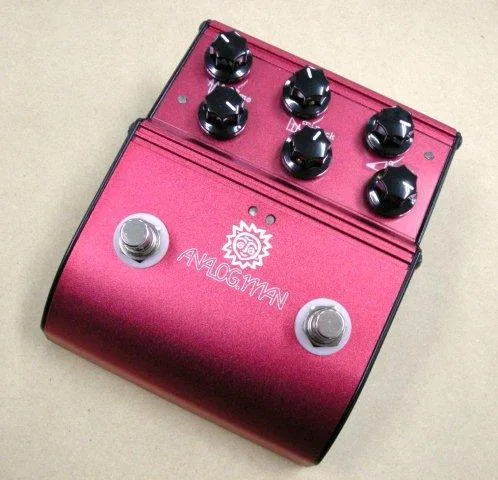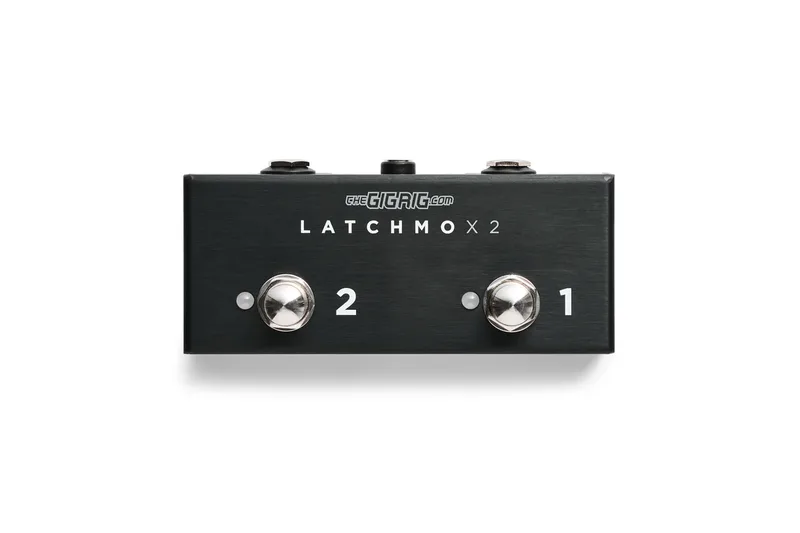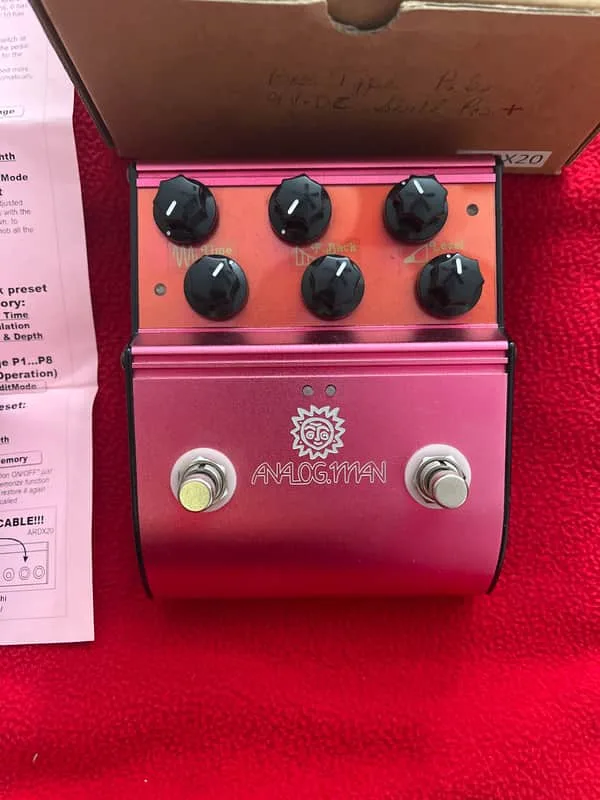


The Analog Man AMAZE0 is a remote foot controller for the Analog Man ARDX20 dual analog delay. It is not a delay pedal itself: it carries no delay circuit and only works when connected to the ARDX20. What it adds is foot control of the delay's main functions. Guitar World's 2013 round-up of new stomp boxes described it this way: "The optional AMAZE0 controller adds features for tap tempo, modulation and remote control, as well as eight presets."1
Connections
The AMAZE0's jacks are laid out for a specific wiring job, and the maker's manual spells out each one2:
| Jack | What it does |
|---|---|
| Leftmost | Connects to the ARDX20's second leftmost jack with a STEREO (TRS) patch cord |
| Two center jacks | Each accepts an expression pedal, controlling the knob closest to that jack |
| Right | Accepts a dual remote footswitch, such as the Boss FS-6 |
The connection to the ARDX20 must be a stereo (TRS) patch cord, not a regular mono guitar cable. Without that link to the delay, the AMAZE0 does nothing on its own.
Modes and switching
The controller runs in one of two modes and comes up in TAP TEMPO MODE each time it is powered on2:
- TAP TEMPO MODE: tap the switch to set the delay time in time with your playing.
- PROGRAM MODE: hold down the left button to enter it, and hold the left button again to go back to Tap Tempo mode.
Because the two modes share the same left button, the hold is the only thing separating them, which is worth knowing before changing modes mid-song2.
Expression pedal and remote footswitch
An expression pedal plugged into either center jack takes over the knob closest to that jack, letting you sweep that control by foot2. The right jack accepts a dual remote footswitch like the Boss FS-6, which works just like the two switches on the AMAZE0 itself, so the switching can be duplicated elsewhere on a larger board2.
Calibrating the AMAZE0 to your delay
Analog Man's calibration notes describe how to match the controller's stored delay times to the actual delay coming out of the ARDX203. The maker suggests setting the delay in MANUAL mode (preset 0) to 500mS and checking it against a metronome at 120BPS to hear whether the delay needs to go faster or slower. If the calibration on the controller box is not matching your delay, you can adjust it:
- Go to preset mode 2 (hold down the left button).
- Press the right button to step to Program 0 (manual delay time mode).
- The basic setting is CVTUNE of 0 0 0 0, zeroing all three delay times.
- Move the right knob to select one of the three delay times, such as 300mS.
- Use the left knob to change the value.
- To make the delay slower, edit the 300mS value and make it higher; Analog Man notes that +5 works well.
- The 150mS and 450mS values should be set to 0 during calibration.
- Tap the right switch to load the value once it is set how you want it; hold it to get back out of edit mode.
The maker's calibration notes give opposite directions for the 300mS value at different points: one says to make the value higher to make the delay slower, another says to make it lower to make the delay faster. Try one direction, and if the delay moves the wrong way, reverse the edit.
Videos
Camtac Ohbayashi
Camtac Ohbayashi
Camtac Ohbayashi
Questions
What does the Analog Man AMAZE0 control?
The AMAZE0 is a remote controller for the Analog Man ARDX20 dual analog delay. Guitar World's 2013 review described the optional controller as adding features for tap tempo, modulation and remote control, as well as eight presets. It connects to the ARDX20 with a stereo (TRS) patch cord and is not a delay pedal on its own.
Does the AMAZE0 work as a standalone delay?
No. The AMAZE0 is a remote controller, not a delay. It carries no delay circuit of its own and only functions when connected to the ARDX20 delay's second leftmost jack with a stereo (TRS) patch cord.
How do you switch between tap tempo and program mode on the AMAZE0?
The AMAZE0 has two modes, TAP TEMPO MODE and PROGRAM mode, and it powers up in TAP TEMPO MODE. To go to PROGRAM MODE, hold down the left button. To return to Tap Tempo mode from Program mode, hold the left button again.
Can you use an expression pedal with the AMAZE0?
Yes. Plugging an expression pedal into either of the two center jacks controls the knob closest to that jack remotely, so you can sweep a delay parameter from your feet.
Can you use a Boss FS-6 with the AMAZE0?
Yes. The right jack can be used with a dual remote footswitch like the Boss FS-6, which works just like the two switches on the AMAZE0 itself.
How do you calibrate the AMAZE0 to your delay?
Set the delay in MANUAL mode (preset 0), for example to 500mS, and check it against a metronome at 120BPS. If the calibration on the controller box does not match your delay, you can adjust it: go to preset mode 2 by holding the left button, use the right knob to select the delay time such as 300mS, use the left knob to change the value, and tap the right switch to load it. To make the delay slower, edit the 300mS value and make it higher; Analog Man notes +5 works well. The 150mS and 450mS values should be set to 0 during calibration.
Sources (3)
- Stomping Ground: 30 of the Coolest New Stomp Boxes and Tried-and-True Favorites, Guitar World, 2013-07-23
- AMAZE0 Basic Info (manual), Analog Man, 2015
- analogman.com, analogman.com, 2019