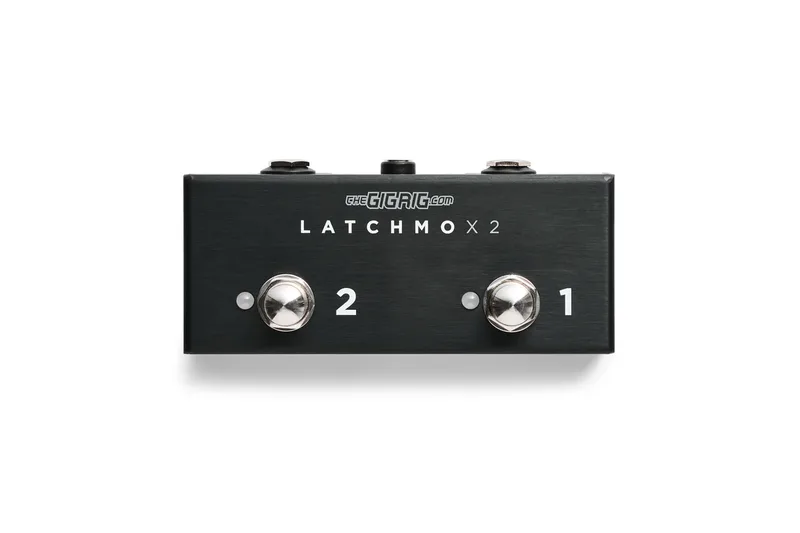

The GigRig Latchmo is a remote footswitch built for players who need to trigger something on their rig from a distance: amp channels, reverb functions, tap-tempo delays, or functions on other GigRig units. What sets it apart from a standard footswitch is its switching element. Instead of a mechanical switch that wears over time, it uses a rugged milled stainless steel GigRig OPTOKICK footswitch with optical relay control, which eliminates mechanical wear entirely1.
It comes in two versions: the single Latchmo and the dual Latchmo x2, a premium dual footswitch that offers both latching and momentary modes12. It is an analog, low voltage device developed in-house by Daniel Steinhardt, and The GigRig positions it as tour-grade reliability for professional live performance12.
Latching and momentary operation
The Latchmo can be set up for either latching or momentary operation, and the choice is made at power up rather than with a physical switch on the box. As the unit is flashing while powering up, you click the footswitch for the mode you want: Red is latching, Blue is momentary1.
The distinction matters for how you use it. A latching switch stays in its new state until you press it again, which suits amp channel switching. A momentary switch only acts while held, which suits tap-tempo delays, where you need repeated pulses in time with the music.
On the Latchmo x2, each of the two footswitches can be set to operate differently, so you could have one footswitch in latching and one in momentary1. The x2 also carries LINK DIP switches: to use each footswitch independently, turn all the LINK DIP switches to the OFF position1.
What the Latchmo can switch
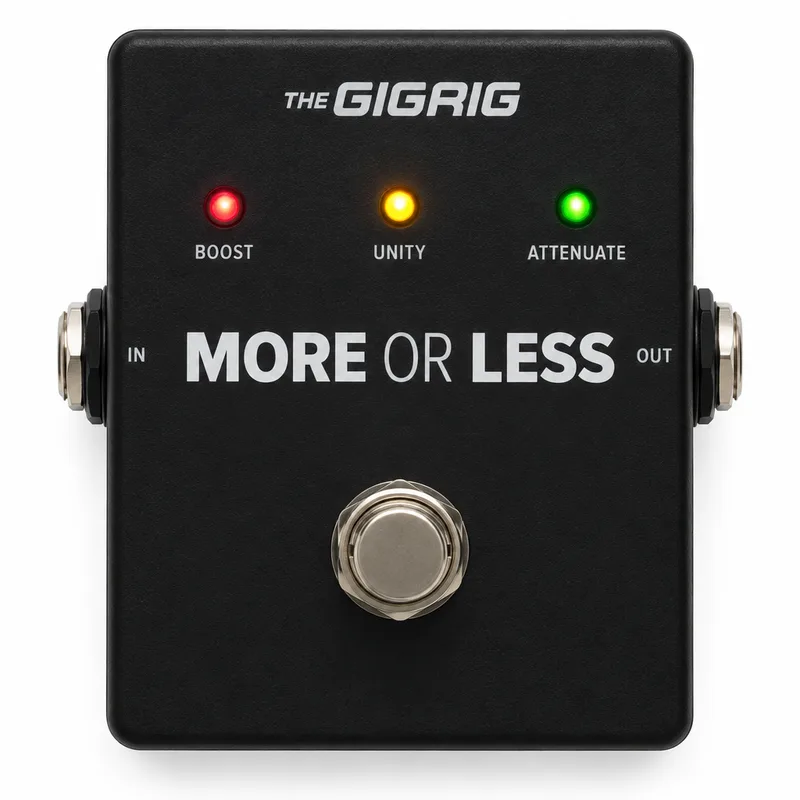
The Latchmo is a general purpose switching utility rather than a dedicated amp footswitch. RockBoard's PedalPedia describes it as suitable for switching amp channels, reverb functions, or tap-tempo delays2. Within the GigRig ecosystem, the x2 is listed for toggling between Heel and Toe settings on the GigRig More or Less, and for switching the Wetter Box between On and Off1.
Its flexibility comes from what it can close a circuit on:
- Switch the Ring and/or Tip of a TRS connection1
- Either polarity: normally open or normally closed1
- Default setting: switches the TIP to SLEEVE in Normally Open operation1
- Works with TRS and standard mono quarter inch cables1
That default, Tip to Sleeve in Normally Open, is what most amp channel switching and footswitch inputs expect, which is why the Latchmo works with ordinary mono instrument cables out of the box. The Ring and polarity options cover gear that expects something different on its switching jack1.
Optokick: optical relay control
"Optokick" is The GigRig's name for its footswitch technology. The device utilizes GigRig's highly durable Optokick technology, which employs optical relay control to eliminate mechanical wear2. In a conventional footswitch, each press physically opens and closes metal contacts, and those contacts eventually wear out or become noisy. An optical relay has no contacts to wear: the press is registered optically and the switching is done without the mechanical contact path.
The footswitch itself is milled from stainless steel, on both the single and x2 versions1. For a pedal that lives on the floor and gets stomped every night, the combination of a solid metal actuator and a wear-free switching element is the core of the Latchmo's appeal.
Power
The Latchmo runs on 9V DC with a center negative plug, the same standard as most effects pedals, drawing 30mA; the Latchmo x2 draws 60mA13. The input is reverse diode protected on both versions, so a power supply wired the wrong way will not damage the unit1. The GigRig classifies it as a low voltage device1.
The Latchmo needs a 9V DC center negative supply like a pedal power brick. It is not a passive box, so it cannot run without power the way a simple mechanical footswitch can.
Size, weight and versions
The two versions share the same Optokick footswitch and mode system but differ in footprint and weight1:
| Latchmo | Latchmo x2 | |
|---|---|---|
| Footswitches | 1 | 2 |
| Modes | Latching or momentary, set at power up | Per footswitch, latching or momentary |
| Dimensions | Length 4.7cm / 1.85", Width 5cm / 1.97", Height 3cm / 1.18" | Length 12cm / 4.72" |
| Weight | 0.09kg / 0.2lb | 0.15kg / 0.33lb |
| Current draw | 30mA | 60mA |
The single Latchmo is small enough to tuck into a corner of a pedalboard or sit beside an amp, while the x2 gives you two independent switches in one box for players who need to trigger two functions, such as amp channels plus tap tempo. RockBoard's PedalPedia also describes the Latchmo x 2 as a compact, passive-feeling switching utility that allows you to turn any standard latching footswitch into a momentary footswitch3, which is one of its more practical tricks: pair it with a latching switch you already own and get momentary behavior without buying new hardware.
Videos
TheGigRig
Questions
How do I switch the GigRig Latchmo between latching and momentary?
The mode is selected at power up. As the unit is flashing while powering up, click the footswitch for the mode you want: Red is latching and Blue is momentary. On the Latchmo x2, each footswitch can be set independently, so one can be latching while the other is momentary.
What power supply does the GigRig Latchmo need?
It runs on 9V DC with a center negative plug, drawing 30mA for the single Latchmo and 60mA for the Latchmo x2. The input is reverse diode protected, so a reversed polarity plug will not damage the unit.
Does the GigRig Latchmo work with TRS cables?
Yes. The Latchmo is set by default to switch the TIP to SLEEVE in Normally Open operation, and it works with both TRS and standard mono quarter inch cables. It can also switch the Ring and/or Tip, with either normally open or normally closed polarity.
What can the GigRig Latchmo switch?
It is suitable for switching amp channels, reverb functions, or tap-tempo delays. The GigRig also lists it for toggling between Heel and Toe settings on the More or Less, and switching the Wetter Box between On and Off.
What does Optokick mean?
Optokick is The GigRig's footswitch technology. It uses optical relay control instead of a mechanical switch, which eliminates mechanical wear. The footswitch itself is milled from stainless steel.
Is there a double version of the Latchmo?
Yes, the Latchmo x2 is a dual footswitch version with two Optokick switches. Each footswitch can be set to latching or momentary independently, and LINK DIP switches turned to OFF let each footswitch operate independently.
Sources (3)
- The GigRig, The GigRig
- Latchmo by The GigRig, RockBoard (www.rockboard.de), 2026
- LATCHMO x 2 by The GigRig, RockBoard PedalPedia, 2026