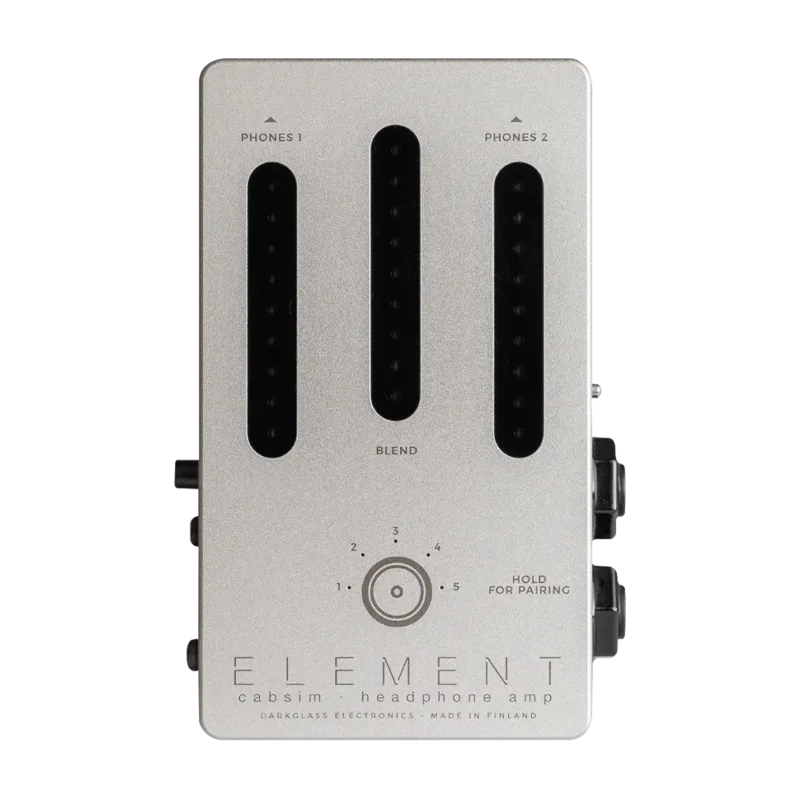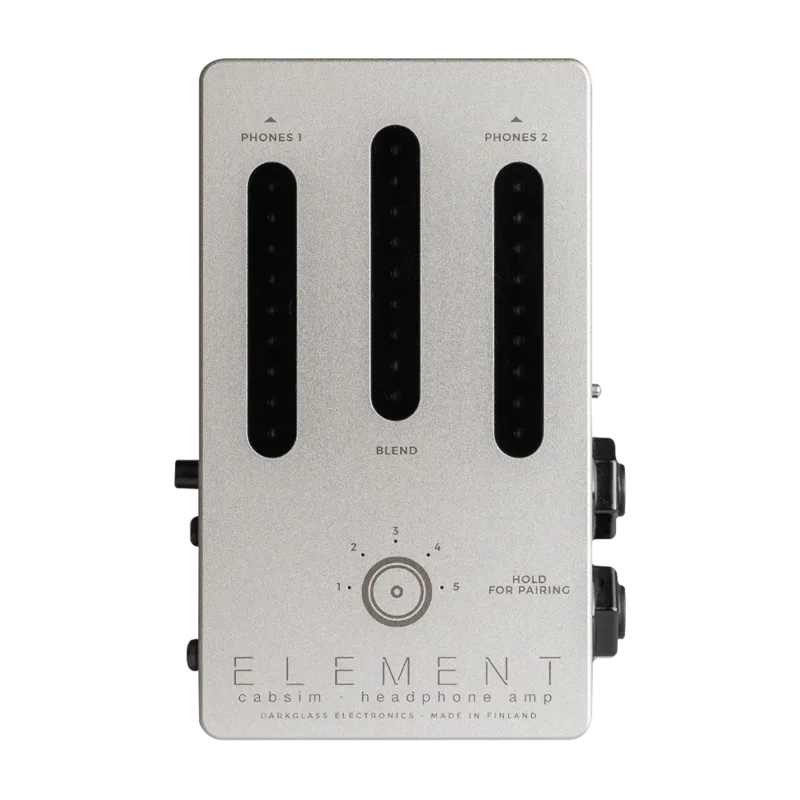


The Darkglass Element is a pedal-sized speaker simulation unit from Darkglass Electronics, announced in July 2020 and priced at $2491. Darkglass describes it as a cabsim headphone amp offering cabinet simulation for practicing, performing, or recording, and says it is fully compatible with bass guitars, guitars, or any kind of instrument2. Alongside the cab sim it works as a DI and a dual-output headphone amp, with Bluetooth and USB audio built in.
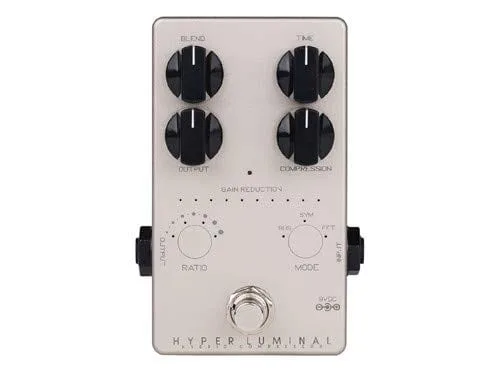
Where most cab sim pedals use knobs, the Element uses touch. Guitar World noted at launch that it "sports a very cool knob-less design with three fully-tactile slider potentiometers with positioning LEDs"1, a design Darkglass said was inspired by the touch sensor technology in its Hyper Luminal Compressor3.
What it does for your sound
The Element's core job is replacing a bass cabinet with an impulse response, so you can practice on headphones, record silently, or feed a PA without mic'ing a cab. You choose the impulse response from slots 1 through 5, or run the bypass signal for no cab simulation at all5. The USB-C connection also allows you to load your own impulse responses, so the five onboard cabs are a starting point rather than a limit6.
Guitar.com described it at launch as "a pedal-sized audio cab-sim box" with extensive I/O3, and Guitar World called it "a pedal-sized offering loaded with five cab simulations"1. RockBoard's PedalPedia classifies it as a headphone amplifier with speaker simulation and Bluetooth, covering both the CAB SIM and DI roles6.
Touch slider controls
There are no knobs. Instead the Element has three touch-sensitive sliders, each with positioning LEDs so you can see settings in the dark1.
| Control | What it does |
|---|---|
| Blend | Sets the blend between the main input (Instrument/Amp In) and the backing track (Bluetooth/Aux In) in the headphone mix2 |
| Phones 1 | Touch volume slider for the first headphone output4 |
| Phones 2 | Touch volume slider for the second headphone output4 |
The two independent headphone volume controls mean two players, or a player and an engineer, can each set their own level while sharing the same cab sim4.
Bluetooth, USB audio and headphones
The Element doubles as a small audio hub. Bluetooth handles wireless backing or click tracks4, and a 3.5 mm aux input accepts the line or headphone out of a laptop, keyboard or mixer7. The blend slider then balances that backing material against your instrument in the headphones2.
Over USB the Element routes audio in both directions5:
- USB inputs (into the computer): the processed signal, the unprocessed raw signal, aux and Bluetooth left, and aux and Bluetooth right
- USB outputs (from the computer): both headphone outputs in stereo, plus two mono XLR mix outputs
That routing makes it usable as a USB audio interface, letting you record your effected and dry signals on separate tracks while monitoring through the same unit5.
Connecting to an amp
The two 6.3 mm jacks can serve either as a balanced or unbalanced instrument input and output, or as an amplifier input and speaker through output4. How you hook up to an amp depends on its power:
- Up to 100 watts: the Element can sit between the amplifier and the speaker cabinet, using Amp In and Speaker Out5
- Up to 900 watts: the Element is built to work with these amps, but Darkglass advises connecting after the speaker cabinet, from the cabinet's parallel output connector into Amp In5
- Darkglass class D amps: the amplifier can be connected straight to the Element with no speaker cabinet or external load5
Never connect an amplifier to Amp In at the same time as an instrument into Instrument In. Darkglass warns this could lead to electric shock and equipment damage4.
The balanced XLR direct output, with its ground lift, is intended for connecting to a microphone preamp or PA system2.
Power and specifications
The Element runs on a 9-12 V DC center negative supply with a 2.1/5.5 mm barrel plug, drawing about 250 mA4. That current draw rules out a battery and is worth bearing in mind on a shared daisy chain.
| Specification | Value |
|---|---|
| Power | 9-12 V DC, center negative, 2.1/5.5 mm barrel4 |
| Current draw | ~250 mA4 |
| Input impedance (0 dB) | 915 kΩ4 |
| Input impedance (-12 dB) | 8.4 kΩ4 |
| Input impedance (-30 dB) | 8.6 kΩ4 |
| Aux input impedance | 3.4 kΩ4 |
| Headphones output impedance | ~0 Ω4 |
| Direct output impedance | 2.1 kΩ4 |
| Width | 64 mm4 |
| Weight | 245 g4 |
The three input impedance values correspond to the jack's attenuation settings, so a hot active bass can be padded down at the input. The warranty is activated by registering the product with its serial number at mypedal.darkglass.com4.
Where it came from
Videos
Darkglass Electronics
Darkglass Electronics
DragonForce
News
Questions
Can the Darkglass Element connect to a bass amp's speaker output?
Yes, with limits. With amps up to 100 watts you can place the Element between the amplifier and the speaker cabinet using Amp In and Speaker Out. With amps up to 900 watts, Darkglass advises connecting after the speaker cabinet from its parallel output connector into Amp In. Never connect an amp and an instrument at the same time.
How do I pair Bluetooth on the Darkglass Element?
Press and hold the touch sensor on the Element until all five surrounding LEDs stay lit. The unit then appears as "Element" in your device's Bluetooth list unless you rename it. Once paired, you can stream backing or click tracks wirelessly.
Does the Darkglass Element work as a USB audio interface?
Yes. Over USB it sends six outputs, including both headphone outputs in stereo and two mono XLR mix outputs, and receives four inputs, including your processed and raw signals plus aux and Bluetooth channels. The USB-C port also lets you load your own impulse responses.
How many impulse responses does the Darkglass Element hold?
Five. You choose the impulse response from slots 1 through 5, or bypass the cab sim entirely. The USB-C connection also allows you to load your own impulse responses into the unit.
Does the Darkglass Element have a ground lift?
Yes. The balanced XLR direct output includes a ground lift, useful for killing hum when connecting to a microphone preamp or PA system.
Sources (7)
- Darkglass's Element aims to conjure cab sim magic with the touch of a finger, Guitar World, 2020-07-06
- Element Cabsim Headphone Amp, Darkglass
- Darkglass unveils the Element pedal-sized headphone amp and cab-sim box, Guitar.com, 2020-07-03
- Element Manual, Darkglass
- Element Manual, Darkglass
- Element by Darkglass Electronics, RockBoard (PedalPedia), 2026
- Element Cabsim Headphone Amp, Darkglass