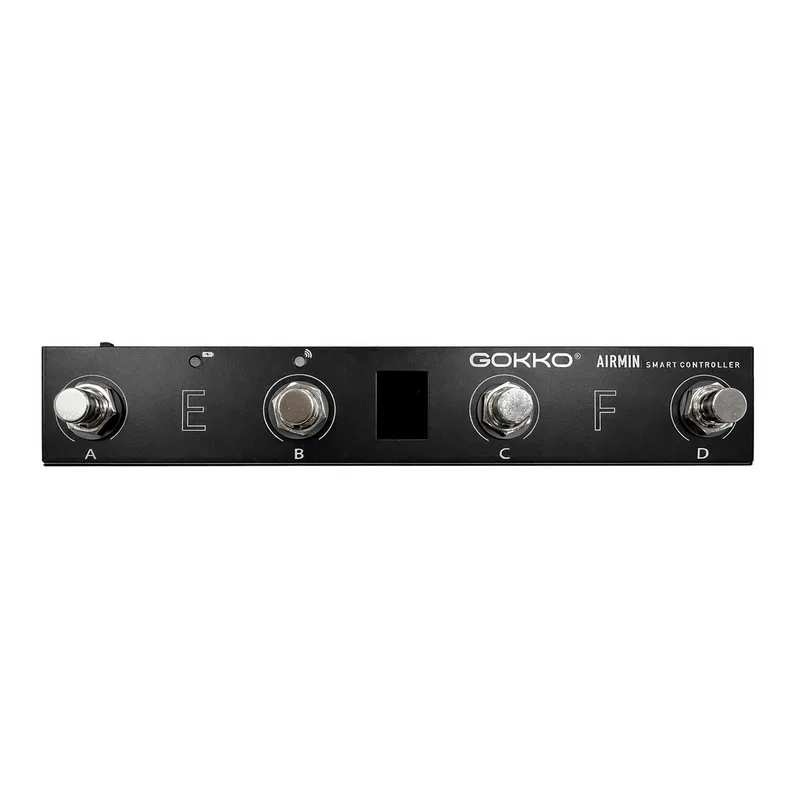
The GOKKO AIRMIN (model GAM-10) is a compact wireless MIDI foot controller and smart multi controller made by GOKKO, designed for musicians, guitarists and producers. Instead of shaping your tone like an overdrive pedal or a delay pedal, it sits at the front of your rig and sends commands: switching presets on a multi-effects pedal, triggering cues, or working keys and media controls on a computer.1
What it does
As a MIDI controller, the AIRMIN can send PC codes, CC codes, NOTE ON/OFF and SYSEX commands. GOKKO describes this as useful for switching presets and triggering cues, which covers the common jobs a player asks of a foot controller: changing patches on a MIDI-capable pedal or rack unit, or firing off one-off commands mid-song. It belongs to the wider family of MIDI pedals and switching pedals rather than to any tone-shaping category.1
The controller supports a long list of control modes, including:
- Program Change
- CC control
- Custom MIDI commands
- Advanced MIDI customization
- Touchscreen control
- Video control
- Keyboard modes
- Multimedia keys
- Custom keyboard shortcuts
- Mixed key modes1
Keyboard, video and computer control
Beyond MIDI, the AIRMIN doubles as a foot-operated keyboard. Its controls can be assigned to keyboard commands such as arrow keys, Page Up, Page Down, Space, Enter and custom key combinations, so a player can page through sheet music, start and stop a backing track, or work any software that responds to keystrokes, hands staying on the instrument.1
It also handles video. GOKKO says it supports video playback control such as rewind, fast forward, pause/play and loop, which the maker positions as a help for musicians practicing along with, or performing to, video material.1
Customizing with Cubesuite
Setup and editing run through Cubesuite software, available for Windows and Mac OS. With it, a player can customize MIDI channels, banks, footswitch actions and key commands, so the controller's behavior can be matched to a specific rig rather than fixed at the factory.1
Questions
What can the GOKKO AIRMIN control?
It sends PC codes, CC codes, NOTE ON/OFF and SYSEX commands, which covers switching presets, triggering cues and other MIDI tasks. Beyond MIDI, it can be assigned keyboard commands such as arrow keys, Page Up, Page Down, Space, Enter and custom key combinations, and it supports video playback control including rewind, fast forward, pause/play and loop.
How do you customize the GOKKO AIRMIN?
GOKKO provides Cubesuite software for Windows and Mac OS. With it you can customize MIDI channels, banks, footswitch actions and key commands, so the controller can be set up around a player's own rig and workflow.
Sources (1)
- GOKKO AIRMIN Wireless MIDI Foot Controller, GOKKO AUDIO (gokkoaudio.com)