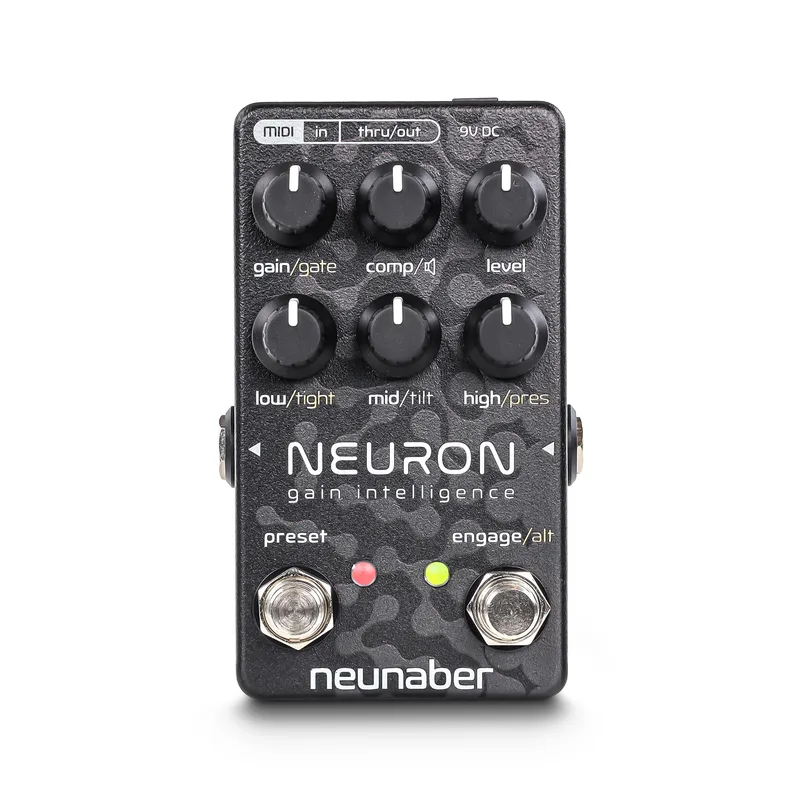


The Neunaber Neuron Gain Intelligence is a digital preamp pedal from Neunaber Technology LLC, built in Orange County, California. Neunaber describes it as a dynamic multistage guitar preamp with a compressor, noise gate, speaker simulator, presets and MIDI, all in a compact pedal format1. The Gain knob offers over 60 dB of gain, running from clean to heavy distortion1, which puts it in the same broad territory as distortion and overdrive pedals while working as a full preamp stage.
The design is deliberately its own thing. Neunaber states the circuit is not a model, emulation or simulation of any particular amp, but a unique design based on years of research into amps and pedal circuits2. The user guide puts it plainly:
"Our goal was never to emulate or mimic other gear."
Neunaber Technology LLC, Neuron user guide2
The pedal is built by Neunaber Technology LLC, and its design goal was never to emulate or mimic other gear: its algorithms were developed from studying the gain circuits of pedals and amps, both tube and solid state3.
What it does: digital gain from clean to heavy distortion
At its core the Neuron is a multistage, dynamic gain architecture. Neunaber says it yields what the manual calls "unparalleled control over the desired amount of distortion," with a feel the maker describes as almost hyper-realistic when compared to an amplifier3. The gain stages produce harmonic structures ranging from subtle to dense and complex1.
Pedal of the Day characterized the circuit as the culmination of years of researching both solid state and tube amplifiers, with new algorithms semi-based on those amps but with an original and distinct flavor5. The same review noted that the six-knob control section hides additional functions beyond the primary controls, adding to the customization available5.
Because it is a preamp rather than a simple dirt box, the Neuron also includes a single-knob compressor, a noise gate, and an internal speaker simulator, so it can drive a power amp, a flat system, or sit in a larger rig1.
The controls
The Neuron's six knobs each have a primary function, and the order of the preset functions in the signal flow is indicated above their controls on the pedal4.
| Control | What it does |
|---|---|
| Gain | Over 60 dB of gain, clean to heavy distortion1 |
| Comp | Single-knob compressor1 |
| Tightness | Adjusts a pre-gain high-pass filter2 |
| Presence | Adjusts a post-gain low-pass filter2 |
| Level | Output level of signal1 |
| Tilt EQ | One-knob compensation for a variety of output connections; global setting2 |
The Tightness and Presence knobs are the shaping pair: Tightness trims low-end content before the gain stages with a high-pass filter, while Presence rolls off high frequencies after the gain with a low-pass filter2. The Tilt EQ and the Speaker Simulator are both global settings, independent of the preset selection, and each is accessed by holding down the Engage switch while turning the knob2.
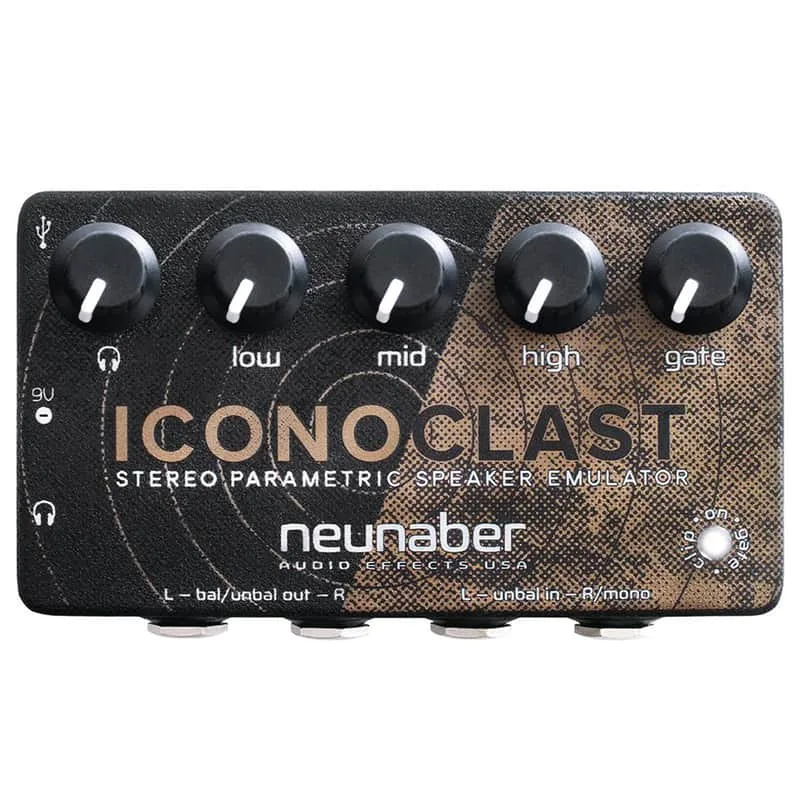
The Speaker Simulator filter is voiced to sound similar to Neunaber's Iconoclast with default settings and tone knobs at 12 o'clock, and it is not adjustable6. For players comparing dedicated speaker simulation pedals, that fixed voicing is the main difference: the Neuron's cab sound is built in and preset-proof, but there is no tweaking it.
Two footswitches handle everything on the floor. The Engage switch selects between engaged and bypassed, with an LED that illuminates when the pedal is engaged6. The Preset switch selects a stored preset, and its LED illuminates when a preset is selected6.
Presets and MIDI
The Neuron has two operating modes3:
- Manual Mode: the Preset LED is off, and all settings are reflected by the knob positions.
- Preset Mode: the Preset LED is on, and all Primary and Alternate controls are recalled from a stored preset. Turning a knob snaps that value to the knob position, and nothing is saved until you save it.
By default only one preset is accessible via the footswitch, but you can increase this to as many as 6, cycled sequentially by the footswitch6. Up to 6 presets, or 7 including Manual Mode, are accessible via the Preset switch on the pedal, and these correspond to the first MIDI presets4. Up to 24 presets may be stored in the Neuron, 25 if you include Manual Mode, and may be recalled using Neuron Commander software or MIDI17. Delicious Audio summarized the same split: up to 6 presets in the pedal for instant recall, and up to 24 when using MIDI8.
Saving a preset from the pedal is a single gesture: press and hold the Preset switch for 2 seconds, and the LED turns white to indicate the preset has been saved6. A handy detail when recalling presets: the LED blinks white when a control position matches the preset, and stays white when all controls match, so you can find where a stored value sits by sweeping a knob6.
For MIDI connection to a computer, the Neuron uses a USB-to-MIDI adapter with the 5-pin MIDI-to-2.5mm adapter cables included with the pedal4. The MIDI implementation is compliant with MIDI Specification CA-033, and MIDI CC 113 saves a preset6.
Power and connections
The Neuron runs on a standard 9V pedal power supply, accepting 9-12 V DC through a center-negative 5.5 mm OD x 2.1 mm ID connector, and draws 70 mA2. Neunaber recommends a 9 V DC adapter rated at 100 mA or greater2.
Neunaber recommends an isolated 9V or 12V pedal power adapter, and discourages powering the Neuron in a daisy-chained connection with total current over 500 mA3.
The audio connections are simple: an unbalanced 1/4" TS input at instrument level (-10 dBV, 1 MΩ input impedance) and an output with 1 kΩ output impedance that delivers 0 dB at the 50% level position23. The Tilt EQ's one-knob compensation is the tool for matching those output connections, whether the Neuron is feeding a power amp, a mixer, or headphones via the speaker simulator2.
Videos
Neunaber Audio
The Pedal Zone
Shawn Tubbs
Questions
Does the Neunaber Neuron have a cab simulator?
Yes. The Neuron has an internal Speaker Simulator that can be turned on or off as a global setting, independent of the preset selection. You access it by holding down the Engage switch while turning the knob. Neunaber voices the filter to sound similar to its Iconoclast with default settings and tone knobs at 12 o'clock, and it is not adjustable.
How many presets does the Neunaber Neuron hold?
Up to 6 presets are accessible via the Preset footswitch on the pedal, or 7 if you count Manual Mode. By default only one preset is accessible from the footswitch, but that can be increased to as many as 6, cycled sequentially. Up to 24 presets can be stored and recalled via MIDI, or 25 including Manual Mode.
Is the Neunaber Neuron true bypass?
Yes. The Neuron uses a relay-based true bypass, so when the pedal is bypassed the original signal passes through untouched. Pedal of the Day noted that the true bypass ensures a consistent sound from your original source when the pedal is in bypass mode.
Does the Neuron model a specific amp?
No. Neunaber states the Neuron is not a model, emulation or simulation of any particular amp. It is a unique design based on years of research into amps and pedal circuits, with new algorithms the maker describes as semi-based on both solid state and tube amplifiers but with an original and distinct flavor.
What is the latency of the Neunaber Neuron?
The Neuron's minimum latency is 0.315 ms, running at a 96 kHz sample rate. That is a fraction of a millisecond, low enough that the delay through the pedal is not something a player would notice in normal use.
Sources (8)
- Neuron - Gain Intelligence - Quilter Labs, Quilter Labs
- Neuron - Gain Intelligence - Quilter Labs, Quilter Labs (neunaber.net)
- Neuron Gain Intelligence User Guide, Neunaber Technology LLC, 2019
- Neuron Commander User Guide, Neunaber Audio (Quilter Labs)
- Neunaber Audio Neuron Gain Intelligence Preamp, Pedal of the Day, 2019-03-29
- Neuron Gain Intelligence User Guide, Quilter Labs, 2019
- Neuron Commander User Guide, Quilter Labs
- Neunaber Neuron Gain Intelligence, Delicious Audio, 2020-03-24