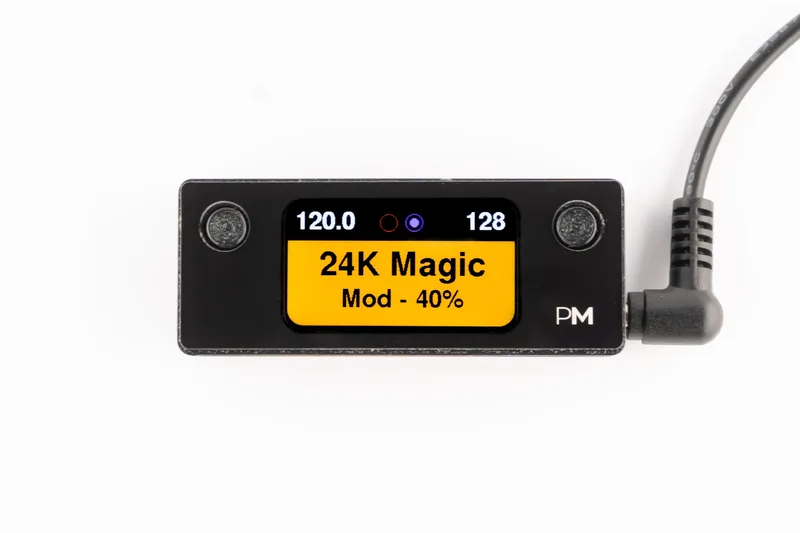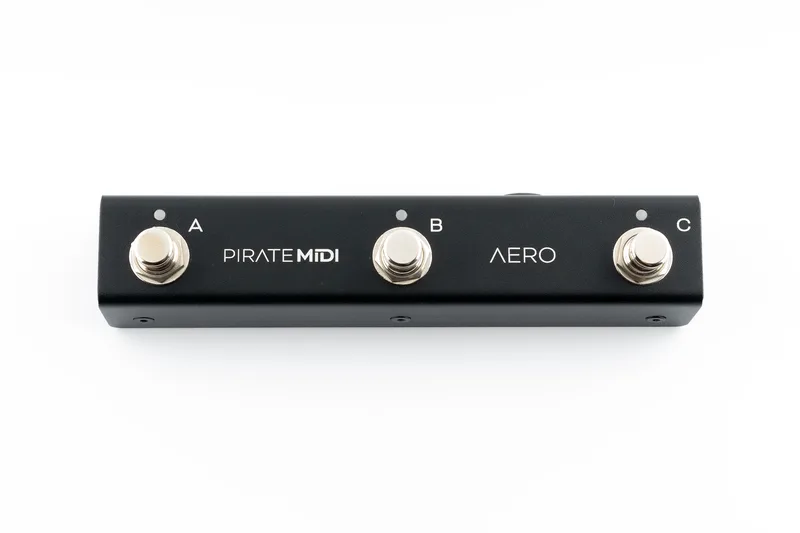


The Pirate MIDI Aero is a compact MIDI controller from PIRATE MIDI that you can, in the maker's words, "take anywhere and use for anything"1. It puts three soft-touch footswitches and a set of reconfigurable jacks into a small anodised aluminum box, so one pedal can drive program changes on a modeling amp, tap tempo on a delay, or simply act as extra footswitches for another controller1.
At its core the Aero is a message engine. Each switch press can fire a stack of MIDI messages, the ports on the side can become MIDI outputs, expression inputs, or aux switch jacks, and the whole thing is programmed from a web editor rather than from the pedal itself1.
Switch modes and MIDI messages
Each of the Aero's three switches can be set to one of five modes: Toggle, Momentary, Scrolling, Sequential, or Tap Tempo1. That covers the common cases, a switch that latches on and off, one that only acts while held, and one that taps out tempo for time-based effects on other gear.
What a press actually sends is built from message stacks. The Aero handles MIDI PC, CC, Note On, Note Off, Polyphonic Aftertouch, Pitch Bend, Smart Messages, and Keystroke Messages, plus one MIDI Clock1. How many messages a single action can carry depends on where in the stack they sit:
| Stack type | Messages per action |
|---|---|
| Global Ladder Messages | 1281 |
| Toggle Off | 641 |
| Release | 161 |
| Bank Expression Messages | 81 |
| Aux Messages per press action | 11 |
The Aero also supports LFOs, which automate MIDI message value changes with self-oscillating messages1. In practice that means a CC value can sweep up and down on its own, useful for opening and closing a filter or modulating a parameter on a MIDI-aware pedal without you touching anything.
MIDI can be routed several ways. MIDI Thru toggles cover USB In/Out, MIDI Out in Flexiport MIDI Out mode, and Device Link MIDI In/Out1, so the Aero can pass along what it receives rather than only sending its own commands.
The Flexiports
The Aero's two 3.5mm TRS Flexiports are its most flexible feature. Each can be configured individually to any of the following modes1:
- MIDI Out TRS Type A
- MIDI Out TRS Type B
- MIDI Out TRS Tip Active
- MIDI Out TRS Ring Active
- TRS Expression Pedal Input
- TRS Aux Switch Input
- Device Link
That range matters because TRS MIDI is not standardized across makers. Some pedals want Type A wiring, others Type B, and a few use tip-active or ring-active schemes instead. A controller whose ports can be set to any of these can talk to almost any TRS MIDI gear without an adapter box. Setting a port as an expression input lets you plug a passive expression pedal straight in and use it as a Bank Expression source, with up to eight messages attached1.
There is also a TRS 1/4 inch jack dedicated to the passive aux switch feature1. This is what lets the Aero work without MIDI at all: PIRATE MIDI says it "works as a regular passive aux switch," while positioning it as a reimagining of what a compact MIDI solution should be1. Plugged into the ext switch jack of another pedal or controller, it simply closes a contact like any ordinary footswitch.
Power and connections
The Aero takes power two ways: USB type-C, which also carries MIDI, or a 9V DC center negative barrel jack1. Current draw is 150mA1.
At 150mA the Aero draws more than a typical analog pedal, so plan for it on a powered board rather than a small daisy chain, and note that the 9V jack is center negative, the standard pedalboard convention.
The USB-C connection does double duty for power and MIDI, which makes the Aero convenient for desktop use with plugins and DAWs, where it can also send Keystroke Messages to control software directly1.
Setup and the web editor
The Aero runs on PIRATE MIDI's BridgeOS firmware, which the company describes as having an "ever-expanding set of features"1. Programming happens in a web editor, where you build the message stacks, set switch modes, and configure the Flexiports. The editor also lets you add switch labels and bank labels, though these are for your own communication in the editor only and are non-functional elsewhere1.
With 128 banks available1, a player can keep separate setups for different songs, rigs, or pieces of gear, and move between them from the pedal itself.
Videos
PIRATE MIDI
Leon Todd
Hey Worship Leader
Questions
Can the Pirate MIDI Aero be used as a passive aux switch without MIDI?
Yes. PIRATE MIDI says the Aero works as a regular passive aux switch, with a TRS 1/4 inch jack dedicated to that feature. The company positions it as more than that, though, describing it as a compact MIDI solution with individually configurable Flexiports and a full message engine behind the switches.
How many banks does the Pirate MIDI Aero have?
The Aero has 128 banks. Each bank can hold its own switch assignments and messages, and bank labels can be added in the web editor to help you keep track of what each bank does, though those labels only display in the editor itself.
Does the Pirate MIDI Aero send MIDI clock?
Yes. The Aero sends one MIDI Clock. It can be assigned like other messages in the message stacks, so a single press can start or stop clock alongside program changes and other commands on connected gear.
Can I plug an expression pedal into the Pirate MIDI Aero?
Yes. Either of the two 3.5mm TRS Flexiports can be configured as a TRS expression pedal input, and each port is configured individually. The same jacks can instead be set as MIDI outputs in several TRS types, aux switch inputs, or Device Link ports.
Is the Pirate MIDI Aero programmed with a web editor?
Yes. The Aero is programmed in PIRATE MIDI's web editor, where you build message stacks, set switch modes, and configure the Flexiports. The editor also lets you add switch labels and bank labels, which are for your own reference and do not appear on the pedal itself.
Sources (1)
- Aero | 3-Switch MIDI Controller - PIRATE MIDI, PIRATE MIDI