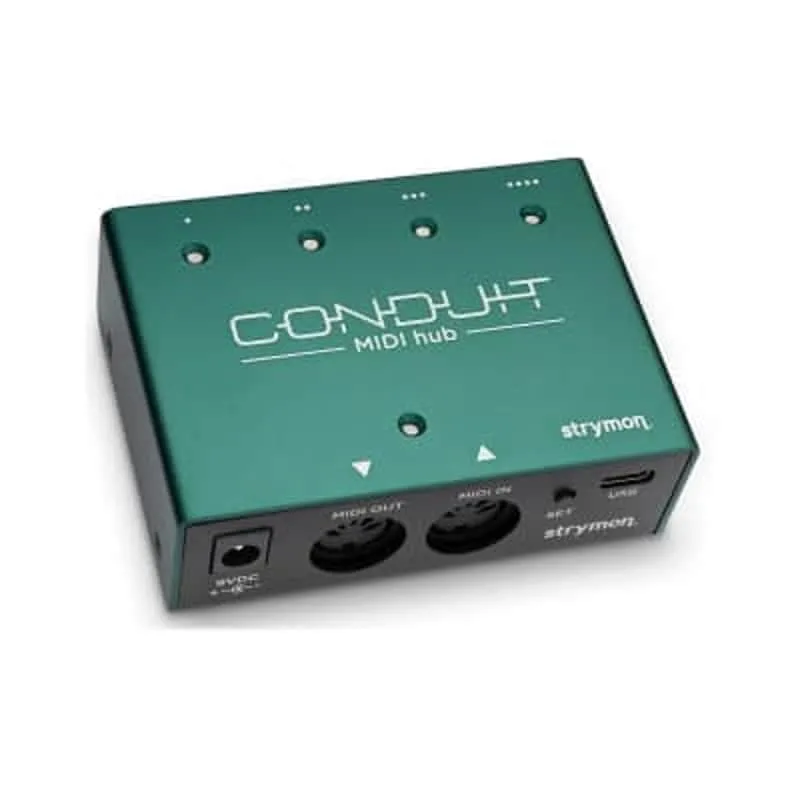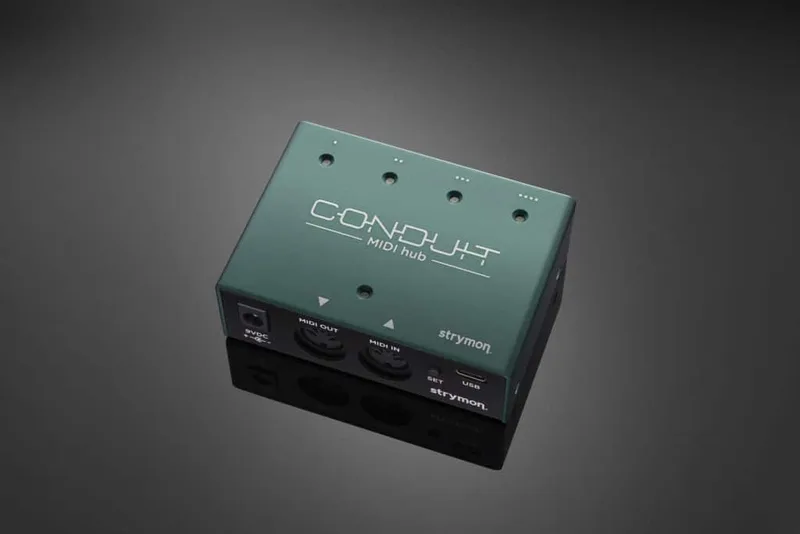


The Strymon Conduit is a MIDI hub from Strymon that bridges the two worlds of MIDI connection on a pedalboard: 5-pin DIN MIDI and 1/4" TRS MIDI. It takes MIDI data arriving at its DIN MIDI IN jack and distributes it out to four 1/4" TRS jacks and a DIN MIDI OUT port, so a single MIDI controller can reach several pedals that only have 1/4" MIDI jacks1. Strymon says it will work with most 1/4" MIDI equipped effects pedals, and it can also be used for things like updating your Timeline, BigSky, or Mobius2.
Guitar World described it at launch as a hub that "sports opto-isolated five-pin DIN MIDI In and Out ports," noting it "is immediately compatible with other Strymon offerings, and can also be used alongside MIDI-capable pedals from other" brands3. It launched in May 2021 at $149 and remains available at that price456.
Inputs, outputs and MIDI configurations
Conduit's job is distribution. On the input side it has a 5-pin DIN MIDI IN jack and four 1/4" TRS jacks; on the output side it has four 1/4" TRS jacks and a 5-pin DIN MIDI OUT port1. Guitar World reported both DIN ports are opto-isolated, a design that helps prevent ground loops between MIDI-connected gear3.
Which cables you need depends on how your pedals receive MIDI:
| Configuration | What it is for | Cables |
|---|---|---|
| GREEN, TIP SEND | Pedals that receive MIDI IN data on the TIP of the cable connection, such as Strymon pedals | Mono TS cables work if you are only sending MIDI data and not receiving any back |
| AMBER, TIP and RING SEND | Sending MIDI on both tip and ring | Mono TS cables work when connected to the TRS Y-cable adapter, reaching up to two pedals that receive MIDI IN data at the tip |
The GREEN TIP SEND configuration covers pedals like Strymon's own, which receive MIDI IN data on the tip of the cable connection10. In AMBER TIP and RING SEND configuration, mono TS cables connected to the TRS Y-cable adapter can connect up to two pedals that receive MIDI IN data at the tip of the cable10. If you need to receive MIDI data back from a pedal, TRS cables are the safe choice, since the TS option applies only when data flows one way10.
Standalone and USB MIDI Interface modes
Conduit operates in two distinct modes: Standalone and USB MIDI Interface1.
Standalone mode is the default. Conduit always operates in Standalone mode unless it is connected to a computer via the USB-C port. In this mode it distributes MIDI data received at the DIN MIDI IN jack to the 1/4" TRS jacks and the DIN MIDI OUT port1. This is the pedalboard use case: a MIDI footcontroller feeds Conduit, and Conduit feeds your pedals.
USB MIDI Interface mode begins the moment Conduit is connected to a computer via the USB-C port1. In this mode, MIDI Ports 1 through 4 correspond with the 1/4" TRS jacks numbered 1 to 4, so software on the computer can address each jack individually1. While connected via USB, Conduit can be powered by the USB connection itself, provided it is being used only as a MIDI interface with the computer8.
Do not connect an external power supply to Conduit when it is connected to a computer via USB11.
Strymon also lists Conduit among the interfaces tested extensively and confirmed to work with Nixie 2, its software librarian12, and its Cloudburst support pages name the Conduit MIDI Hub as a way to send MIDI messages to Cloudburst via a 5-pin MIDI to 1/4" TRS interface9.
Firmware updates
Conduit's own firmware is updated through Strymon's Strymon Update software, and the same connection lets you update Strymon pedals through it213.
The procedure, per Strymon's support article13:
- Download and install the Strymon Update software from Strymon's website.
- Remove any power connections to Conduit and connect it to the computer with the included USB-C cable via the USB-C jack.
- Run Strymon Update with Conduit connected via USB.
- If a newer firmware version is available, click INSTALL UPDATE.
- When complete, the Installed Version will match the Available Version, showing the device is up to date.
- Disconnect the device when finished.
The current firmware release is REV v1.06, released February 2022, with changes and fixes listed in Strymon's release notes14.
Mounting and power
Conduit includes built-in threaded hardware and screws that can be used to mount it directly to most pedalboards, and the box contains a drill template and instructions for easy mounting15. It is also light enough to be mounted with quality fastener tape such as Velcro or Dual Lock15. Strymon notes it comes pre-drilled for easy mounting16.
For standalone power, Strymon recommends a supply providing 9V DC, center negative, with a minimum of 50mA8. If the unit will not power up, Strymon directs owners to email support@strymon.net for further assistance17.
Videos
strymon
MusicGearz
PIRATE MIDI
Questions
Can I use regular TS cables with the Strymon Conduit?
Yes, in some configurations. If you are only sending MIDI data to pedals and not receiving MIDI back, you can use mono TS (tip/sleeve) cables in the GREEN TIP SEND configuration, which suits pedals like Strymon's that receive MIDI IN on the tip. In AMBER TIP and RING SEND configuration, mono TS cables work when connected to the included TRS Y-cable adapter, letting you reach up to two pedals that receive MIDI IN data at the tip.
Does the Strymon Conduit work with non-Strymon pedals?
Yes. Strymon says Conduit will work with most 1/4" MIDI equipped effects pedals, and Guitar World reported it can be used alongside MIDI-capable pedals from other brands as well as Strymon's own. Strymon has also tested it extensively and confirmed it works with Nixie 2.
Can the Conduit be powered over USB?
Yes, but only in one role. Conduit can be powered by USB when connected to a computer and used only as a MIDI interface with the computer. When it is connected via USB, no external power supply should be connected. For standalone use on a pedalboard, it needs a 9V DC center-negative supply providing at least 50mA.
How much does the Strymon Conduit cost?
$149. Strymon's own pedalboard build video lists it at $149.00, and Guitar World, Guitar.com and Recording Magazine all reported the same $149 price when it launched in May 2021. It was available now at launch and carries a two-year warranty.
Can I update my Timeline or BigSky through the Conduit?
Yes. Strymon describes Conduit as usable for things like updating your Timeline, BigSky, or Mobius. Firmware updates are handled through Strymon's Strymon Update software with Conduit connected to the computer via USB and no power connections attached.
Sources (17)
- What are the modes of operation on Conduit?, Strymon, 2021-07-21
- What is Conduit?, www.strymon.net, 2021-07-21
- Strymon seeks to make your pedalboard smarter with its new Conduit MIDI Hub pedal controller, Guitar World, 2021-05-27
- Let's Build A Pedalboard!, Strymon, 2022-08-11
- Strymon’s new Conduit is a compact hub that makes your pedalboard MIDI-capable, Guitar.com, 2021-05-28
- July 2023: Strymon Zelzah, Recording Magazine (recordingmag.com), 2023-07
- Strymon Conduit MIDI hub: A simple smart control for your stompboxes, gearnews.com, 2021-05-26
- What are the power requirements for Conduit?, Strymon, 2021-07-21
- Cloudburst Support, Strymon (www.strymon.net), 2025-10-17
- Do I need to use a TRS cable with Conduit, or can I use a TS cable?, Strymon, 2021-07-21
- Strymon Update 2 Support, Strymon, 2026-08-08
- What MIDI interfaces can I use to connect my pedals to Nixie 2?, Strymon
- How can I update the firmware on Conduit?, Strymon, 2023-02-03
- Conduit Firmware Revision and Release Notes, Strymon, 2022-02
- How can I mount Conduit to my board?, Strymon, 2021-07-21
- Using Conduit to Update Your Strymon Pedals, Strymon, 2021-05-28
- Why is my Conduit not powering up?, Strymon, 2021-07-21