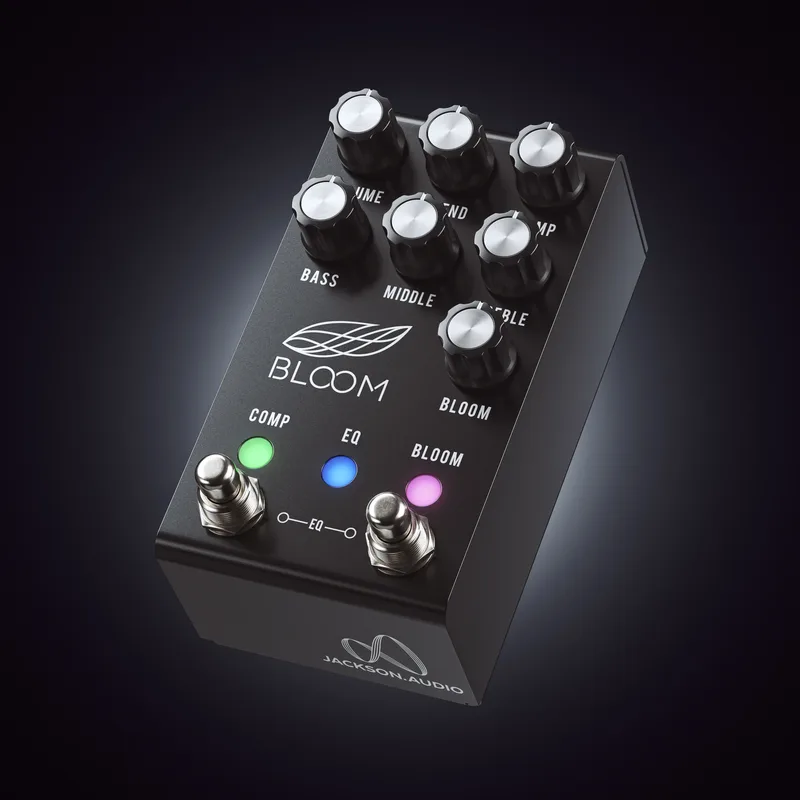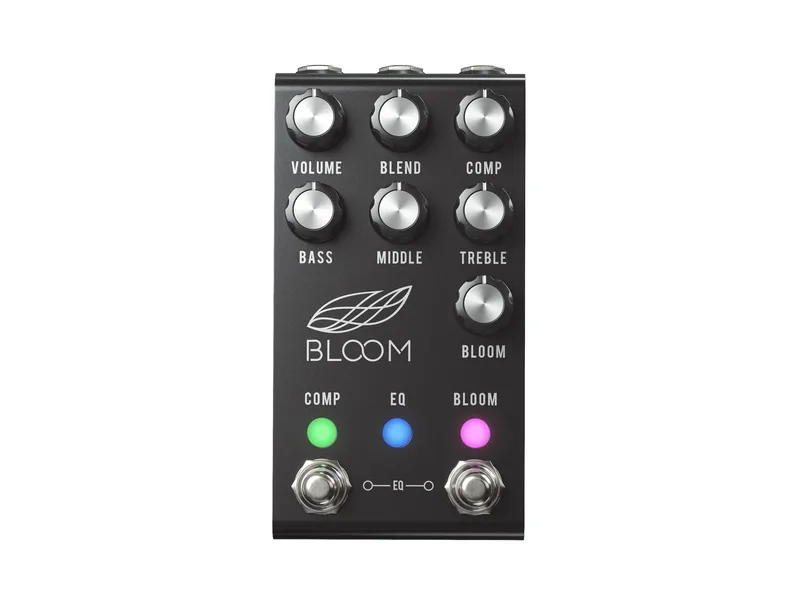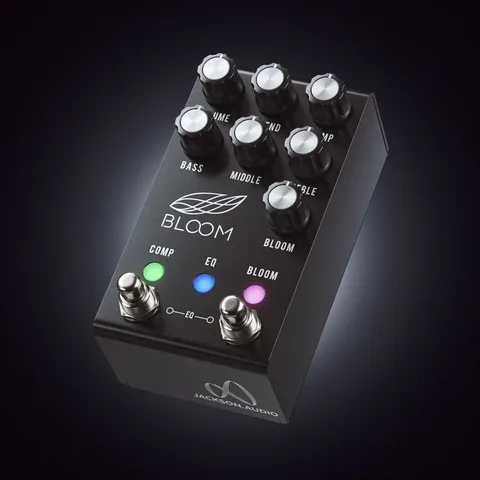


The Jackson Audio Bloom BLOOM v2 MIDI is a compressor pedal. Jackson Audio describes its compressor section as an optical limiting circuit that takes its inspiration from compressors designed during the golden age of vacuum tube compressors, and more specifically as a "Transparent Optical (LA-2A style) limiting circuit with huge dynamic range"1. The pedal measures 2.7" x 4.875"1, and Jackson Audio publishes a user manual for it2.
The compressor circuit
The compression section uses an optical limiting circuit inspired by compressors designed during the golden age of vacuum tube design. Jackson Audio describes it as a "Transparent Optical (LA-2A style) limiting circuit with huge dynamic range"1. The LA-2A is a classic studio tube compressor, so the pedal is aiming for that style of smooth, level-based compression rather than a fast VCA-style clamp.
Jackson Audio describes the BLOOM v2 MIDI's compressor section as an optical limiting circuit that takes its inspiration from compressors designed during the golden age of vacuum tube compressors1. The company characterizes it as a transparent optical limiting circuit in the LA-2A style, with what it calls huge dynamic range1.
Controls
| Control | What it does |
|---|---|
| BLEND | Blends the clean uncompressed signal with the compressed signal; full counter clockwise is full compression, fully clockwise is full clean signal1 |
| BLOOM | Sets the bloom level, and doubles as the MIDI channel selector when the pedal is powered on in setup mode1 |
| COMP footswitch | Turns the compression circuit on or off, also used to enter MIDI channel setup1 |
| BLOOM footswitch | Turns the BLOOM circuit on or off, also used to enter MIDI channel setup1 |
MIDI
Jackson Audio publishes a user manual for the BLOOM v2 MIDI2.
The pedal ships with MIDI Channel 1 selected. To change the channel, hold the COMP and BLOOM footswitches while applying power, then adjust the BLOOM knob: fully down is channel 1, fully up is channel 16. The choice is saved to the pedal's internal EEPROM, so it survives power cycles1.
Power and bypass
The manual specifies a 9V DC maximum input, center negative polarity, with a minimum current requirement of 300mA1. That current draw is high for a single pedal, so it needs a supply output rated for at least 300mA; a low-current output or a shared daisy chain may not keep up.
With a 300mA minimum current requirement, the BLOOM v2 MIDI rules out battery power and most daisy-chain setups. Give it a dedicated isolated output on your power supply1.
Bypass is programmable between True Bypass and Buffered Bypass, so you can match it to the rest of your board1. Input impedance is 1M and output impedance is 100k1.
Where it sits in Jackson Audio's range
The BLOOM v2 MIDI is a compressor in Jackson Audio's range, related to the company's Jackson Audio Bloom. For other compressors, see the Compressor Pedals type page12.
Videos
Jackson Audio
EytschPi42
Martial Allart
Questions
Is the Jackson Audio BLOOM v2 MIDI true bypass or buffered?
It is programmable: you can set it for True Bypass or Buffered Bypass according to the Jackson Audio manual. That lets you choose whether the pedal removes itself entirely from your signal path when off, or keeps its buffer in line, which matters on larger pedalboards with long cable runs.
What power supply does the BLOOM v2 MIDI need?
The manual specifies a 9V DC supply, center negative polarity, with a minimum current requirement of 300mA. That is more than many small pedal power supply outputs deliver, so a daisy chain or a low-current output may not be enough. Use an isolated output rated for at least 300mA.
How do I change the MIDI channel on the BLOOM v2 MIDI?
Hold the COMP and BLOOM footswitches while applying power, then adjust the BLOOM knob to pick a channel: fully down is channel 1, fully up is channel 16. The setting is saved to the pedal's internal EEPROM, so it stays after power is removed. By default the pedal ships on MIDI Channel 1.
Is the BLOOM v2 MIDI analog or digital?
The circuit is analog, as listed on RockBoard's PedalPedia. The MIDI features are digital control layered on top: they switch the pedal's compression settings, turn the COMP, EQ and BLOOM circuits on or off, and set the bloom level, but the audio path itself is analog.
What does the Blend knob do on the BLOOM v2 MIDI?
The BLEND knob mixes your clean, uncompressed signal with the compressed signal. Fully counter clockwise gives you full compression, and fully clockwise gives you the full clean signal. Blending is a common way to keep pick attack and low-end feel while still getting the sustain of compression.
Sources (2)
- BLOOM V2 MIDI User Manual, Jackson Audio
- Bloom v2 MiDi by Jackson Audio, RockBoard PedalPedia, 2026