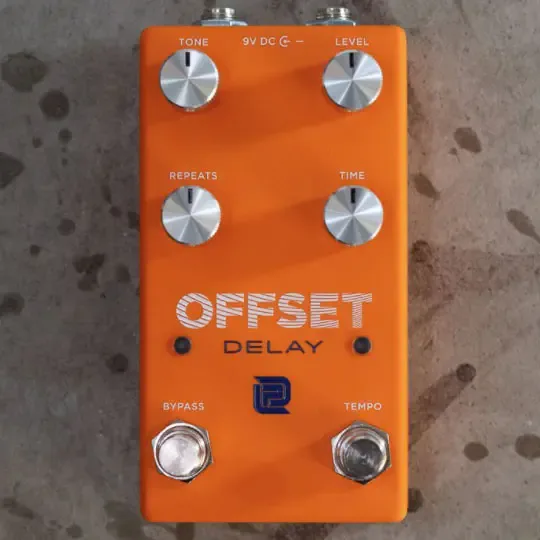



The LPD Pedals OFFSET Delay is a four-knob digital delay with Tap Tempo, built by a boutique maker that first made its name in the Plexi overdrive ring. It covers delay times from 50ms to 1 second in both Standard and Tap Tempo modes, and it uses Soft Touch Tails Switching, so the repeats fade out naturally after you turn the effect off rather than being cut dead. It runs on 9V DC power1.
Controls and Tap Tempo
The pedal carries four knobs and two footswitches. The Tone control affects only the repeats, so it shapes the character of the echoes without touching your dry signal1.
| Control | What it does |
|---|---|
| Time | Sets delay time in Standard mode; becomes the Divisions control in Tap mode1 |
| Tone | Affects only the repeats1 |
| Tempo foot switch | Tapped at least twice to enter Tap mode; tapped once to exit1 |
| Right footswitch | Engages Tap Tempo by pressing twice at the desired tempo1 |
In Tap mode, the Time knob is repurposed as a Divisions control. Its position selects a note value relative to your tapped tempo1:
The Tempo LED flashes at the set tempo while Tap mode is active, giving you a visual reference for the timing. When you exit Tap mode, the Time control returns to standard operation1.
Power and bypass
The OFFSET Delay operates on 9V DC. Its Soft Touch Tails Switching lets the delay tail ring out after the effect is disengaged, which is the behavior most players expect from a digital delay1.
Where it sits in LPD's range
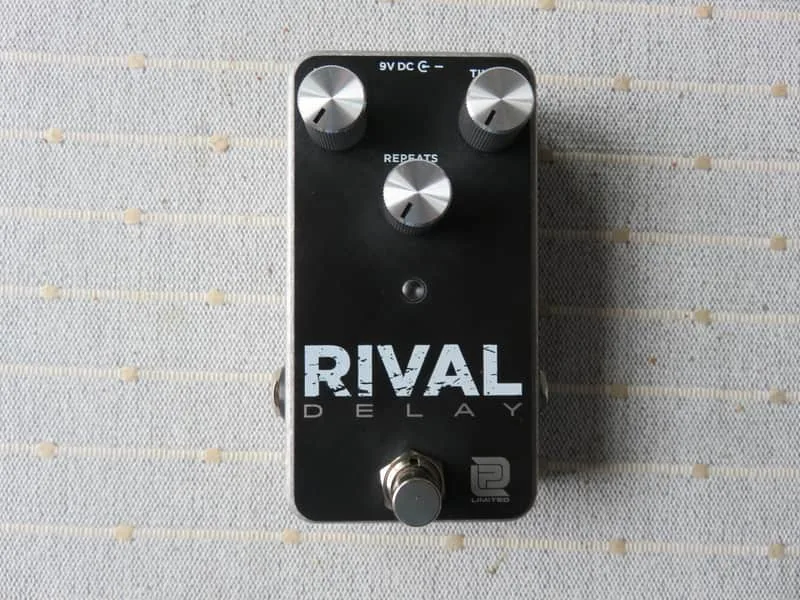
LPD Pedals also offers the Rival Delay. The OFFSET is the company's four-knob digital delay with Tap Tempo, adding note divisions and a second footswitch to the format1. For other approaches to the effect type, see Delay Pedals.
Videos
R.J. Ronquillo
Mike Hermans
Edge of Breakup 🎥 Guitars, Pickups, Amps & Pedals
Questions
What is the delay time range of the LPD Pedals OFFSET Delay?
The OFFSET Delay delivers delay times from 50ms to 1 second, and that range is available in both Standard mode and Tap Tempo mode. In Standard mode you set the time with the Time knob; in Tap mode the pedal derives the time from your foot taps, with the Time knob repurposed as a Divisions control that scales the tapped tempo into note values.
What does the Time knob do in Tap Tempo mode?
When Tap Tempo is engaged, the Time knob becomes a Divisions control. Its position selects a note value relative to your tapped tempo: 8th-note triplet from 0 to 25%, 8th-note from 25 to 50%, dotted 8th-note from 50 to 75%, and quarter-note from 75 to 100%. When you exit Tap mode, the Time knob returns to standard operation.
What power supply does the LPD Pedals OFFSET Delay need?
The OFFSET Delay runs on a 9V DC power supply. Use a supply intended for guitar pedals with the correct polarity, and avoid sharing power with pedals that have different requirements.
What kind of bypass does the OFFSET Delay use?
The OFFSET Delay uses Soft Touch Tails Switching. That means the delay repeats are allowed to fade out naturally after you disengage the effect, rather than being cut off instantly as with true bypass, which suits players who like their echoes to ring out.
How do you enter and exit Tap mode on the OFFSET Delay?
Tap the Tempo foot switch at least twice at your desired tempo to enter Tap Tempo mode, and the Tempo LED begins flashing at the set tempo. Tap the Tempo foot switch once to exit Tap mode, at which point the Time control returns to standard operation.
Sources (1)
- LPD Pedals OFFSET Delay, Delicious Audio, 2021-10-28