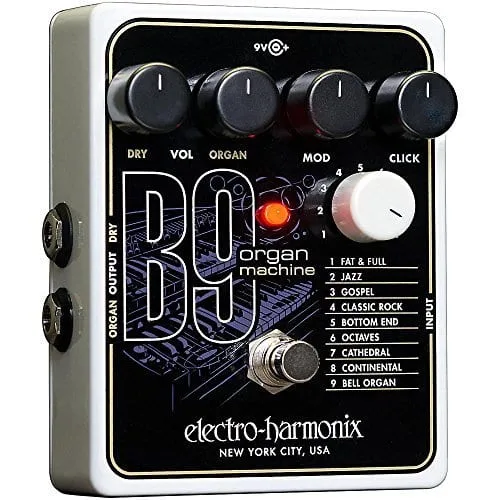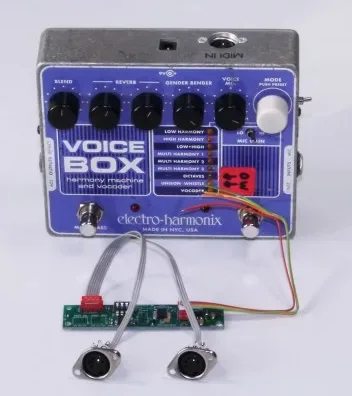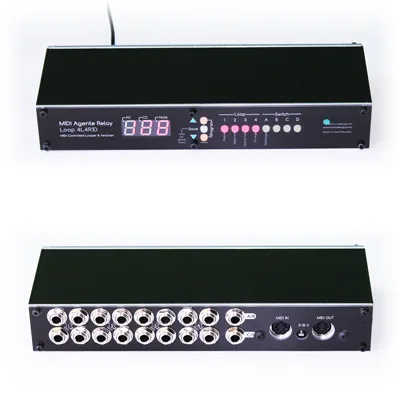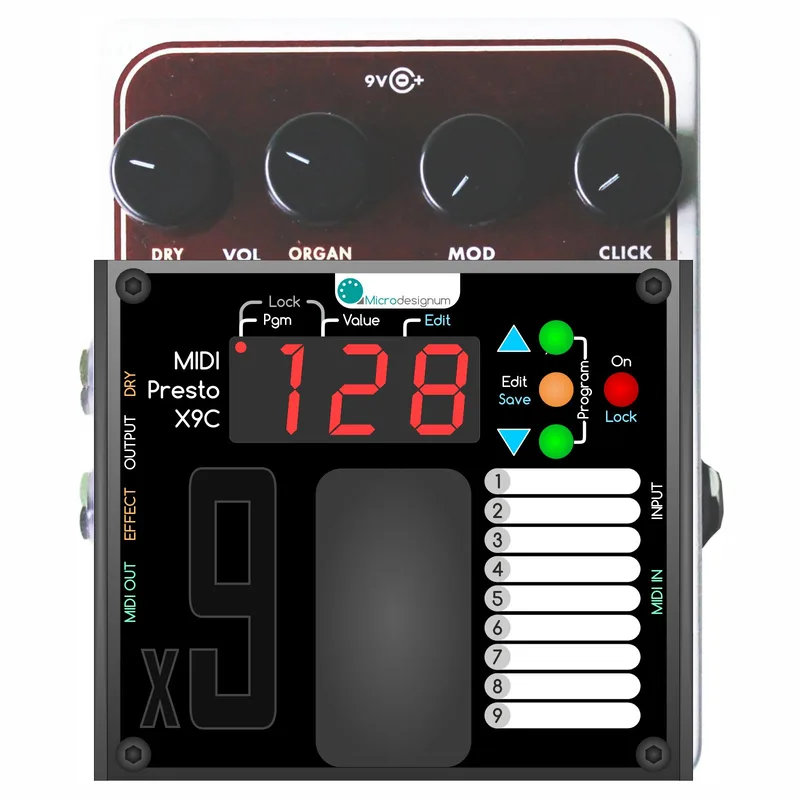


The Microdesignum MIDI Control for EHX x9 is a retrofit MIDI module built into an Electro-Harmonix x9 pedal to give it full MIDI control. It targets the EHX B9, C9, Key9, Synth9 and Mel9, and Microdesignum also lists it for the Bass912. Once installed, it controls everything the pedal offers: the nine EHX programs, the four control buttons and the On/Off footswitch, plus every knob, with all parameters controllable via MIDI in real time134.
The principle is that the module electronically simulates turning and pressing the pedal's control knobs and buttons, so the pedal responds to Program Change and Control Change MIDI messages as if you were operating it by hand1. Each preset stores the EHX program number, values for all the effect potentiometers and a default state for the bypass footswitch3.
What it controls
The module gives full control of the x9 pedals' functions: the ON footswitch, the program selector (1 to 9) and the control knobs, which on the C9 are Dry, Organ, Mod and Click2. The install service page lists the controllable parameters as Preset, Engage/Bypass, DRY, EFFECT, CTRL1 and CTRL2, or MOD, CLICK, or ATTACK, SUSTAIN, depending on the pedal variant4.
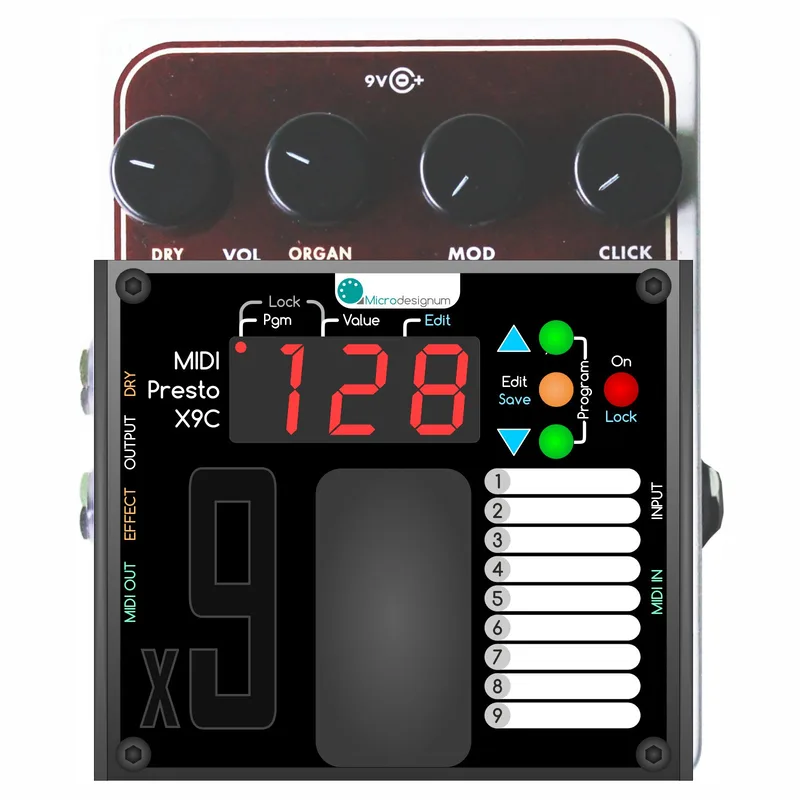
The module adds its own small control surface with a display, buttons and indicators3:
| Control | What it does |
|---|---|
| On button with indicator | Copies the EHX pedal's Bypass footswitch; indicator on means effect on, off means bypass |
| Edit / Save button | Opens the Edit menu; hold to save a preset or global settings |
| Up and down buttons | Select preset number; change parameter values in Edit and Global settings menus |
| Pgm indicator | Lights when a factory preset PG1 to PG9 is selected, off for a user preset |
| Value indicator | Lights when the display shows the value of touched knobs |
When the pedal is powered on, user preset 1 is active by default3. Unsaved changes to the current preset are not permanently stored until you save the whole preset by holding the Save button; disconnecting power reverts them3.
Presets: 128 user and 9 factory
There are 128 user presets plus 9 factory, read-only presets3. Only the user presets, 1 to 128, can be activated by Program Change3. The factory presets PG1 to PG9 correspond to the original EHX programs 1 to 9, and when a factory preset is active the actual physical knob values are used; they can be selected only with the up and down buttons, held until the PG prefix appears on the display3.
Each user preset contains PGM, the EHX program 1 to 9, and PA1 to PA4, the stored knob values, with the number of knobs depending on the EHX pedal variant3. By default the EHX programs are cyclically predefined across Program Change numbers 1 to 128: PC 1 to 9 map to EHX programs 1 to 9, PC 10 to 18 map to programs 1 to 9 again, and so on through PC 127 mapped to program 93.
One terminology note from the manual: the term "preset" in the module's manual does not correspond to the term "preset" in the original EHX pedal manual, where that concept is called "EHX program" or "factory preset"3.
MIDI settings: channel, Program Change and CC numbers
The module listens on one MIDI channel, numbered 1 to 16, with channel 1 as the default (displayed as C1)3. The MIDI OUT port resends every message that arrives at the MIDI IN port, so the pedal can sit in a MIDI chain3.
| MIDI function | Behavior |
|---|---|
| Program Change PC 1 to 128 | Changes user preset |
| Bypass footswitch CC | Changeable number, default CC#20 |
| Knob parameter CCs | Changeable numbers, default CC#21 for the 1st knob, CC#22 for the 2nd, and so on |
| PC display format | User format 128 (1 to 128) or technical format 127 (0 to 127) |
To reach the global settings menu, turn the pedal off, hold down the Edit button and turn it on; the display shows GLB. Use the up and down buttons to change values, then press and hold the Edit button until the display shows SAV to save and exit to preset mode3.
Knob behavior: virtual values and Realtime sync
During normal operation the physical knob positions are not applied; virtual values loaded from the preset memory are used instead3. In the Edit menu, with parameter PA1 or higher selected, the On button toggles a lock for the current knob3. Each knob's parameter value can run in Normal mode (0 to 127) or "Realtime sync" mode (shown as dashes), in which the real actual knob value is used any time the preset is active3.
"If the \"Realtime sync\" mode ( --- ) is enabled for the certain knob, instead of \"virtual\" saved value, the real actual knob value is used anytime the preset is active."
Installation and versions
The module is sold in a Compact version and a Rack version, both as a module you install yourself; the EHX pedal is not part of the product15. The Compact module was listed as temporarily unavailable as of 26 October 20261. Microdesignum has tested the module on revision C (2014), D and E (2018) of the x9 boards, and notes there are more variants of the boards26.
For full control, 16 wires and one component must be soldered12. The installation takes about 1 hour by Microdesignum's estimate12, though the installation guide states about 2 hours7. The steps, as Microdesignum describes them:
- Open the pedal and remove the connectors, footswitch, buttons, potentiometers and program selector; attach the controller with its double-sided adhesive tape, which Microdesignum warns is very strong7.
- Solder the power supply wires at the two soldering points, +9V and GND16.
- Cut the wipers of the 4 potentiometers and solder 4 input and 4 output wires18.
- Attach the "Safiros Mux 16" board, soldered with 10 pins, onto the program selector pads19.
- Put the x9 board back in the enclosure, screw the potentiometer and audio socket nuts, attach the buttons, close and screw the lid10.
The kit includes a self-adhesive tape printed with the original program names for each x9 pedal1.
If you would rather not solder, Microdesignum offers an install service in which you send them your x9 pedal and they fit the module, which is included in the price, with supposed availability of 28 days4. Partners in the USA, Canada and France can also provide the install service, at prices and shipping costs that may differ4. Microdesignum also sells an EHX Mel9 with MIDI control already installed11, and the module pages for the Compact and Rack versions list the same target pedals15.
Videos
Microdesignum s.r.o.
Microdesignum s.r.o.
Questions
Which EHX pedals does the x9 MIDI module work with?
It targets the Electro-Harmonix B9, C9, Key9, Synth9 and Mel9 organ and keyboard pedals. Microdesignum has tested the module on revision C (2014), D and E (2018) of the x9 boards, and notes there are more variants of the boards. The EHX pedal itself is not included with the module.
Do the physical knobs still work after installing the x9 MIDI module?
During normal operation the physical knob positions are not applied; virtual values loaded from the preset memory are used instead. However, each knob can be switched to Realtime sync mode, in which the real actual knob value is used any time the preset is active. Factory presets PG1 to PG9 also use the actual physical knob values.
How do I change the MIDI channel on the Microdesignum x9 module?
Turn the pedal off, hold down the Edit button and turn it on to enter the global settings menu, shown as GLB on the display. The display shows C1, the default channel 1. Use the up and down buttons to select a MIDI channel from 1 to 16, then press and hold the Edit button until the display shows SAV to save and exit.
Which CC number turns the B9 or C9 on and off over MIDI?
The bypass footswitch is controlled by a Control Change message whose number is changeable in the settings. The default is CC#20. The knob parameters default to CC#21 for the first knob, CC#22 for the second, and so on, and those numbers are also changeable.
How many wires do I need to solder to install the x9 MIDI module?
Sixteen wires and one component are needed for full control. The component is the Safiros Mux 16 board, soldered with 10 pins onto the program selector pads. Four of the wires involve cutting the wipers of the four potentiometers and soldering four input and four output wires. Microdesignum estimates the installation takes about one hour.
Can Microdesignum install the MIDI module in my Mel9?
Yes. Microdesignum offers an install service in which you send them your x9 pedal and they fit the MIDI control module, which is included in the price. Partners in the USA, Canada and France can also provide the install service, at prices and shipping costs that may differ. Supposed availability for the service is 28 days.
Sources (11)
- MIDI control module for EHX B9/C9/Key9/Synth9/Mel9 pedals, Microdesignum (microdesignum.cz)
- MIDI Control for Electro Harmonix x9, Microdesignum, 2019
- Manual for MIDI Control for EHX x9, Microdesignum
- Install service: MIDI control for EHX x9 Compact, Microdesignum s.r.o.
- MIDI control module for EHX B9/C9/Key9/Synth9/Mel9 pedals in rack, Microdesignum.cz
- 2) Power supply (How to install MIDI module in EHX x9 pedals), Microdesignum, 2019-04-22
- 1) Prepare the box (How to install MIDI module in EHX x9 pedals), Microdesignum, 2019-04-21
- 4) Potentiometers (How to install MIDI module in EHX x9 pedals), Microdesignum, 2019-04-24
- 5) "Safiros Mux 16" board (How to install MIDI module in EHX x9 pedals), Microdesignum, 2019-04-25
- 6) Finish (How to install MIDI module in EHX x9 pedals), Microdesignum (www.microdesignum.cz), 2019-04-26
- EHX Mel9 with MIDI control, Microdesignum