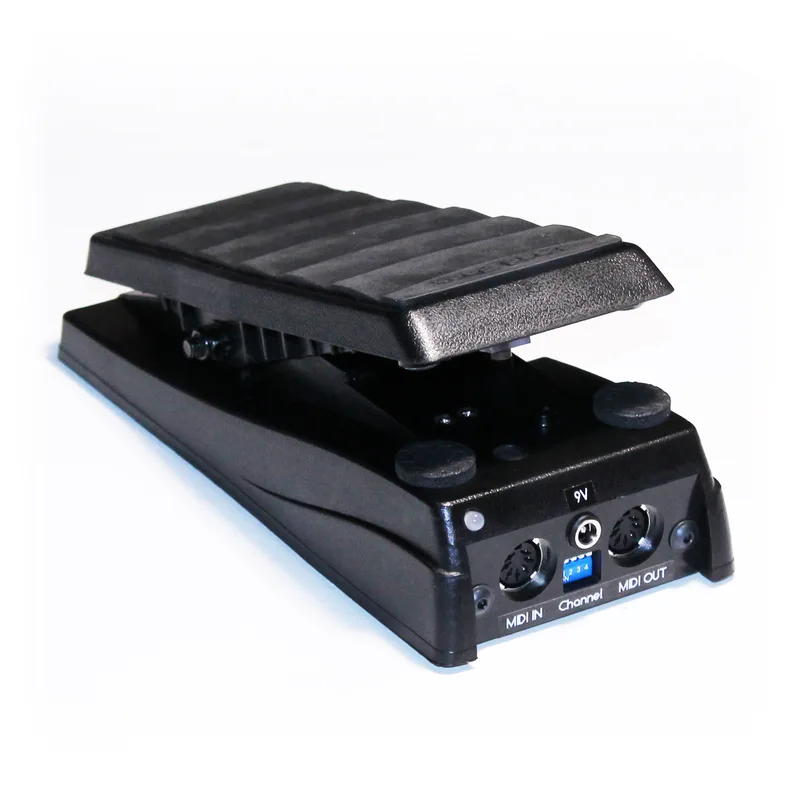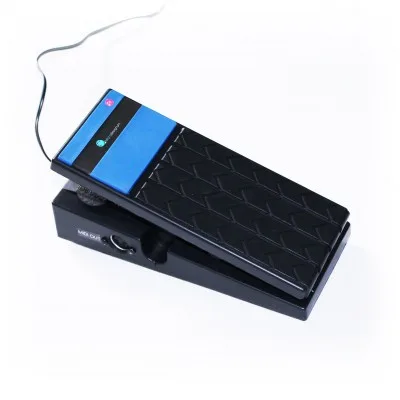
The Microdesignum MIDI Expressione is an expression pedal with a built-in miniature MIDI controller. Instead of, or in addition to, working as a conventional expression pedal, it converts the position of its potentiometer into MIDI Control Change messages, so it can drive any MIDI-equipped pedal or rack unit that accepts a CC value. Microdesignum describes it as an expression pedal with a built-in miniature MIDI controller with a potentiometer converter1.
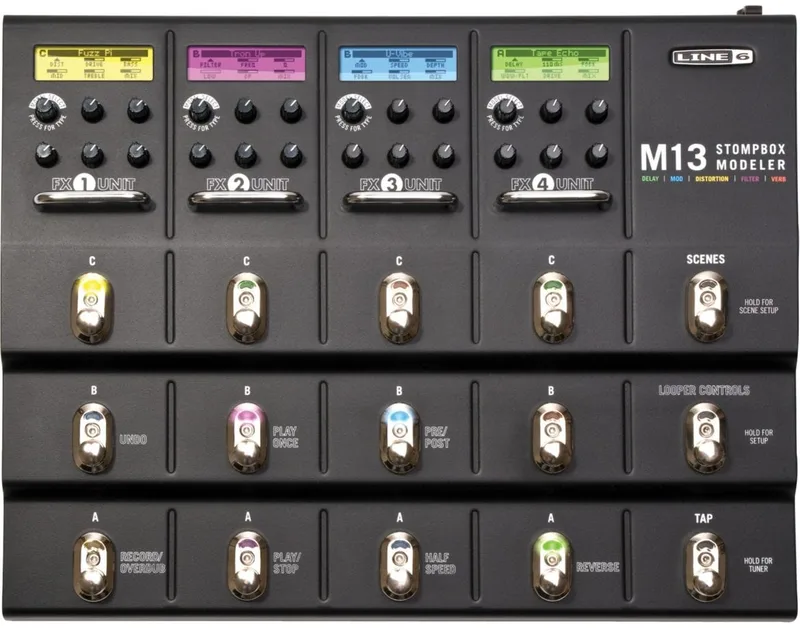
The range includes versions with a microswitch under the toe of the pedal. That switch is sent as its own Control Change message, with the pedal position reported as values from 0 to 127 and the switch state as 0 or 1272. Microdesignum positions this for guitar effects such as the Line 6 M13, which has no input for an external switch under the expression pedal1.
MIDI connections and setup
The pedal carries one MIDI IN and one MIDI OUT for connecting to an effect1. The MIDI OUT is where the expression and toe-switch data leave the pedal on their way to the controlled device. On the 1F variant the MIDI IN is used only for incoming configuration messages1; on the 1A variant it does more, described below.
Power is unusually forgiving. The supply can be anything from 6 to 15 V, alternating or direct current, with any polarity, because the built-in MIDI module has its own rectifier and stabilizer1. That removes the usual center-negative requirement of most pedals and means an AC output from an older supply will also work.
The built-in version of the MIDI Expressione, not the standalone module, has two identical power connectors. One is the input and the other passes the same supply voltage through to further effects, so the pedal can sit in a power chain and feed its neighbors1.
The 1A and 1F versions
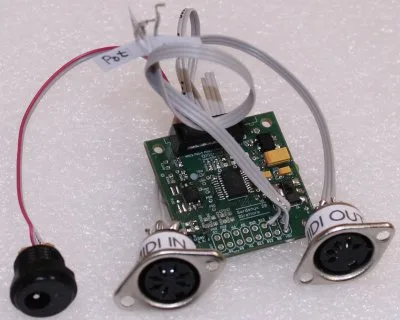
The MIDI Expressione line splits into two main circuits, each also sold as a standalone module for building into a customer's own expression pedal145.
| Version | Basis | Analog inputs | MIDI IN role | Distinctive feature |
|---|---|---|---|---|
| 1F | Sardonyx 8 Mikron MIDI module1 | 03 | Configuration messages only1 | Toe switch under the pedal16 |
| 1A | Works as a MIDI merger1 | 12 | Merges incoming messages with pedal data1 | Forwards MIDI IN traffic safely1 |
The 1F is built on Microdesignum's smallest MIDI module, the Sardonyx 8 Mikron1. It is offered both as a complete pedal and as the MIDI Expressione 1F Module, a miniature controller for building into an expression pedal with a microswitch under the toe, a variant Microdesignum also lists as designed for the Line 6 M133.
The 1A, by contrast, works as a MIDI merger: it safely forwards MIDI messages arriving at its MIDI IN, merged with the messages generated by the potentiometer converter1. This means a second MIDI source can sit upstream of the pedal and its messages still reach the effect. The MIDI Expressione 1A is a MIDI expression pedal in this configuration7, and its module version, the MIDI Expressione 1A module, converts the analog value of an expression pedal's potentiometer to a MIDI Control Change command8.
There is also the MIDI Expressione 1A1F, a MIDI expression pedal with a switch under the toe, one analog input, and a built-in MIDI module sending Control Change for both pedal position and switch state2. Its module variant, the MIDI Expressione 1A1F module, does the same conversion of pedal value and toe button status to Control Change9. Microdesignum states that the 1F1A converter variant is based on the more powerful Sardonyx 20 Direttore MIDI module1. The standalone modules are sold programmed, with connectors, tested and fully functional4.
Configuration: MIDIConfig and SysEx
The MIDI channel and the CC numbers can be changed two ways. One is the MIDIConfig web application, a browser-based configuration interface that sets the MIDI channel and the CC numbers for the toe switch and the expression pedal5. The other is a SysEx message, which Microdesignum publishes as:
``` F0 4D 69 63 00 00 00 03 kk cc pp F7 ```
On some versions the MIDI channel can also be changed by DIP switches on the front panel5. For a player who just wants the pedal on a different channel, the web interface avoids hand-assembling a SysEx string.
Questions
Does polarity matter when powering the Microdesignum MIDI Expressione?
No. The pedal accepts any supply from 6 to 15 V, AC or DC, with any polarity. The built-in MIDI module has its own rectifier and stabilizer, so center-positive and center-negative supplies both work and the supply does not need to be DC at all.
Can the second power connector feed other pedals?
Yes, on the built-in version. The MIDI Expressione in its built-in form, not the standalone module, has two identical power connectors: one serves as the input and the other passes the same supply voltage through to further effects on the same power supply.
How do I change the MIDI channel and controller number?
Through the MIDIConfig web application, which sets the MIDI channel and the CC numbers for the toe switch and the expression pedal. The settings can also be sent to the pedal as a SysEx message. On some versions the MIDI channel can additionally be changed by DIP switches on the front panel.
Does the Microdesignum MIDI Expressione have a MIDI out?
Yes. It has one MIDI IN and one MIDI OUT for connecting to an effect. On the 1F variant the MIDI IN is used only for incoming configuration messages, while the 1A variant also works as a MIDI merger, forwarding messages arriving at MIDI IN.
What is the MIDIConfig interface?
MIDIConfig is Microdesignum's web-based configuration interface. It lets you set the MIDI channel and the CC numbers assigned to the toe switch and the expression pedal without opening the pedal or sending raw SysEx by hand.
Sources (9)
- MIDI expression pedály, Microdesignum (www.microdesignum.cz)
- MIDI expression pedal with a toe switch, Microdesignum
- MIDI module for Expression pedal with toe switch for Line6 M13, Microdesignum.cz
- Expression pedal with MIDI toe switch for Line6 M13, Microdesignum
- MIDI expression pedals, Microdesignum
- Expression pedal with a toe switch to MIDI, Microdesignum.cz
- MIDI expression pedál s nožním tlačítkem pod špičkou pedálu, Microdesignum (microdesignum.cz)
- MIDI modul pro převod expression pedálu, Microdesignum
- MIDI module for conversion of expression pedal to MIDI with toe button, Microdesignum