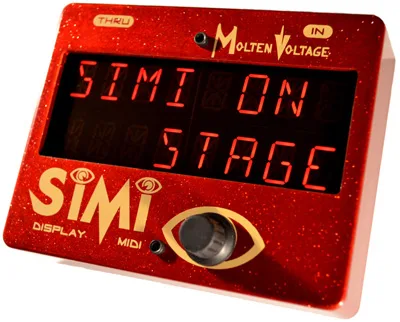


The Molten Voltage SIMI is a modular MIDI display for the pedalboard. It is not an audio effect at all: it sits in your MIDI chain and shows your own custom text on 16 large bright red alphanumeric LEDs, so you can label what each of your 128 MIDI programs actually is1. If your MIDI controller has no screen, or a screen too small to read on a dark stage, the SIMI gives you a big, bright readout of patch names you write yourself. RockBoard's PedalPedia describes it as "a nice device to use if you don't have a display on your midi controller but would like to label settings for different" programs2.
You can store and recall custom text for each of 128 MIDI programs1, and the unit is hand built in Oregon, USA by Molten Voltage1. Firmware version 1.0 is documented in the 2014 owner's manual3.
Controls and MIDI connections
The SIMI has two MIDI jacks on its riveted steel connectors: a MIDI IN jack (marked C in the manual) that receives data from your controller, and a MIDI THRU jack (marked A) that passes data on to the next device in the chain3. Editing text is done with a single control, a push-turn knob (marked E): turn the knob to select the character for the segment you are on, and press the button to advance to the next segment3. You work through the display one character position at a time until your message is spelled out.
| Control or jack | What it does |
|---|---|
| MIDI IN jack (C) | Receives MIDI data from your controller3 |
| MIDI THRU jack (A) | Buffered thru output to the next MIDI device3 |
| Knob (E) | Turn to select the character for the current segment3 |
| Button (E) | Press to advance to the next segment3 |
The SIMI accepts and passes Program Change messages, and Program Change data must be on the same MIDI channel as the SIMI for the stored text to appear3. Out of the box the factory preset MIDI channel is OMNI, so the unit responds on every channel until you change it3. Molten Voltage also notes that the primary MIDI channel for its wider MIDI system is MIDI Channel 153. Beyond Program Change, the SIMI has RealTime message capability for use with Cakewalk, Sonar, and similar software3.
MIDI Thru and daisy-chaining
The MIDI Thru jack is buffered, so you can daisy-chain additional MIDI devices, or even another SIMI, after it in the chain3. The thru jack repeats all MIDI messages received at the input, irrespective of MIDI channel3, which means downstream gear keeps receiving its own data even when the SIMI is set to a specific channel.
The SIMI-SYSEX format
Custom text can also be pushed to the display over SysEx using Molten Voltage's proprietary SIMI-SYSEX protocol. The message format is fixed: F0 77, then a message of 1 to 16 characters, then 75 F73. This is what lets a computer or controller label the display automatically rather than spelling messages out by hand with the knob.
One display quirk worth knowing: shorter messages, and those with more blank segments, are brighter than longer ones3.
Power: 9-volt DC, 200mA, tip negative
The SIMI runs on a standard "BOSS" type 9-volt DC, 2.1mm, tip negative power supply rated at 200mA minimum, sold separately1. Its current draw is approximately 200mA1, so it needs a supply that can deliver that on its own.
Never power the SIMI using a "daisy chained" power supply that is also connected to audio effects3. Give it its own isolated 9-volt DC output. The SIMI does not use MIDI Phantom Power3.
In the Molten Voltage system
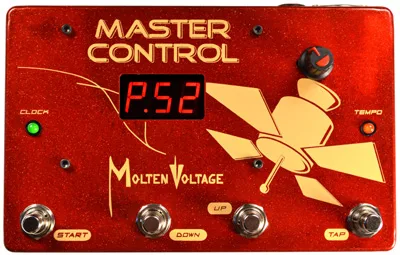
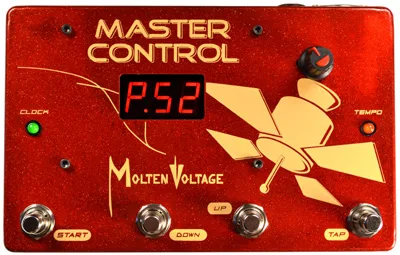
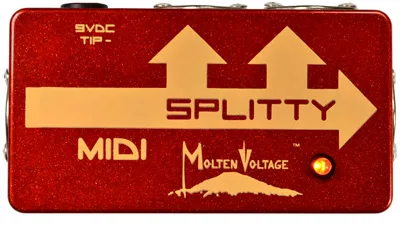
The manual lists the SIMI alongside the Molten Voltage MASTER CONTROL MV-58B and MV-58 pedalboard MIDI controllers, and the MIDI Splitty MIDI pedalboard splitter/repeater3. Paired with a MASTER CONTROL, the SIMI serves as the readable front panel the controller itself lacks, showing the patch name you stored for each program as you step through them.
The unit carries a two-year warranty from the date of purchase against defects in materials and workmanship under normal use and service, as long as it is used with an approved power supply3. Any user repair attempts void the warranty, and proof of purchase is required for warranty repairs3. Questions go to questions@MoltenVoltage.com, and repairs are handled through Service@MoltenVoltage.com3.
Videos
Step Audio
Step Audio
Sources (4)
- SIMI™ .:. Modular MIDI PedalBoard LED Alphanumeric Display .:. by Molten Voltage .:. Custom Messages, Molten Voltage
- SIMI by Molten Voltage, RockBoard PedalPedia, 2026
- SIMI_-_Molten_Voltage_Modular_MIDI_Display_-_Owners_Manual.pdf, MoltenVoltage.com, 2014
- Master_Control_MV-58B_-_PedalBoard_MIDI_Controller_and _Clock_-_Owners_Manual_by_Molten_Voltage.pdf, Molten Voltage (moltenvoltage.com), 2015