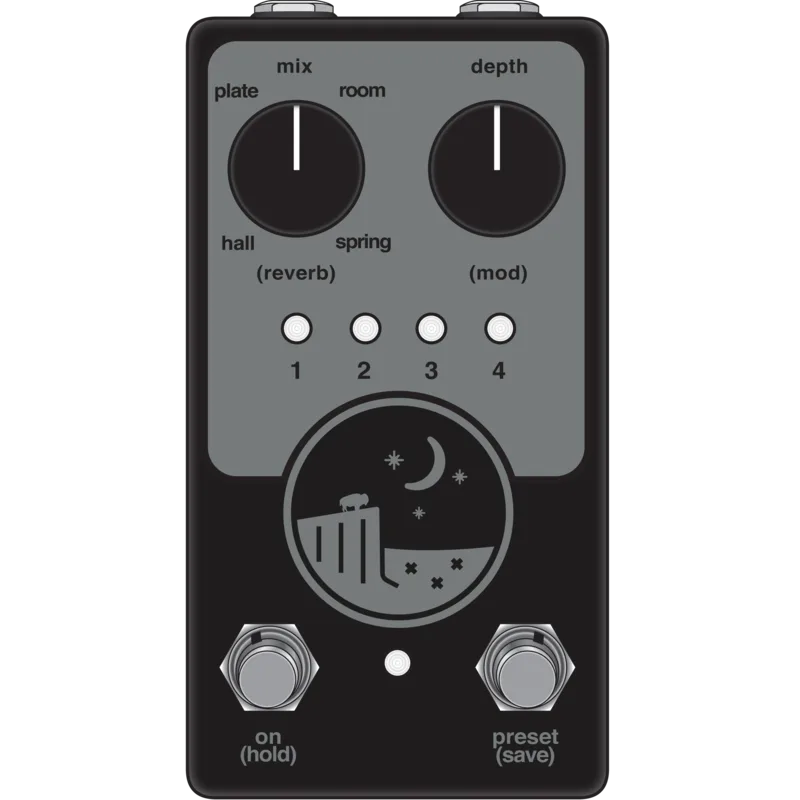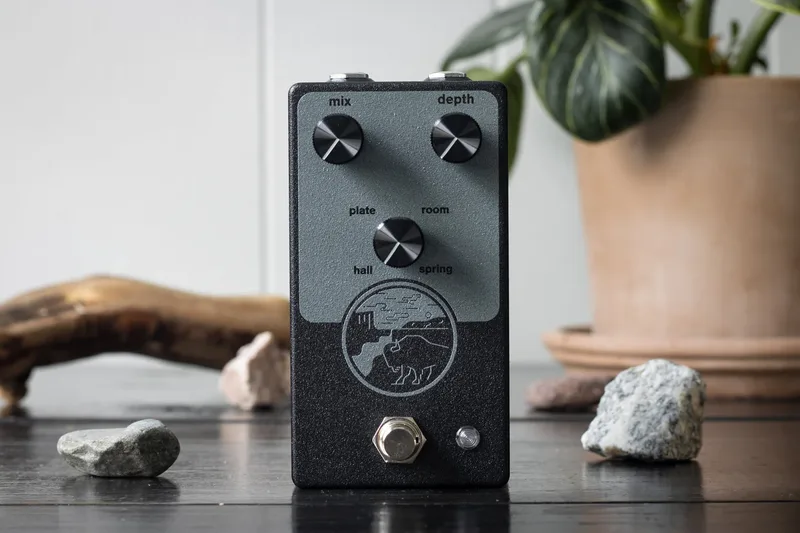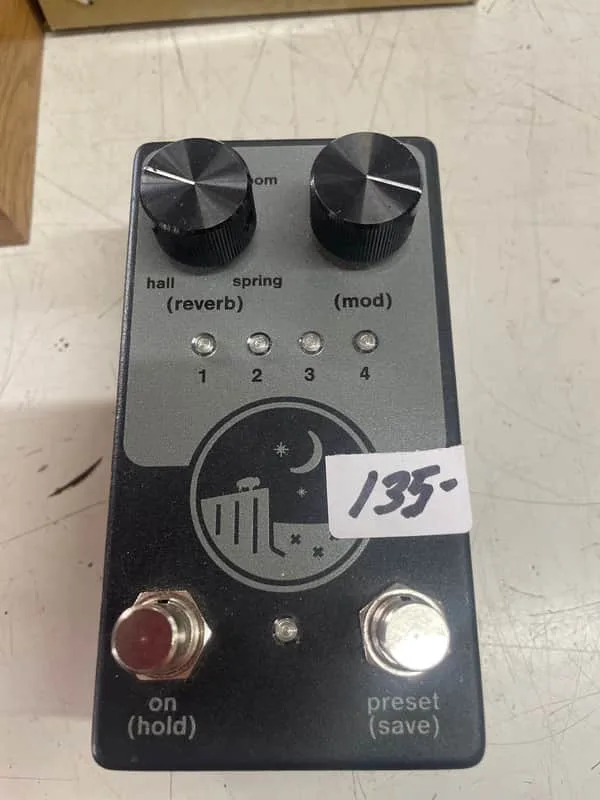


The NativeAudio Ghost Ridge Reverb V1.5 is a compact, two-knob, two-footswitch digital reverb pedal from NativeAudio, the name under which Red House Electronics now builds its pedals. It offers four reverb algorithms: hall, plate, room, and spring, with modulation available on the reverb tails and up to four programmable presets1. It sits in the wider field of reverb pedals as a small-format unit aimed at players who want several reverb voices and preset recall in one compact box.
Buffered bypass and reverb tails
The Ghost Ridge's bypass behavior is a deliberate design choice rather than an afterthought. The pedal uses buffered bypass switching, and the maker's reasoning is that the buffer lets the reverb end naturally instead of stopping dead1:
"the Ghost Ridge utilizes buffered bypassing to allow for an organic fade out of reflections when the reverb is bypassed"
For a player, that means switching the pedal off does not clip the reverb tails mid-decay: the reflections are allowed to fade out on their own. The jacks are top-mounted, which helps the pedal fit on crowded boards1.
Controls and footswitches
The pedal keeps its front panel to two knobs and two footswitches1.
| Control | What it does |
|---|---|
| Mix | Controls the amount of reverb introduced to the instrument's signal. Counterclockwise gives only the dry signal; clockwise gives only the wet signal. |
| Depth | Controls the fade time for the reverb's reflections. Counterclockwise gives a quick loss of reflections; clockwise approaches near-infinite reflections. |
| Mod | Controls the modulation added to the reverb's tails. Counterclockwise gives no modulation; clockwise increases the rate and depth of modulation. |
| Preset (save) footswitch | When pressed, alternates between the four presets. Hold the switch to enter the save routine. |
| On (hold) footswitch | Toggles between bypass and effect. Hold the switch to enter the reverb selection mode. |
Presets and reverb selection
The Ghost Ridge includes up to four programmable presets1. Saving one is a two-step habit: dial in the sound with the knobs and reverb type, then hold the Preset (save) footswitch to enter the save routine1. The On (hold) footswitch doubles as the way into reverb selection mode, so the hall, plate, room and spring algorithms are reached without menus1.
What reviewers said
Writing on Delicious Audio, Paolo De Gregorio summed the pedal up this way:
"This is a very powerful pedal"
Videos
Mike Hermans
Demos In The Dark
Jackson Brooksby
Questions
Is the NativeAudio Ghost Ridge Reverb V1.5 true bypass?
No. The Ghost Ridge V1.5 uses buffered bypass switching, with top-mounted jacks. NativeAudio describes the buffering as deliberate: it allows an organic fade out of the reverb reflections when the effect is bypassed, rather than cutting the tails off abruptly the way a hard true bypass switch would.
What reverb types does the Ghost Ridge V1.5 have?
The Ghost Ridge offers four reverb algorithms: hall, plate, room and spring. You choose between them by holding the On footswitch to enter reverb selection mode, then cycling through the options.
How many presets can the Ghost Ridge V1.5 save?
The Ghost Ridge includes up to four programmable presets. The Preset footswitch alternates between the four saved presets when pressed.
How do I save a preset on the Ghost Ridge V1.5?
Set the Mix, Depth and Mod knobs and the reverb type the way you want them, then hold the Preset (save) footswitch to enter the save routine. Pressing the same switch normally alternates between the four presets.
Is the Ghost Ridge Reverb analog or digital?
The Ghost Ridge V1.5 is a digital reverb pedal. NativeAudio describes it as a multi-function digital reverb, and the four algorithms (hall, plate, room and spring) plus the modulation on the tails are handled digitally.
Sources (1)
- NativeAudio Ghost Ridge Reverb V1.5, Delicious Audio, 2024-06-13