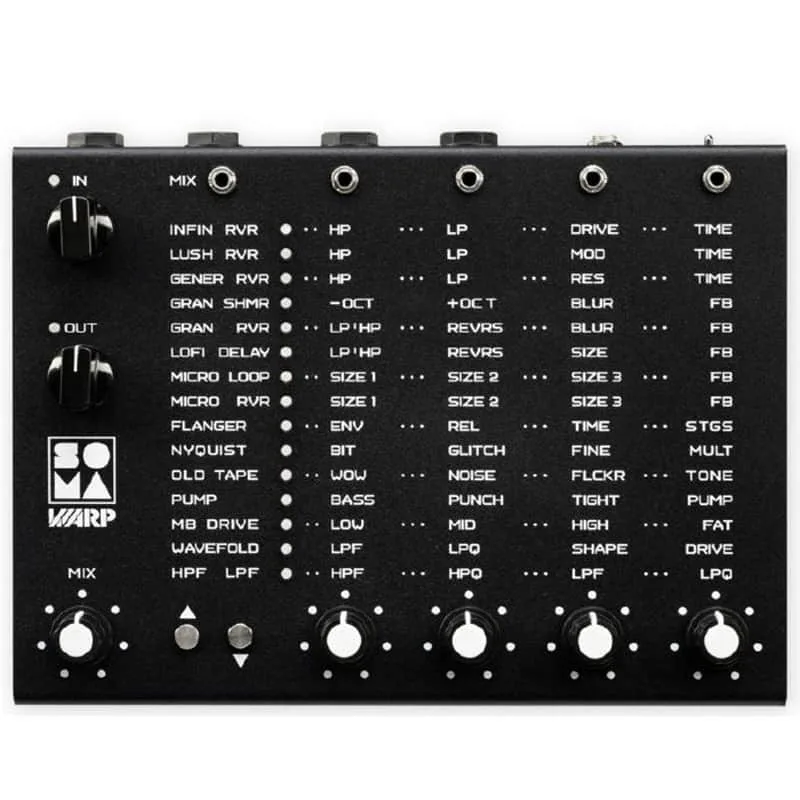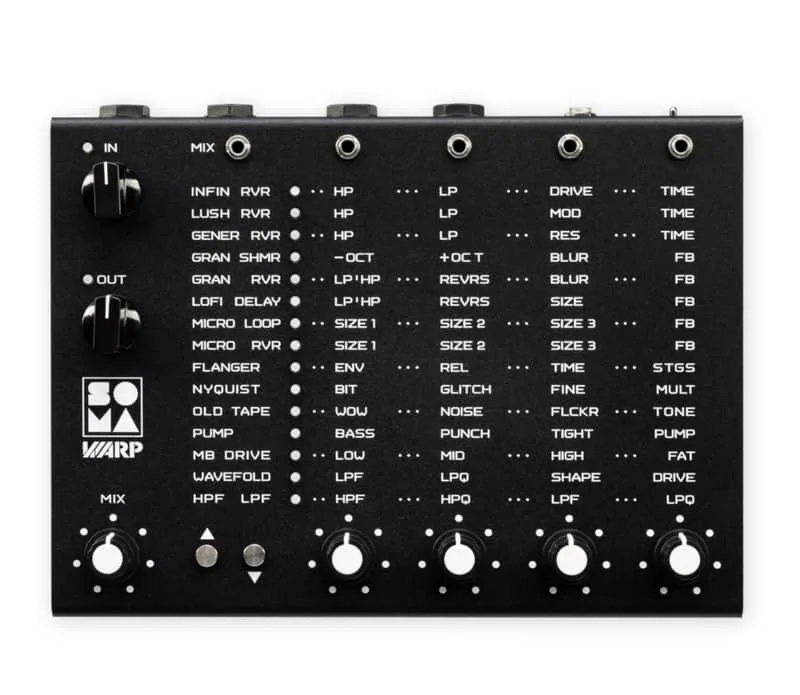


The SOMA Warp is a desktop digital multi-effects unit from SOMA Laboratory, announced in November 2025 and built for both studio and stage use. It houses 15 DSP algorithms that take in reverbs, granular effects, filters, micro-loopers, modulation effects and more, in a robust case with matrix-style editing12. It is stereo throughout, with dual TRS ports for the input and output3.
The algorithms and how they are edited
SOMA divides the 15 algorithms into three broad categories, described in the manual as "spatial effects", "special effects" and "dynamic effects"3. Editing is matrix-style, and the touch-sensitive pads used to switch between algorithms are placed next to the parameter rotaries13. MusicRadar's reviewer noted the absence of buried functions: "it's to Warp's credit that there are no shift-functions and no menus"3.
Sonic State's first look summed up the unit's character: "It's a pretty unique unit, with some unusual algorithms, and it can be driven hard for additional saturation and when combined with CV control, it takes it places other FX would struggle to go"1.
Sensor Lock and the touch sensors
Because algorithms are selected by touch, the Warp includes a Sensor Lock function, added in firmware version 1.1, to prevent accidental effect switching5.
- To activate: quickly tap both sensors simultaneously three times.
- When active: the currently active effect LED blinks slowly; touching either sensor will not change the effect, but will turn off the current effect LED.
- To deactivate: quickly tap both sensors simultaneously three times again, indicated by a series of fast blinks of the current effect LED5.
Lo-Fi mode
Lo-Fi mode, added in firmware version 1.2, halves the sample rate of the spatial processing from 48 kHz to 24 kHz. As a result, delay, reverb and decay times become twice as long, and the tonal character of the processed sound changes while the dry sound remains unchanged at 48 kHz5.
To toggle it, select a supported algorithm, then press the UP and DOWN sensors simultaneously and hold them for at least 3 seconds. The algorithm's LED starts blinking when the mode is on, and returns to steady light when it is off5.
The LO-FI DELAY algorithm has no Lo-Fi mode, since this algorithm is Lo-Fi by design5.
Power
The Warp's power input polarity is center positive4. SOMA warns: do not power the device with an unregulated transformer power supply, as this may cause damage not covered by the warranty4.
Firmware
The current firmware is version 1.2, released 19 October 20265. Updates are performed via a USB flash drive formatted as FAT32, with a recommended capacity of 1 to 32 GB, holding the firmware file in the root directory5.
If your WARP has a serial number greater than 1008, an update is not required, as the firmware is already installed5.
Videos
SOMA Laboratory
SOMA Laboratory (subchannel)
sonicstate
Questions
How do I turn on Sensor Lock on the SOMA Warp?
Sensor Lock was added in firmware version 1.1 and prevents accidental effect switching. To activate it, quickly tap both touch sensors simultaneously three times. When it is enabled, the currently active effect LED blinks slowly, and touching either sensor will not change the effect, though it will turn off the current effect LED. To deactivate it, quickly tap both sensors simultaneously three times again, indicated by a series of fast blinks of the current effect LED.
How do I update the SOMA Warp firmware?
Updates are performed via a USB flash drive formatted as FAT32, with a recommended capacity of 1 to 32 GB, holding the firmware file in the root directory. The current firmware is version 1.2, released 19 October 2026. If your WARP has a serial number greater than 1008, no update is required, as the firmware is already installed.
What does Lo-Fi mode do on the SOMA Warp?
Lo-Fi mode, added in firmware version 1.2, halves the sample rate of the spatial processing from 48 kHz to 24 kHz. As a result, delay, reverb and decay times become twice as long, and the tonal character of the processed sound changes while the dry sound remains unchanged at 48 kHz. It is toggled by pressing the UP and DOWN sensors simultaneously and holding them for at least 3 seconds.
Does my SOMA Warp need a firmware update?
If your WARP has a serial number greater than 1008, an update is not required, as the firmware is already installed. Units with earlier serial numbers can be updated via a FAT32-formatted USB flash drive holding the firmware file in its root directory. The current firmware version is 1.2, released on 19 October 2026.
Why does the LO-FI DELAY algorithm have no Lo-Fi mode?
According to SOMA Laboratory, the LO-FI DELAY algorithm has no Lo-Fi mode because it is Lo-Fi by design. The Lo-Fi mode toggle, which halves the spatial processing sample rate from 48 kHz to 24 kHz on other algorithms, simply does not apply to this one.
Sources (5)
- SonicLAB: SOMA Warp Unique Multi-FX, Sonic State, 2026-01-12
- “Create endless, rich, lively soundscapes out of almost any sound”: Soma Laboratory Warp is a digital effect powerhouse with CV control, MusicRadar, 2025-11-05
- “An effects unit aimed squarely at those who want a fast, powerful way to experiment with sound”: Soma Laboratory Warp review, MusicRadar, 2026-08-13
- SPECS & MANUAL / WARP, SOMA Laboratory
- FIRMWARE / WARP, SOMA Laboratory, 2026-01-26