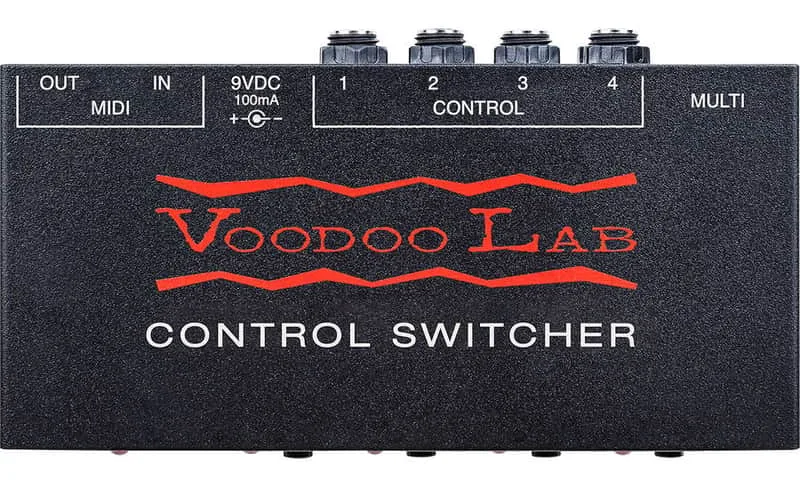


The Voodoo Lab Control Switcher is a MIDI amp commander: a relay switcher that gives MIDI programmability over every footswitchable function on your amplifier, including channel switching, reverb, boost, EQ and effects loop1. Instead of tapping dance routines on your amp's footswitch, you send it MIDI and its four isolated relays close the same contacts your amp's own switches would close.
It is built around four completely isolated relays, each with a front panel instant access button and its own 1/4" mono output, plus a multi-DIN connector for amps that use a multi-pin footswitch jack1. It lists at a price of $179.99 USD as of October 2026, and carries a 5-year warranty in North America1.
The Buttons and Jacks
The front panel has four LED function buttons, which switch the four functions on and off and save programs1. Each button corresponds to one of the four completely isolated relays, and each relay has its own 1/4" mono output jack1. Because the relays are isolated from each other, one switch can drive the channel select on one amp while another drives the reverb or loop on the same or a different amp, without the grounds interacting.
| Jack or control | What it does |
|---|---|
| LED function buttons (4) | Switch functions on/off, save programs1 |
| 1/4" control jacks (4) | Access amp switch functions1 |
| 5-pin MULTI DIN connector | For amps with multi-pin cable control jacks1 |
| MIDI In | Accepts MIDI commands and provides phantom power1 |
| MIDI Out | Passes MIDI commands to other MIDI devices1 |
For amps with a multi-pin footswitch jack rather than individual 1/4" switching inputs, the 5-pin MULTI DIN connector is the route in. Voodoo Lab builds a custom cable for this, the MULTI Connector Cable (Part# CXC), and each cable is custom-made-to-order for your specific amp model1. To check compatibility and order one, email product support at info@voodoolab.com1.
The MIDI Out jack passes MIDI commands along to other MIDI devices, so the Control Switcher can sit in a chain rather than at the end of it1. MIDI In does double duty: it accepts incoming commands and provides phantom power, so with a suitable controller the unit can be powered over the MIDI cable1. Otherwise it runs from a 5.5mm x 2.1mm barrel connector, center negative, at 9-12VDC or 9VAC and 100mA1.
Setting the MIDI Channel and PC/CC Response
The Control Switcher ships on MIDI channel 1, and both Program Change (PC) and Control Change (CC) response are disabled by default2. You can select whether it responds to PC, CC, both message types, or none2. All of these settings are made with a power-up button routine rather than an editor or display.
MIDI channel. Apply power while holding down button #2; LED #2 flashes until you release the button. Then press each button to match the desired channel from the manual's table, and remove power when finished2. Channels 1 through 16 are shown as ON/OFF combinations of LEDs #1 through #4, with channel 1 as all OFF and channel 16 as all ON2.
PC/CC response. Apply power while holding down button #3; LED #3 flashes until you release the button. Then press buttons #1 and #2 according to the table2:
| LED #1 | LED #2 | Response |
|---|---|---|
| OFF | OFF | None |
| ON | OFF | PC only |
| OFF | ON | CC only |
| ON | ON | Both PC and CC |
CC group. Apply power while holding down button #4; LED #4 flashes until you release the button. Then press buttons #1, #2 and #3 according to the table2. Each MIDI Control Change message's controller number specifies which loop to turn on or off2. The default group is CC numbers 80-83, where 80 controls switch #1, 81 controls switch #2, 82 controls switch #3 and 83 controls switch #42. Eight groups are available in total, and each also maps to a set of GCX loop numbers2:
| CC group | GCX mapping |
|---|---|
| 80-83 | GCX#1 Loops 1-4 |
| 84-87 | GCX#1 Loops 5-8 |
| 88-91 | GCX#2 Loops 1-4 |
| 92-95 | GCX#2 Loops 5-8 |
| 64-67 | GCX#3 Loops 1-4 |
| 68-71 | GCX#3 Loops 5-8 |
| 56-59 | GCX#4 Loops 1-4 |
| 60-63 | GCX#4 Loops 5-8 |
Using It with the Ground Control Pro
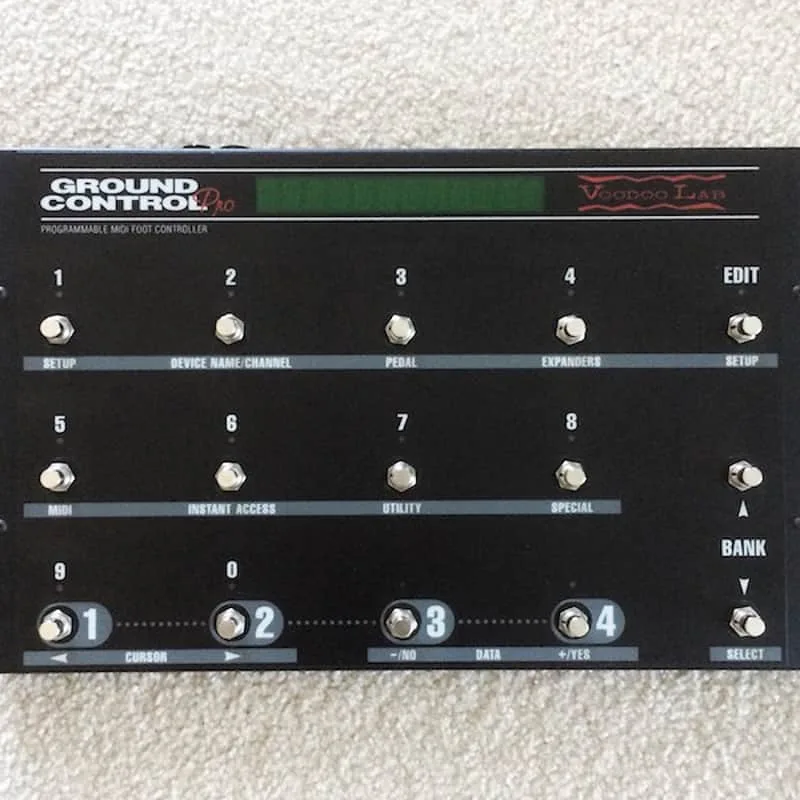
The manual carries a specific note for players running the Voodoo Lab Ground Control Pro: you must disable both PC and CC, and None is the correct setting for the Ground Control Pro only2.
"NOTE: When using Voodoo Lab Ground Control Pro, you must disable both PC and CC."
Since both PC and CC are disabled by default2, a stock Control Switcher is already set up the way the Ground Control Pro expects. The GCX loop mapping in the CC group table also means a Ground Control Pro system with GCX switchers addresses the Control Switcher's relays the same way it addresses GCX loops2.
Videos
Bryce VanHoosen
ReviewTube99
Consumer Product Features
Questions
What MIDI channel is the Voodoo Lab Control Switcher set to by default?
The Control Switcher ships on MIDI channel 1. To change it, apply power while holding button #2, press the four buttons to match the channel's ON/OFF LED pattern from the manual's table, then remove power. Channel 1 is all LEDs off and channel 16 is all LEDs on.
Does the Control Switcher work with the Ground Control Pro?
Yes. When using the Voodoo Lab Ground Control Pro, the manual says you must disable both PC and CC response on the Control Switcher, which is the None setting. Both PC and CC are disabled by default from the factory, so a stock unit is already configured for the Ground Control Pro.
Which CC numbers control the Control Switcher?
The default group is CC numbers 80 to 83, where 80 controls switch #1, 81 controls switch #2, 82 controls switch #3 and 83 controls switch #4. Seven other groups can be selected, and each group also maps to a set of GCX loop numbers.
Can the Control Switcher be powered over MIDI?
Yes. The MIDI In jack accepts MIDI commands and provides phantom power, so a suitable MIDI controller can power the Control Switcher over the MIDI cable. It can also be powered from a 5.5mm x 2.1mm center-negative barrel supply at 9-12VDC or 9VAC at 100mA.
What cable connects the Control Switcher to a multi-pin amp jack?
The 5-pin MULTI DIN connector on the Control Switcher is for amps with multi-pin cable control jacks. Voodoo Lab makes a custom cable, the MULTI Connector Cable (Part# CXC), built to order for a specific amp model. Email product support at info@voodoolab.com to check compatibility and order one.
Sources (2)
- Control Switcher MIDI Amp Commander, Voodoo Lab
- Voes | MIDI-CC, Voes, 2024