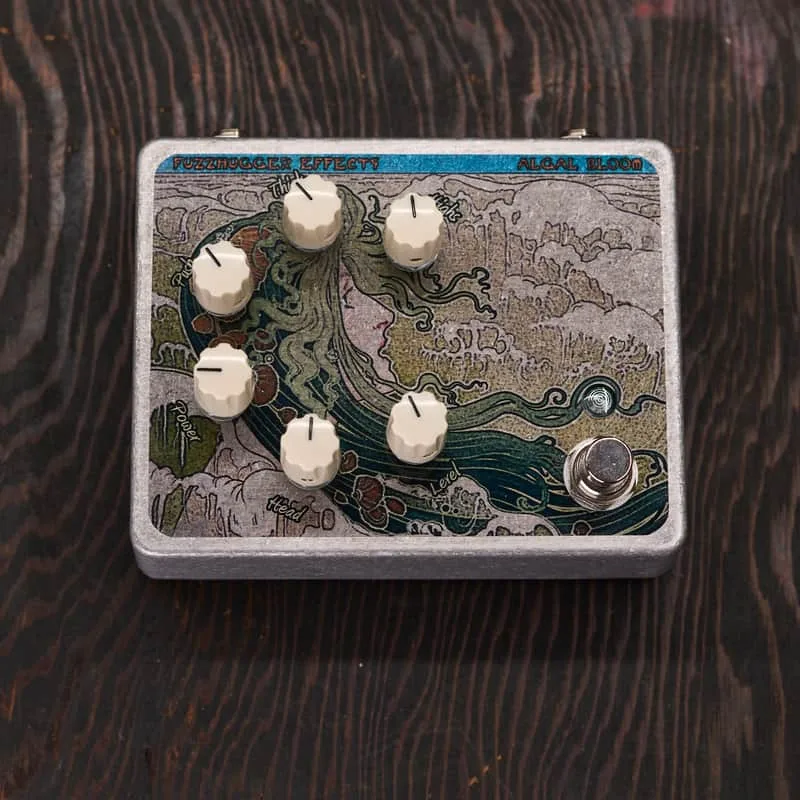


The FuzzHugger Algal Bloom is a fuzz pedal from FuzzHugger Effects that the maker describes as its "classic chord-friendly, overdriven fuzz"1. Where many fuzzes collapse into mush when you play more than one note at a time, the Algal Bloom is voiced so chords stay defined, sitting somewhere between a fuzz and an overdrive in character. FuzzHugger says the current circuit lets you "dial in more gain and thickness than ever before" and is "slightly higher-fi, with lower overall noise levels, and a touch more sustain"1.
The pedal runs on a 9V to 18V center-negative adapter (not included), takes no batteries, and carries an endless, transferrable warranty with free parts and labor on repairs21. It has been offered as a pre-order shipping in 6 to 8 weeks1.
The controls: Headroom, Gain, Bias, Voltage, Highs and Level
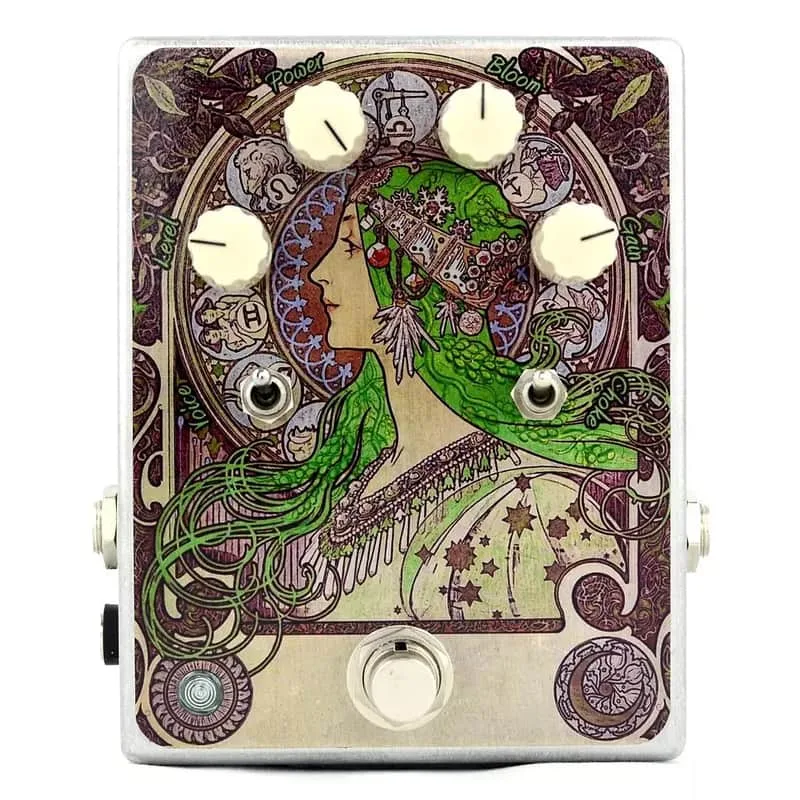
The standard Algal Bloom carries six knobs. FuzzHugger's control descriptions, from its product pages32:
| Control | What it does |
|---|---|
| Headroom | Reduces clipping and opens up as you turn right, shifting to a hot-yet-clear tone with more clarity and definition1 |
| Gain | Cleans up and slims the fuzz1 |
| Bias | Sets overall hotness and thickness, from lower gain to higher gain than ever before; scratches when adjusted1 |
| Voltage | Full voltage when right (anywhere between 9V and 18V depending on what you feed it), reducing voltage as you turn it down, relaxing gain levels and response, down to just a few volts full-left1 |
| Highs | Smooths to dampens high-frequency activity2 |
| Level | Volume3 |
The Headroom knob is the control FuzzHugger points to when explaining the pedal's chord-friendliness. The maker says it "improves on the pedal's chord-friendliness, delivering extra clarity and definition as you turn right, shifting to a hot-yet-clear, less clipped tone," and calls it "great for cleaning up the tone, and for lower tunings and bass"21. That last point matters for bass players and anyone in dropped tunings: rather than a fixed, suffocating fuzz voice, the Headroom control lets you open the circuit up so low notes and stacked chords keep their definition.
The Bias knob is the one quirk worth knowing before you buy. FuzzHugger's own description states plainly that it "scratches when adjusted"145. That is a documented trait of the control, not a defect in an individual unit: it sets the overall hotness and thickness of the fuzz, from lower gain up to higher gain than earlier versions offered, and turning it while playing produces an audible scratch.
Power: 9V to 18V DC
The Algal Bloom requires a 9V to 18V DC center-negative adapter, which is not included, and it takes no batteries1. The same power spec applies across the family: the Algal Bloom S, the Modified versions, and the 2-in-1 double pedals are all listed as DC power only, with no batteries678.
No battery option means the pedal needs a spot on a power supply from day one. The 9V to 18V range also means a standard 9V center-negative output works fine, and higher-voltage supplies from the same range can feed it for more headroom, with the Voltage knob then dialing that back down from the front panel19.
The Voltage knob is what makes the power section more than a spec sheet. FuzzHugger describes it as full voltage when turned right, anywhere between 9V and 18V depending on what you feed it, with voltage reducing as you turn it down, relaxing the gain levels and response, down to just a few volts fully counterclockwise32. In practice it is a built-in voltage starve, the same trick players used to get from a dying battery, but under knob control and without the pedal ever accepting a battery in the first place.
Versions, finishes and cosmetic sale units
FuzzHugger sells the Algal Bloom in a shifting range of versions and finishes, many of them one-of-a-kind or limited availability10111.
- Standard Graphic: the graphic finish with no additional clear coat, as pictured11.
- Deluxe Finish: a clear coat over the graphic; one deluxe listing was priced at $185.002.
- Cosmetic sale units: a deluxe-finish unit with a few very minor clear coat imperfections was listed at a sale price of $173.00 against the $185.00 regular price112.
- Burlap finishes: a Burlap Deluxe Finish version of the Algal Bloom Modified has been offered, and a Burlap Deluxe Finish variant of FuzzHugger's classic Algal Bloom fuzz appears as its own listing13.
- Limited-availability graphics: some deluxe listings note limited-availability graphics and horizontal orientation2.
On pricing, the maker's own listings show the Algal Bloom (Graphic, Deluxe Finish) at a $185.00 regular price, with a cosmetic sale unit at $173.00 because its clear coat has a few very minor imperfections112. The prices move with finish and availability, so treat any single figure as tied to its listing.
The circuit also appears in several distinct formats, each with its own page:
| Version | What it is |
|---|---|
| Algal Bloom Modified | Starts with the classic chord-friendly, overdriven fuzz and enhances its best qualities141516 |
| Algal Bloom S | The same circuit family in a smaller 2.7 x 3.7 inch aluminum enclosure, focusing on thick, high-gain, yet chord-friendly fuzz tones; deluxe clear finish, offered as a pre-order shipping in 4 weeks6 |
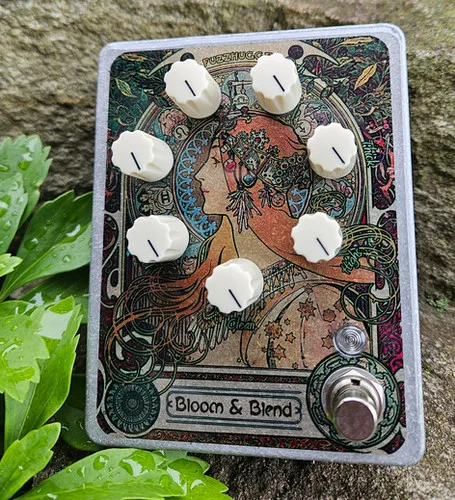
| Algal Bloom & Blend | A prototype fuzz pedal with a control set of Highs, Thick, Push, Voltage, Head, Gain, Fuzz Level and Clean Level, running on 9 to 18V DC17 |
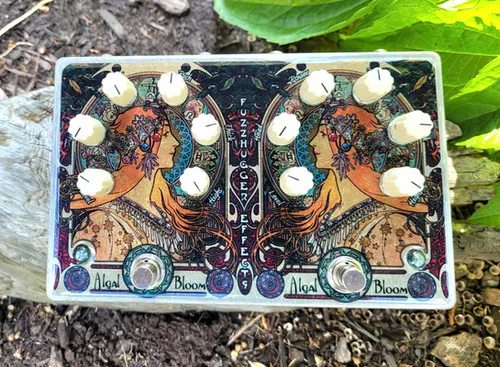
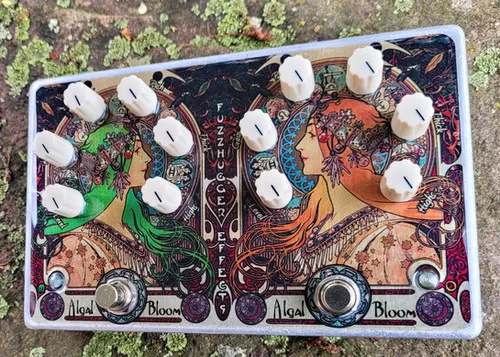
| Custom 2-in-1 Algal Bloom + Algal Bloom | Two full Algal Blooms in one box, with Highs, Thick, Push, Voltage, Headroom and Level knobs on each effect, one power jack powering both8 |
| Dual Algal Bloom | A double pedal with Highs, Push, Gain, Thickness, Voltage, Clipping/Headroom and Level knobs per side18 |
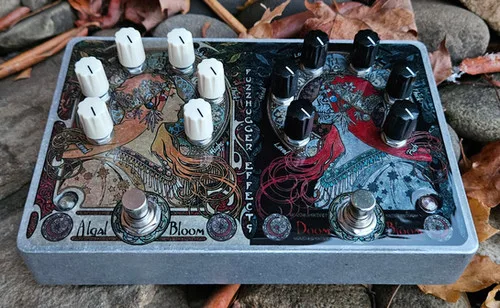
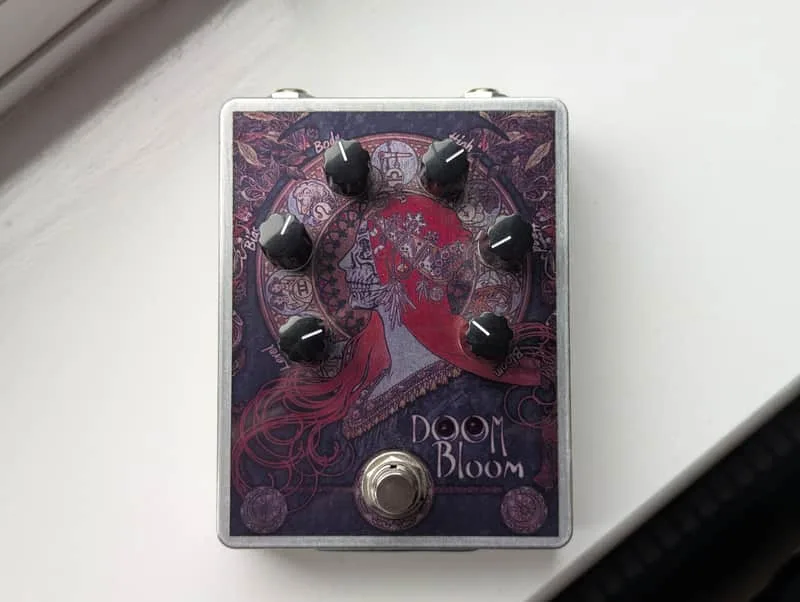
| Custom 2-in-1 Algal Bloom + Doom Bloom | Pairs an Algal Bloom side (Highs, Push, Gain, Thickness, Voltage, Clipping/Headroom, Level) with a Doom Bloom side19 |
| Custom 2-in-1 Algal Bloom Mod vs Algal Bloom O | A first-of-its-kind FuzzHugger 2-in-1 comparing a Modified side against an Algal Bloom O side, each with six controls20 |
The control sets vary slightly between these versions: the Modified lists its knobs as Highs, OD (Push), Thick, Voltage, Clip (Headroom) and Level92122, while the 2-in-1 units carry six or seven knobs per side depending on the build92122. If you are comparing, check the control list on the specific unit, since FuzzHugger builds many of these as individual, one-of-a-kind pieces.
Videos
ProGuitarShopDemos
FuzzHugger Effects
FuzzHugger Effects
Questions
Is the Algal Bloom good for bass and low tunings?
FuzzHugger says the Headroom knob improves the pedal's chord-friendliness and delivers extra clarity and definition as you turn it right, and describes it as great for cleaning up the tone and for lower tunings and bass. A bass-oriented sibling, the Bass Bloom, was released in 2012 with added low-end response and a clean blend.
What does the Voltage knob do on the Algal Bloom?
It is a built-in voltage control. Full clockwise gives the pedal whatever you feed it, anywhere between 9V and 18V. Turning it down reduces the voltage, relaxing the gain level and response, down to just a few volts fully counterclockwise, for sagging, looser fuzz character.
Does the FuzzHugger Algal Bloom take a battery?
No. FuzzHugger lists the pedal as DC power only with no batteries, across the standard, Modified and S versions. It requires a 9V to 18V center-negative adapter, which is not included, so you need a power supply on your board.
Why does the Bias knob scratch when turned?
FuzzHugger's own control descriptions note that the Bias knob scratches when adjusted. It sets the overall hotness and thickness of the fuzz, from lower gain to higher gain, so the scratch is a known trait of adjusting that bias control rather than a fault.
What is the Algal Bloom S?
A smaller version of the circuit in a 2.7 x 3.7 inch aluminum enclosure, against the standard 3.7 x 4.7 inch box. FuzzHugger describes it as focusing on the circuit's thick, high-gain, yet chord-friendly fuzz tones, with a deluxe clear finish, and it has been offered as a pre-order shipping in 4 weeks.
Sources (22)
- Pre-Order: FuzzHugger Algal Bloom (Graphic, Deluxe Finish), FuzzHugger Effects
- FuzzHugger Algal Bloom (Graphic, Deluxe), FuzzHugger Effects
- FuzzHugger Algal Bloom (Graphic, Deluxe Finish), FuzzHugger Effects
- FuzzHugger Algal Bloom (Graphic, Deluxe Finish), FuzzHugger Effects
- FuzzHugger Algal Bloom (Graphic, Deluxe), FuzzHugger Effects
- Pre-Order: FuzzHugger Algal Bloom S (Graphic, Deluxe Finish), FuzzHugger Effects
- FuzzHugger Algal Bloom 4k one-of-a-kind Burlap (Deluxe Finish), FuzzHugger Effects
- Pre-Order: FuzzHugger Custom 2-in-1 Algal Bloom + Algal Bloom (Deluxe Finish, FuzzHugger Effects
- FuzzHugger Algal Bloom one-of-a-kind Burlap (Deluxe Finish), FuzzHugger Effects
- FuzzHugger Algal Bloom (Graphic, Standard - no added finish) | FuzzHugger Effects, FuzzHugger Effects
- FuzzHugger Algal Bloom (Graphic, Standard, FuzzHugger Effects (www.fuzzhugger.com)
- FuzzHugger Algal Bloom (Graphic, Deluxe Finish), FuzzHugger Effects
- FuzzHugger Algal Bloom one-of-a-kind Burlap (Deluxe Finish), FuzzHugger Effects
- FuzzHugger Algal Bloom (Graphic, Standard, FuzzHugger Effects
- FuzzHugger Algal Bloom (Graphic, Standard, FuzzHugger Effects
- FuzzHugger Algal Bloom (Graphic, Deluxe Finish), FuzzHugger Effects (www.fuzzhugger.com)
- Prototype: FuzzHugger Algal Bloom & Blend, FuzzHugger Effects
- Pre-Order: FuzzHugger Custom Double Algal Bloom (Deluxe Finish), FuzzHugger Effects
- FuzzHugger Custom 2-in-1 Algal Bloom + Doom Bloom (Deluxe Finish), FuzzHugger Effects (www.fuzzhugger.com)
- FuzzHugger Custom 2-in-1 Algal Bloom Mod vs Algal Bloom O!, FuzzHugger Effects
- FuzzHugger Custom 2-in-1 Algal Bloom + Algal Bloom (Deluxe Fi, FuzzHugger Effects
- FuzzHugger Custom 2-in-1 Algal Bloom + Algal Bloom (Deluxe Finish), FuzzHugger Effects (www.fuzzhugger.com)