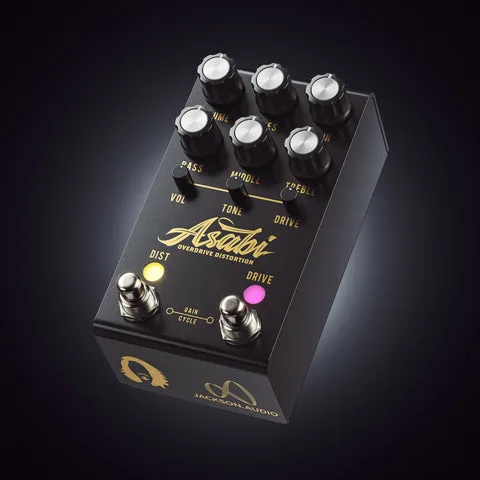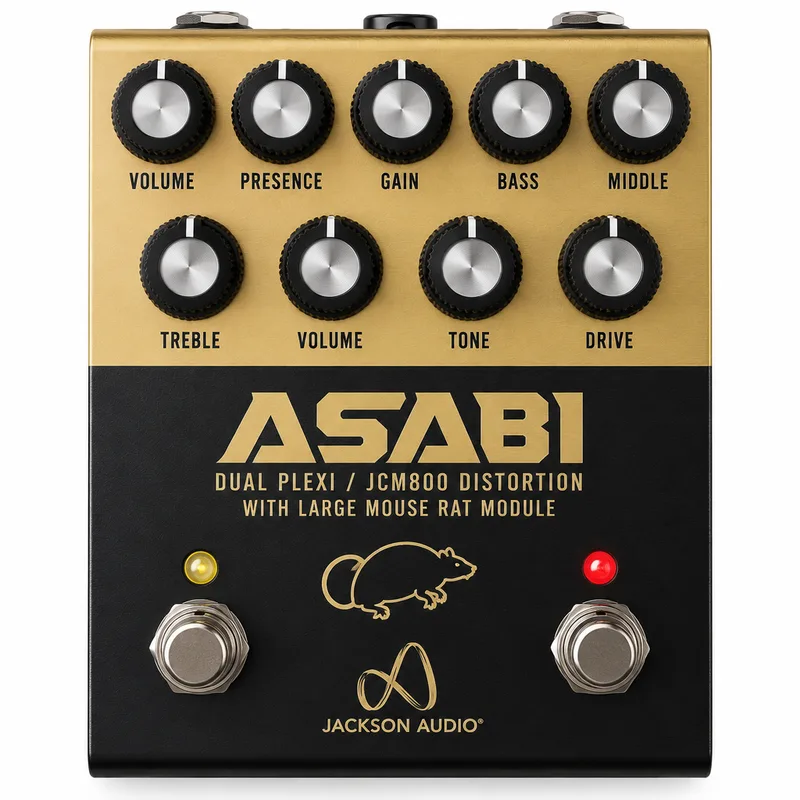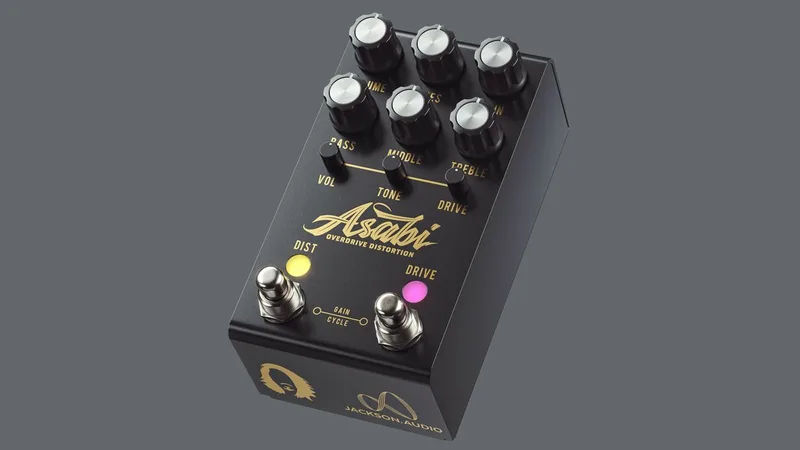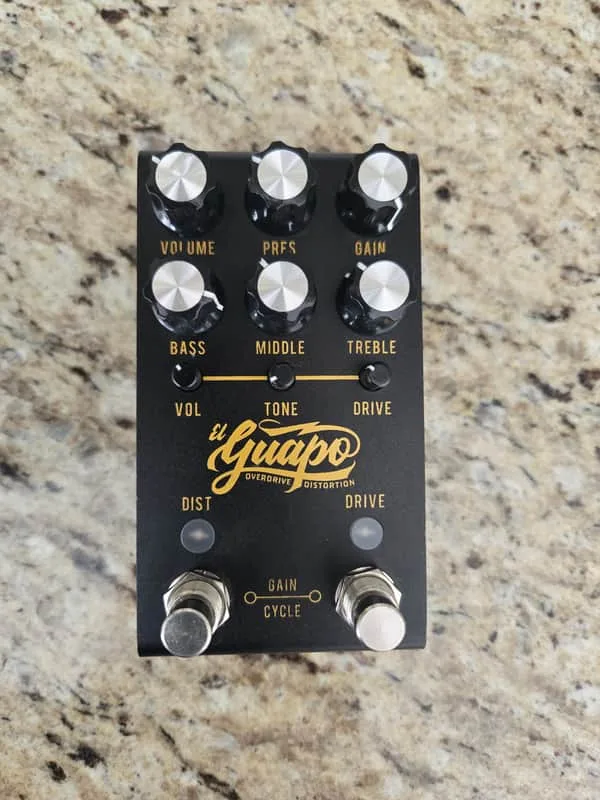


The Jackson Audio El Guapo is a two-channel distortion pedal with a built-in overdrive channel, released in September 2020 as a Mateus Asato signature model. The distortion channel is a high-gain, hard-clipping circuit based on the Marshall JCM800, while the overdrive channel delivers what MusicRadar describes as the "smooth overdrive and touch sensitivity" of a vintage Plexi12. The whole pedal is programmable over MIDI, with switchable clipping presets on both channels and a three-band EQ on the distortion side.
A Marshall-voiced distortion with an overdrive channel
Jackson Audio's El Guapo is a Mateus Asato signature overdrive/distortion, developed through what the maker describes as a "10+ prototype revision process"1. Its distortion channel is a high-gain, hard-clipping circuit based on the Marshall JCM800, while its overdrive channel delivers what Delicious Audio calls the "smooth overdrive and touch sensitivity" of a vintage Plexi12.
The two halves of the pedal work differently:
- Distortion channel: A high-gain, hard-clipping circuit based on the Marshall JCM800, with a three-band parametric EQ based on the Baxandall EQ and tailored for guitarists. Delicious Audio describes the resulting tone as "very open, crisp and addictingly fun to play," covering everything from 80's hard rock to modern high gain1.
- Overdrive channel: A circuit in its own true bypass loop, usable independently of the distortion circuit or stacked with it. MusicRadar reports it delivers the "smooth overdrive and touch sensitivity" of a vintage Plexi12.
Both channels carry four selectable clipping presets, which Delicious Audio says "drastically alter the tone and feel" of the pedal1. On the distortion channel, Preset 1 (AMBER) is a Guv'nor style in which two LEDs symmetrically clip the top and bottom of the waveform, giving higher headroom and a more open, less compressed feel like a vintage Marshall. On the overdrive channel, Preset 1 (AMBER) is a Vintage Marshall setting using two red LEDs for symmetric clipping and higher headroom1.
The controls
The pedal is built around two footswitches with dual functions1:
| Control | What it does |
|---|---|
| DIST footswitch | Toggles the distortion channel; hold for more than 1 second to enter the distortion channel's clipping program mode |
| DRIVE footswitch | Activates the overdrive channel; hold for more than 1 second to enter its clipping program mode |
| Both footswitches at once | Steps the output volume up in 1/4 increments (the "25% scaling down" feature, also found in the Broken Arrow); the volume knob must be all the way up |
| Overdrive volume control | Acts as the master volume when both channels run simultaneously |
The 25% scaling down feature lets a player increase the output volume in 1/4 steps by pressing both footswitches at once, with the volume control set to maximum1.
MIDI adds another layer of control. The El Guapo responds to the following continuous controller messages1:
| CC | Function |
|---|---|
| CC #1 | Distortion channel ON/OFF (127 = ON, 0 = OFF) |
| CC #2 | Overdrive channel ON/OFF |
| CC #3 | Distortion clipping presets |
| CC #4 | Gain cycle |
| CC #5 | Overdrive clipping presets |
MIDI setup
The pedal ships with MIDI Channel 1 selected. To change it, hold the DIST footswitch while applying power, then press the DRIVE footswitch to increment through the channels1.
The El Guapo receives MIDI information via the ring connection on a TRS (Tip, Ring, Sleeve) connector, not a standard DIN jack. You need a DIN-5 to TRS cable to connect it to a conventional MIDI controller1.
Where it came from
The El Guapo is a Mateus Asato signature model, developed over what the maker describes as a "10+ prototype revision process"1. Delicious Audio reported the pedal as available now at £349 / $3492.
The El Guapo gives each channel its own clipping presets: pressing and holding the DIST footswitch for more than 1 second enters the distortion channel's clipping program mode, and holding the DRIVE footswitch for more than 1 second does the same for the overdrive channel1. The overdrive circuit sits in its own true bypass loop and can be used independently of the distortion circuit1.
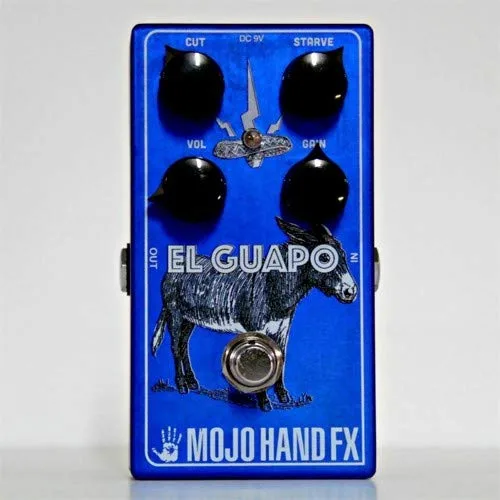
Don't confuse this pedal with the Mojo Hand FX El Guapo, an unrelated voltage-starved fuzz pedal from a different maker. Mojo Hand FX describes theirs as an "ultra-flexible fuzz machine" with Gain, Cut and starve controls, where Cut trims high end and the starve control introduces voltage starvation that interacts with gain and cut. Premier Guitar's review noted that dramatic octave effects can be achieved by turning the gain and starve controls way up and adding extra high end with the Cut control34.
Videos
MusicGearz
Guitar Emerge
Questions
What amp is the Jackson Audio El Guapo pedal based on?
The distortion channel is a high-gain, hard-clipping circuit based on the Marshall JCM800, and the pedal is described as modeling the sound of a JCM800 amp coupled with a Tube Screamer-inspired overdrive. The overdrive channel is voiced for the smooth overdrive and touch sensitivity of a vintage Plexi.
Is the El Guapo pedal a Mateus Asato signature model?
Yes. The El Guapo Overdrive/Distortion is a Mateus Asato signature model, developed over a 10-plus prototype revision process. MusicRadar reported it was developed with Asato over two years before its September 2020 release.
How do I change the MIDI channel on the El Guapo?
The pedal ships with MIDI Channel 1 selected. To change it, hold the DIST footswitch while applying power, then press the DRIVE footswitch to increment through the channels.
Does the El Guapo use hard clipping?
Yes. The distortion channel is a high-gain, hard-clipping circuit. Both channels also offer four selectable clipping presets, including LED-based symmetric clipping options that change the tone and feel.
Can the overdrive and distortion channels run together?
Yes. The overdrive circuit sits in its own true bypass loop and can be used independently of the distortion circuit or stacked with it. When both run simultaneously, the overdrive channel's volume control becomes the master volume.
What cable do I need to send MIDI to the El Guapo?
The El Guapo receives MIDI information via the ring connection on a TRS connector, so you need a DIN-5 to TRS cable to send it MIDI from a standard MIDI controller.
Is the El Guapo pedal related to the El Guapo amp?
Yes. Jackson Audio released a Marshall-inspired amp called El Guapo with Josh Smith in 2015, and the pedal is the design that grew out of that amp. In late 2020 the pedal was rebranded and upgraded as the Asabi Modular Overdrive Distortion.
Sources (4)
- STOMPBUZZ ALERT! Jackson Audio El Guapo Programmable Distortion, Delicious Audio, 2020-09-08
- Mateus Asato's signature overdrive / distortion pedal is here and it sounds pretty spectacular, MusicRadar, 2020-09-02
- El Guapo, MojoHandFX
- Mojo Hand Fx El Guapo Review, Premier Guitar, 2016-02-08