

The MIDI Grande works in three modes: regular mode, global settings, and the layer of register settings1. It can also act the other way round, as a MIDI-controlled MIDI controller: receiving one MIDI command can trigger up to 8 user-programmed MIDI messages, so another controller or a computer can drive its registers1.
Banks and registers
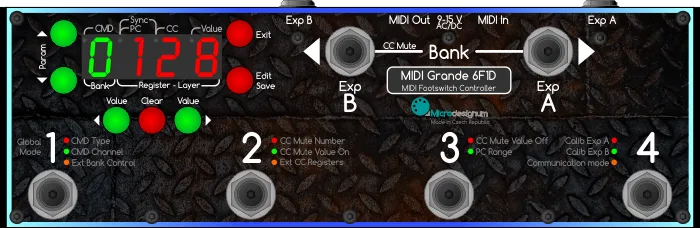
Pressing the left or right Bank button changes the bank number, shown on the display in green as 1 to 9 and then A to Z13. At the default setting, changing banks sends no MIDI commands; if the Bank buttons are globally assigned a CC number, pressing a bank button sends that CC with value 127 on press and value 0 on release3.
The register footswitches are where the commands live. Each register has two layers, a first (red) and a second (green), and pressing the same footswitch again toggles between them1. Each layer can hold up to 8 MIDI commands (CMD 1 to CMD 8) of type PC, CC or SYN, each on its own channel from 1 to 16; command 1 cannot be disabled, it must be PC, CC or SYN3. Holding the Save button saves a setting to a different layer, register or bank (Save As)3.
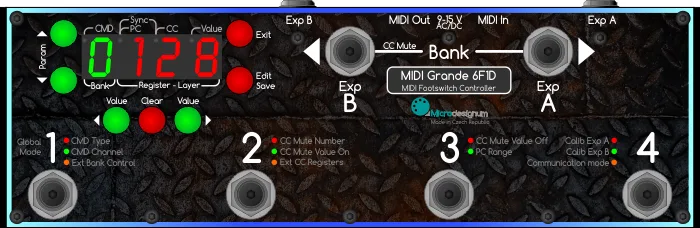
The controls
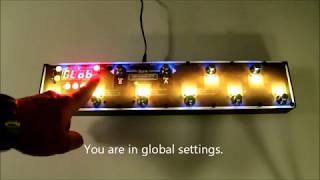
The front panel is organized around editing these layers. Global settings are entered by holding the Edit button for about 5 seconds, after which "GLOB" appears on the display and the registers blink orange3.
| Control | What it does |
|---|---|
| Bank (left and right) | Changes the bank number1 |
| Register footswitches | Send the commands of the current layer; repeated press toggles red/green layer1 |
| Edit (hold ~5 s) | Enters global settings3 |
| Save (hold) | Saves the setting to another layer, register or bank3 |
| Clear | Resets a parameter value to 0, sets the default value, or disables the command (---)1 |
| Bank (hold) | Activates Mute mode: sends CC Mute On and the controller stops responding to registers3 |
The Mute function is a configurable CC with its own controller number (0 to 127) and On/Off values, defaulting to 127 for On and 0 for Off3. Program numbers can be displayed either in technical format (0 to 127) or user format (1 to 128); this affects the display only3.
Register modes and layers
Each register footswitch can be configured globally to one of four modes2:
- PGM (Program): normal mode, only the last pressed register lights, expressing switching to a specific program1
- STO (Stompbox): registers light red or green and pressing alternates the color to express effect on/off1
- UP: increments a value1
- DN: decrements a value1
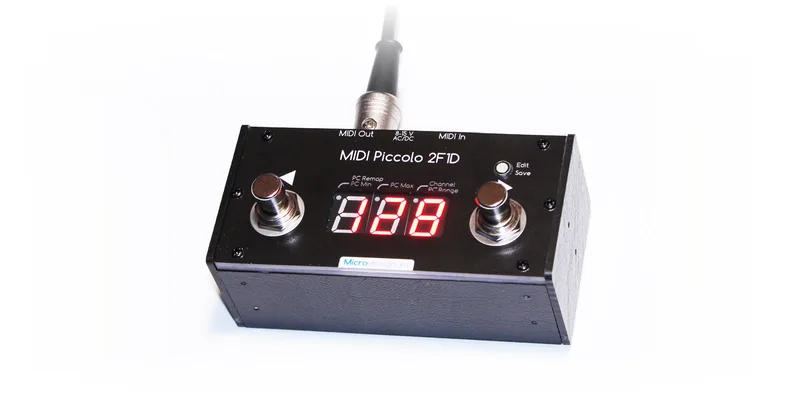
Configuring two registers as a Down/Up pair effectively gives you the function of the smaller Microdesignum MIDI Piccolo 2F1D controller3.
Expression pedals get the same layered treatment: each layer holds two expression pedal "sublayers", toggled by a toe switch if the pedal has one. The first sublayer blinks red and is the default, the second is blue1. In layer editing you can assign each pedal a CC number and a value range (MIN and MAX), including a reversed direction, for example 100 down to 503. The pedal range can be calibrated in percent (0 to 100) using the Value buttons3, and the Exp A / Exp B labels light from blue at value 0 to red at value 127 according to pedal position3.
External control and communication modes
The MIDI Grande can itself be controlled over MIDI. The External Control Channel setting (E C-- for off, or E C 1 to E C 16) opens registers and banks to incoming MIDI, and an External Bank CC (B--- for off, or B 0 to B 127) allows external bank switching13. Register states are set as a bit mask via CC, in a lower and higher byte covering registers 1 to 7 and 8 to 143. A received PC on the external channel activates a bank and register: PC#x activates bank ((x-1) divided by the number of registers) + 1 and register (remainder + 1)3.
Communication runs in two modes1:
- UNI: unidirectional; the controller accepts no controlling data on MIDI IN and passes everything straight to MIDI OUT1
- BID: bidirectional with the Kemper Profiling Amplifier or G-Major; the controller stops forwarding MIDI data3
In bidirectional connection with a Kemper, G-Major or Axe-FX 2, the controller displays the remote unit's tuner, in Mute mode23. Kemper communication has been part of the MIDI Grande's firmware since March 20152.
Models in the MIDI Grande range
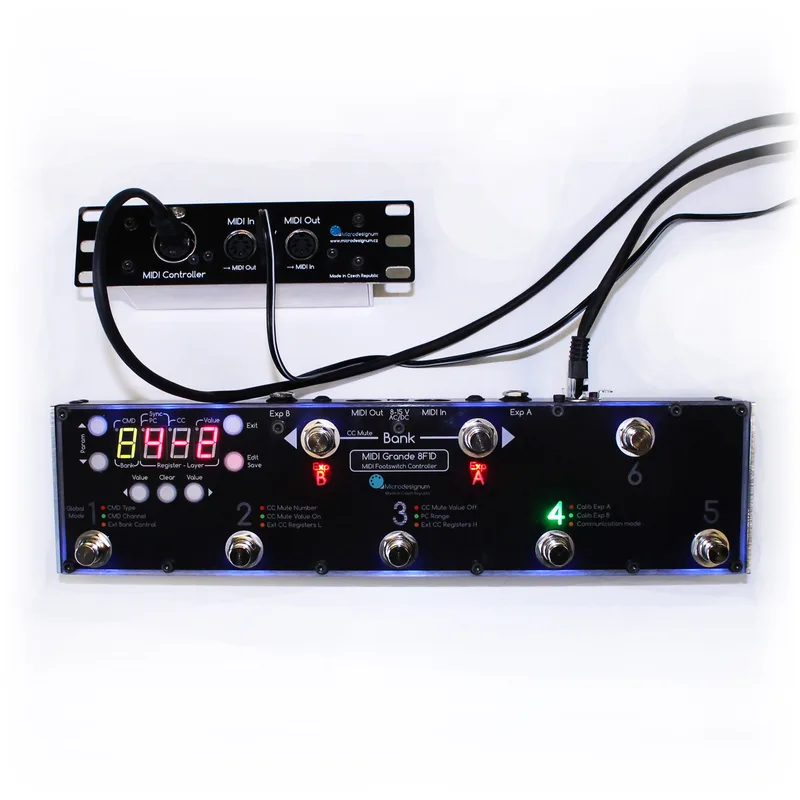
The range is defined by footswitch count. The model number tells you the layout: for example the 10F1D has 10 footswitches, two for bank selection and eight register switches numbered 1 to 6 plus A and B1. The 6F1D has 4 registers1.
The 8F1D Plus is a variant of the MIDI Grande 8F1D that adds an EtherCon connector; connected to a Kemper Profiling Amplifier, Axe-FX or G-Major it supports bidirectional communication and can visualize tuner data4.
Factory reset
With the controller switched off, simultaneously push the three red buttons Clear, Exit and Edit, leave every other button unpushed, and switch the controller on. This erases all layer settings and takes about 10 seconds13.
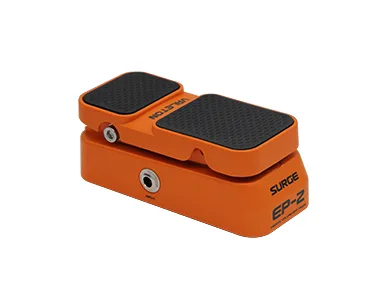
Expression pedals are not included with the controller; it only provides the inputs for them. Any passive pedal with a potentiometer and a standard 6.3 mm stereo TRS jack works: power on the tip, slider on the ring, ground on the sleeve13. An unused expression input can instead be used for an external switch, for example a tap tempo button3.
Videos
Microdesignum s.r.o.
Microdesignum s.r.o.
Microdesignum s.r.o.
Questions
Does the MIDI Grande show the Kemper tuner?
Yes. In Mute mode the MIDI Grande displays tuner results from the Kemper Profiling Amplifier, TC Electronic G-Major and Fractal Audio Axe-FX over a bidirectional connection. Kemper communication has been part of the firmware since March 2015. Bidirectional mode also stops the controller from forwarding MIDI data it receives.
Are expression pedals included with the MIDI Grande?
No. Expression pedals are not part of the controller; it only provides two inputs for them. It works with any passive pedal with a potentiometer and a standard 6.3 mm stereo TRS jack, wired with power on the tip, the slider on the ring and ground on the sleeve. An unused input can instead host an external switch such as a tap tempo button.
How do I factory reset the Microdesignum MIDI Grande?
With the controller switched off, simultaneously push the three red buttons Clear, Exit and Edit, keep every other button unpushed, and switch the controller on. This erases all layer settings and takes about 10 seconds.
How many banks does the MIDI Grande have?
32 banks, shown on the display as 1 to 9 and then A to Z. Each register has two layers, red and green, with up to 8 user-programmed MIDI commands per layer, so a single footswitch can reach two complete command sets.
Can the MIDI Grande send MIDI clock?
Yes. The controller offers synchronization commands: BPM tempo (1 to 254, or TAP), STA for Start, CON for Continue and STP for Stop. These can be programmed like any other command.
Sources (4)
- Manual for MIDI Grande footswitch controller, Microdesignum
- MIDI Grande, Microdesignum, 2015-03
- Návod k použití MIDI Grande, Microdesignum
- Nožní MIDI ovladač MIDI Grande 8F1D s Eth konektorem, Microdesignum