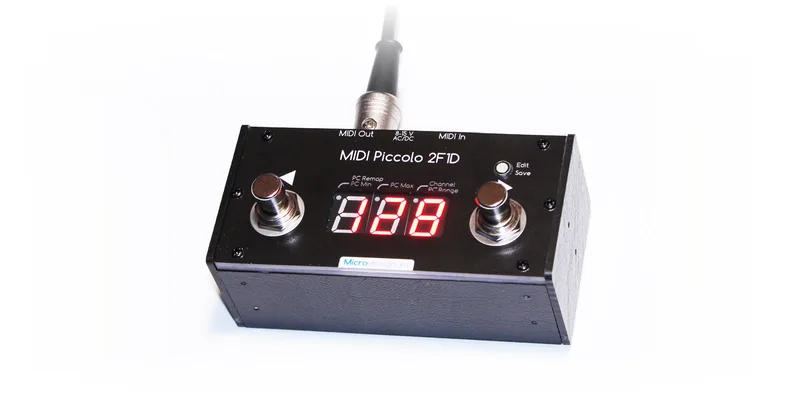


The Microdesignum MIDI Piccolo 2F1D is a compact MIDI pedal controller for stepping through programs on any MIDI-equipped pedal, rack unit or synth. Two footswitches, labeled ◂Program and Program▸, move the program number shown on a three-character red LED display up and down, and the number on the display is the Program Change number sent to the MIDI output12. Microdesignum positions it as a smaller and cheaper replacement for the Tech21 MIDI Mouse controller1.
It is sold in three forms: as a bare module without footswitches at 120.00 USD, as a module with footswitches at 150.00 USD, and as a complete controller in a box at 213.00 USD1.
Controls and global settings
In normal use the controller is a two-button program stepper: pressing ◂Program or Program▸ decreases or increases the number on the display, and that number goes out as a Program Change message on the selected MIDI channel2. An Edit/Save button on the unit handles program remapping and global settings1. If you have remapped programs, the displayed number and the Program Change number actually sent can differ; without remapping they are the same2.
The global settings cover how the controller addresses your gear:
| Global parameter | What it sets | Range | Default |
|---|---|---|---|
| Channel number | MIDI channel the controller sends on | 1 to 16 | 12 |
| PC Range | Program number format, user or technical | user 1 to 128, technical 0 to 127 | user2 |
| PC Min | Start of the program range | 1 to 127 | 12 |
| PC Max | End of the program range | 2 to 128 | 1282 |
The two program number formats exist because MIDI devices disagree on how Program Change numbers are counted. The user format runs from 1 to 128, which is how the command is usually displayed, but some devices and programs use the technical format, counting from 0 to 1272. The PC Range parameter switches the controller between them.
To enter global settings mode, turn the controller off, hold down the Edit/Save button, and turn the controller on. The display shows GLB to confirm you are in the settings2. When everything is set, a long press of Edit/Save stores the global parameters into permanent memory, with SAV shown on the display2.
Power and MIDI connections
The controller has two ways of being powered. The straightforward one is the included power supply adapter, plugged into the supply socket on the unit2. The other is phantom power over the MIDI cable itself: the MIDI OUT connector is a legacy DIN7 socket with phantom supply on pins 6 and 7, and the controller runs on either AC or DC voltage between 8 and 15 V delivered on those pins1. If you have a MIDI cable with a phantom power supply attached on pins 6 and 7, you connect it to the MIDI OUT connector and no separate adapter is needed2.
Wiring to your gear follows the standard MIDI direction: a MIDI cable runs from the controller's MIDI OUT to the MIDI IN of the controlled device2. The controller also has a MIDI IN of its own, used to merge a MIDI signal coming from another device, so a second controller or other MIDI source can share the same connection to the controlled unit1.
Phantom power over MIDI is not part of the standard MIDI wiring, so it only works with devices or cables that actually supply voltage on pins 6 and 7. With ordinary MIDI gear you need the included power supply adapter.
Related Microdesignum controllers
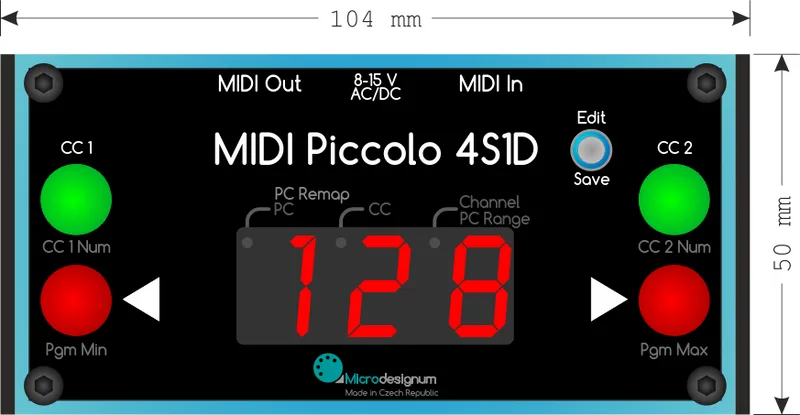
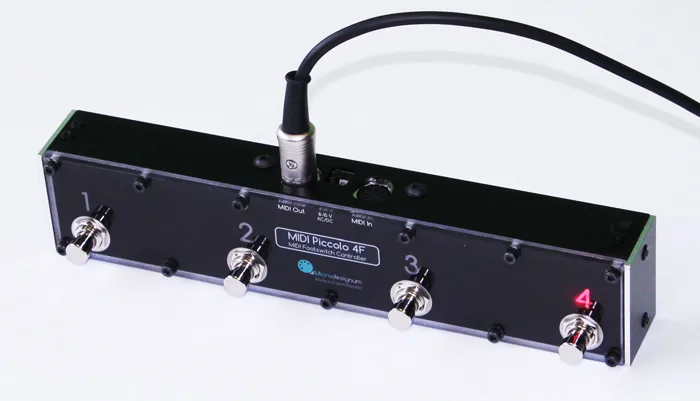
The Piccolo 2F1D sits at the small end of a wider range. The MIDI Piccolo 4S1D shares the same global settings approach, including the GLB settings mode and phantom power on pins 6 and 7, and adds a second control button whose CC number is configurable from 0 to 12731. The MIDI Piccolo 4F can be connected to the controlled device using a single MIDI cable that carries both the MIDI signal and the power supply4.
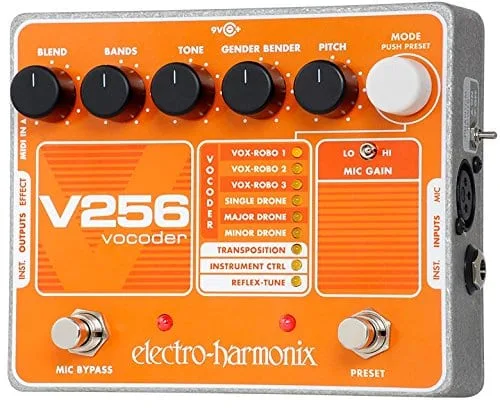
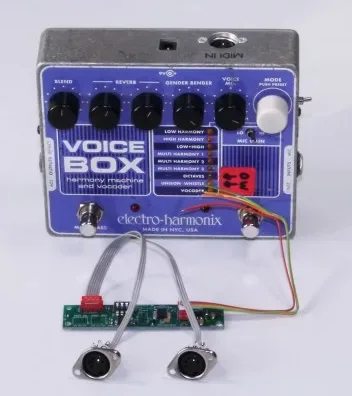
There is also a purpose-built variant: the MIDI Piccolo 2F1D for EHX V256, a MIDI footswitch controller specially adjusted for controlling the Electro-Harmonix V256 vocoder5.
Videos
Microdesignum s.r.o.
Robert Krejci
Questions
Does the MIDI Piccolo 2F1D work with phantom power over the MIDI cable?
Yes. The MIDI OUT connector is a legacy DIN7 socket with phantom supply on pins 6 and 7, and the controller accepts either AC or DC voltage between 8 and 15 V delivered over those pins. A regular MIDI cable from a power-supplying device can run the controller with no separate adapter.
What is the default MIDI channel on the Piccolo 2F1D?
The default is channel 1. In global settings mode the Channel number parameter lets you pick any channel from 1 to 16, and the controller then sends all of its MIDI messages on the channel you choose.
How do I enter global settings mode?
Turn the controller off, hold down the Edit/Save button, and turn it on while holding the button. The display shows GLB to confirm you are in global settings. A long press of Edit/Save then stores your global parameters, with SAV shown on the display.
Is the Piccolo 2F1D a replacement for the Tech21 MIDI Mouse?
Microdesignum describes it as a smaller and cheaper replacement for the Tech21 MIDI Mouse controller. It covers the same basic job of stepping through MIDI program numbers from the floor, in a more compact unit.
Can I use it to control an EHX V256 vocoder?
Yes, in a dedicated form. Microdesignum sells a variant, the MIDI Piccolo 2F1D for EHX V256, a MIDI footswitch controller specially adjusted for controlling the Electro-Harmonix V256 vocoder.
What is the difference between the user and technical program number formats?
The user format counts programs from 1 to 128, which is how most devices display Program Change numbers. The technical format counts from 0 to 127, which some devices and software use instead. The PC Range global parameter switches between them, and the user format is the default.
Sources (5)
- MIDI footswitch controller for PROGRAM CHANGE, Microdesignum
- Manual for MIDI Piccolo 2F1D, Microdesignum
- Manual for MIDI Piccolo 4S1D, Microdesignum
- MIDI Piccolo 4F, Microdesignum
- MIDI footswitch controller for EHX V256 vocoder, Microdesignum