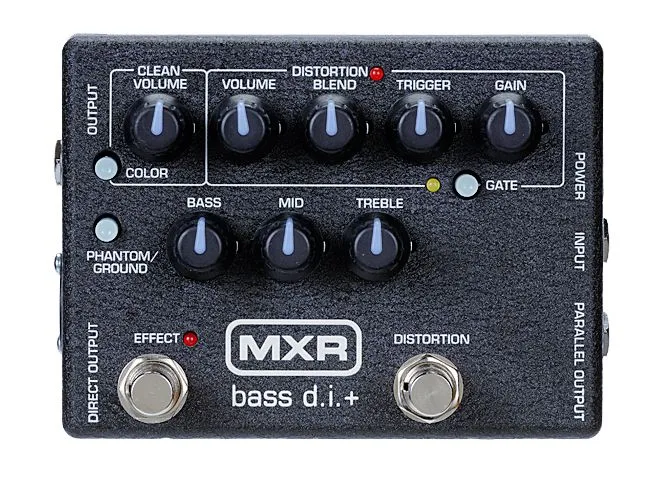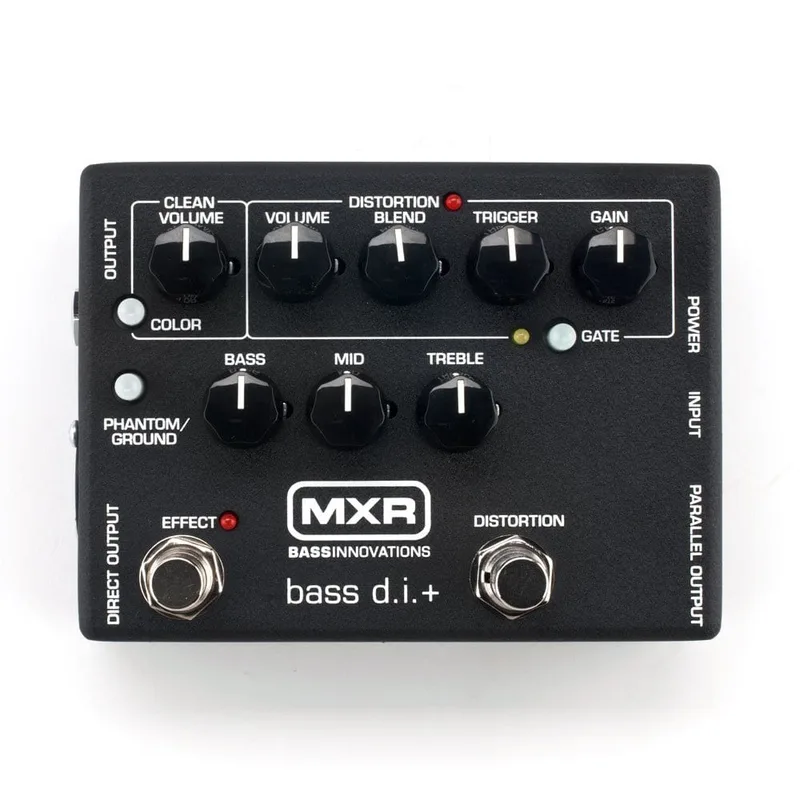


The MXR Bass D.I.+, known by its model number M80, is a bass DI pedal that packs a preamp, EQ, distortion, and a noise gate into one box. It has separate clean and distortion channels, so you can dial in distortion with the gain knob and then use the blend control to mix just the right amount of it into your clean signal12. MXR positions it as a serious tool for playing live and recording, built in what the company calls a bomb-proof enclosure that will survive even the most out-of-control gigs1.
The pedal's job is twofold. As a DI, it sends your bass straight to a PA or recording setup through a balanced XLR output, with parallel 1/4-inch outputs alongside it1. As a preamp and drive box, it shapes your tone with a three-band EQ and a preset EQ curve on the color switch, and it can push your sound from clean warmth into what MXR describes as a volcanic roar, without making you scroll through menus1.
What it does: clean and distortion channels
The core of the M80 is its two-channel layout. The clean channel carries your normal bass signal, while the distortion channel adds grit controlled by the gain knob. The blend control sits between them, letting you mix the distorted signal into the clean one rather than replacing it, which keeps your low end present while the top end gets dirty12.
On top of that sit the tone controls:
| Control | What it does |
|---|---|
| Gain knob | Sets the distortion amount1 |
| Blend | Mixes distortion into the clean signal1 |
| Color switch | Engages a preset EQ curve1 |
| Three-band EQ | Tweak your tone after the preset1 |
| Gate switch and Trigger knob | Adjustable noise gate for the distortion signal2 |
| Phantom/Ground switch | Enables phantom power or ground lift on the Direct Output2 |
The EQ bands have real range to them. The bass control offers ±18 dB at 60 Hz, and the treble control offers ±12 dB at 4 kHz, with an overall volume control range of 40 dB2. The color switch is the quick-shape option: engage it for what MXR calls some sweet preset EQ, then fine-tune with the three-band controls1. MusicRadar's reviewer found great adjustment on natural clean sounds, with the color switch providing a tasteful preset EQ, and noted loads of warmth4.
The noise gate
The distortion channel includes an adjustable noise gate. MXR says the gate pours on the sustain and cuts out hum and hiss1. In practice, the gate switch and the trigger knob work interactively: you switch the gate on, then turn the trigger knob to set the noise floor threshold, so the hum and hiss that come with a high-gain distortion setting get silenced between notes2. The gate's trigger range is 28 dB2. MusicRadar describes the trigger control as working with the gate switch to minimize noise when using the distortion4.
Power and connections
Setting the M80 up is straightforward: run a cable from your bass to the input jack, and take your outputs from there2. The pedal gives you an XLR Direct Output plus parallel 1/4-inch outputs, and a phantom power switch, so MXR says you'll never have a problem delivering your signal however the venue is wired1.
Power options are flexible. The pedal runs on a single 9-volt alkaline battery, a Dunlop ECB003 9-volt adapter, or Dunlop's DC Brick, Iso-Brick, and Mini Iso-Brick power supplies12. It can also be phantom-powered through its Direct Output jack from a phantom power-capable mixing console, which means one less power connection at the board2. The Phantom/Ground switch doubles as a ground lift, removing noisy ground loops on the Direct Output connection2.
If you use phantom power from a console, the Phantom/Ground switch must be set correctly. The switch enables phantom power or ground lift on the Direct Output, so check its position before running XLR to the front of house2.
How it compares
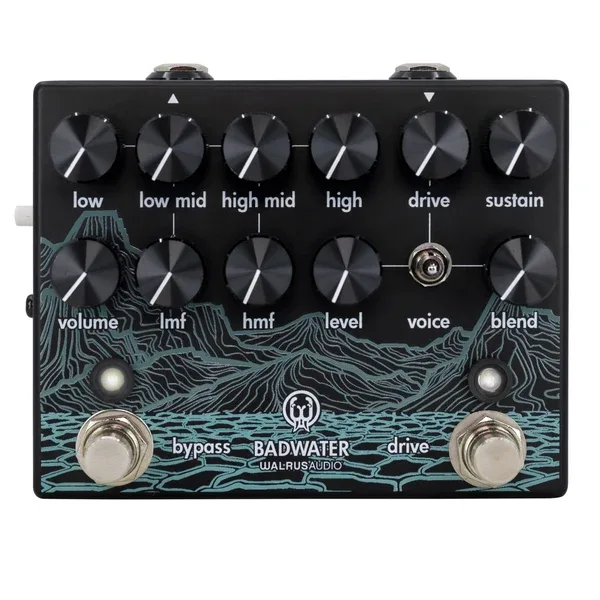
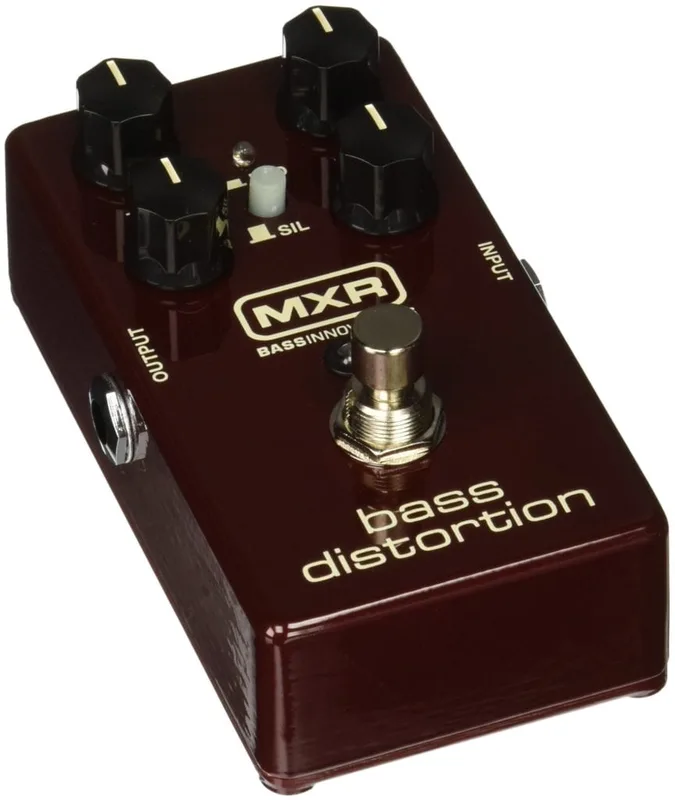
The M80 is not the only bass preamp and DI on the market. The Walrus Audio Badwater Bass Pre-amp and D.I. also offers both 1/4-inch and XLR outputs that can run simultaneously for direct and live amp stage monitoring, with the XLR connecting directly to the front of house and the 1/4-inch out running to an amp52. The Badwater differs in one respect: it does not accept power from phantom power, which is blocked and will not damage the unit, whereas the M80 can be phantom-powered through its Direct Output2. Within MXR's own bass line, the MXR Bass Preamp covers the clean preamp and DI role without the distortion channel, and the MXR Bass Distortion covers drive without the DI.
Dunlop also sells electronic parts for the M80, intended for qualified technicians only rather than home repair6.
What reviewers said
MusicRadar reviewed the M-80 Bass DI+ and summed it up as a robust and well set-out DI, calling it a useful, albeit expensive tool to carry to gigs, just in case4. The reviewer's verdict on the pedal was that it is tough and well-equipped, with a good EQ preset4. The review also made the practical point that direct linking with any PA system is never an exact science, so having your own DI box is always an asset4.
"A robust and well set-out DI - a useful, albeit expensive tool to carry to gigs, just in case."
The Special Edition Yellow
Alongside the standard M80, MXR built a Special Edition Yellow version of the Bass D.I.+. It is a custom limited edition finish, made for Japanese distributor Ikebe to celebrate 45 years in business, with a limited number available worldwide3. It carries the same M80 designation and $199.99 list price as the standard pedal3.
The Special Edition Yellow is a legacy product and is no longer in production, according to Jim Dunlop's product page3.
Videos
The Bass Channel
tunnelvisionmusic
The Bass Channel
Questions
Can the MXR Bass D.I.+ run on a 9V battery?
Yes. The M80 runs on a single 9-volt alkaline battery, a Dunlop ECB003 9-volt adapter, or Dunlop's DC Brick, Iso-Brick, and Mini Iso-Brick power supplies. The manual specifies 9 volts DC. It can also be phantom-powered through its Direct Output jack from a phantom power-capable mixing console.
Does the MXR Bass D.I.+ have an XLR output?
Yes. The Bass D.I.+ has an XLR Direct Output plus parallel 1/4-inch outputs, so you can feed a PA or recording interface while still running to an amp. The Phantom/Ground switch enables phantom power or a ground lift on the Direct Output connection to remove noisy ground loops.
What does the color switch do on the MXR Bass D.I.+?
The color switch engages a preset EQ curve. MXR describes it as a preset EQ you can engage and then fine-tune with the pedal's three-band EQ controls. MusicRadar's reviewer called it a tasteful preset EQ in their review of the M-80.
Does the MXR M80 work with phantom power?
Yes. The manual states the Bass D.I.+ can be phantom-powered through its Direct Output jack from a phantom power-capable mixing console. The Phantom/Ground switch on the pedal enables phantom power or a ground lift, which removes noisy ground loops on the Direct Output connection.
How do you set the noise gate on the MXR Bass D.I.+?
The gate switch and trigger knob work together as an adjustable noise gate. Switch the gate on, then turn the trigger knob to set the noise floor threshold so hum and hiss from the distortion signal are cut. The gate's trigger range is 28 dB, and MXR says it cuts noise while adding sustain.
Sources (6)
- MXR® BASS DI+, Dunlop (jimdunlop.com)
- M80.pdf, Jim Dunlop, 2019
- MXR® BASS DI+ SPECIAL EDITION YELLOW, Jim Dunlop (jimdunlop.com)
- MXR M-80 Bass DI+ review, MusicRadar, 2010-04-12
- Badwater Bass Pre-amp and D.I., Walrus Audio
- MXR® BASS DI+, Jim Dunlop (www.jimdunlop.com)