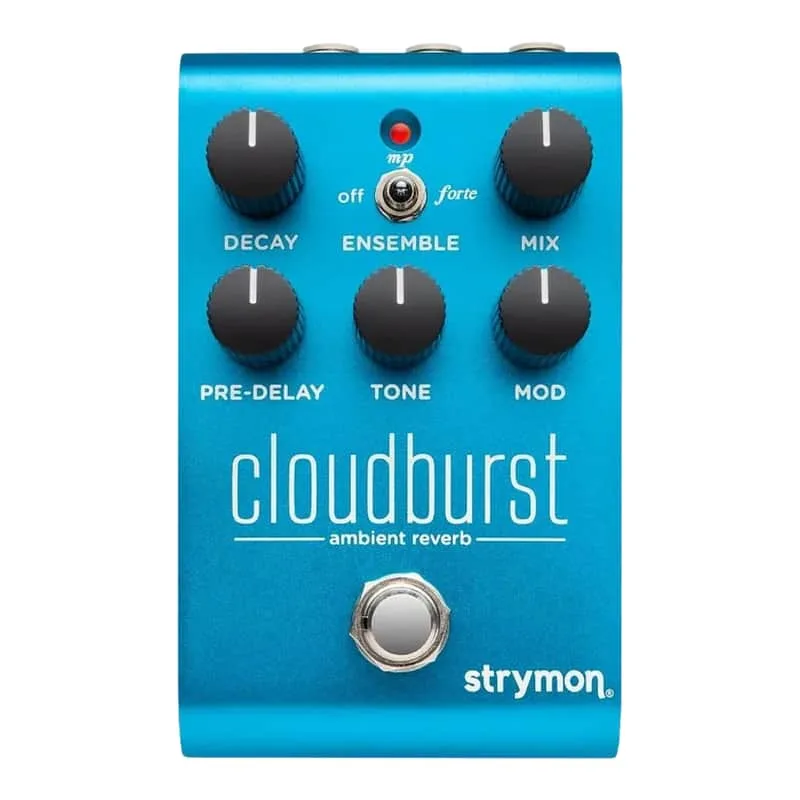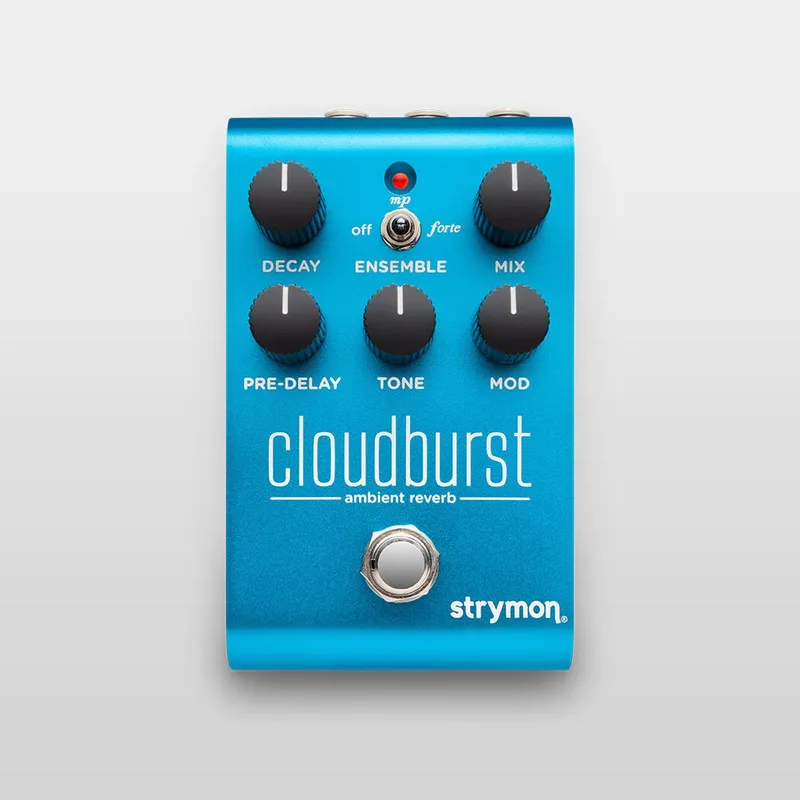


The Strymon Cloudburst is a compact ambient reverb pedal from Strymon, pairing a lush reverb with a newly developed Ensemble engine that generates pads and soundscapes from your guitar signal. With the Ensemble switched off it works as a standalone lush reverb; switch it on and it adds a layer of harmonies that Strymon describes as going beyond shimmer, for an almost orchestral effect12. Guitar World's Michael Astley-Brown described the Ensemble processing as taking "the longstanding shimmer reverb to the next level, adding a wealth of new harmonies"1.
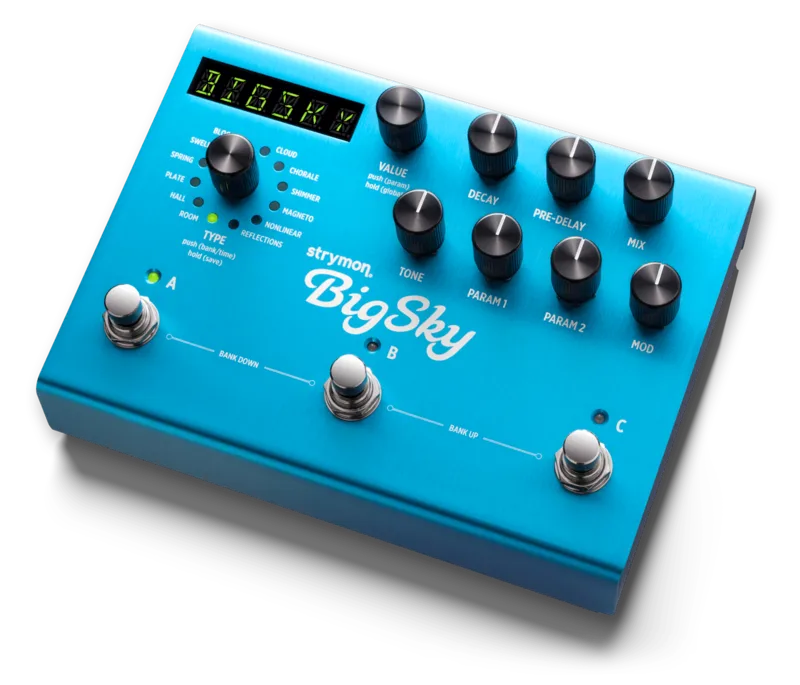
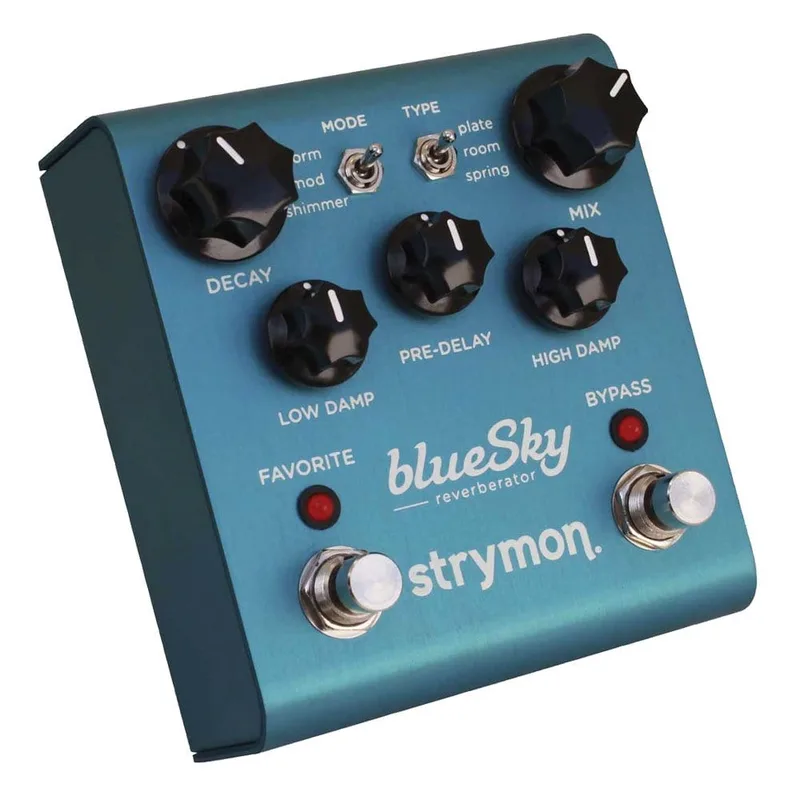
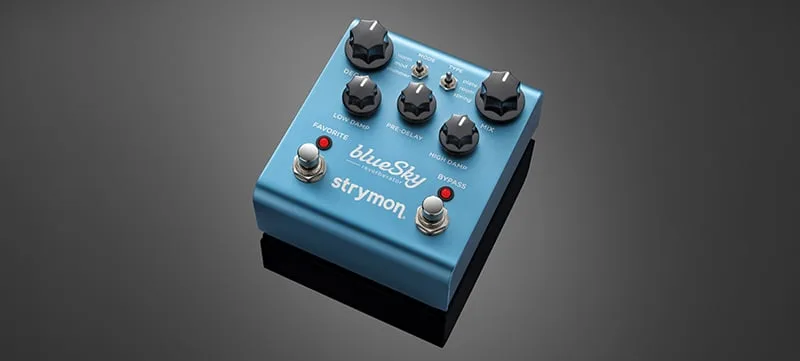
The pedal builds on the Cloud algorithm from the Strymon BigSky, one of that pedal's standout machines, expanded for this compact format13. Strymon says it wanted to provide the spacious experiences of BigSky's Cloud machine at higher decay settings, with the short end of the decay range tailored to smaller spaces4.
What the Ensemble engine does
The Ensemble is the Cloudburst's distinguishing feature. Delicious Audio describes the pedal as an ambient reverb followed by a particular effect that goes beyond modulation, referred to as an Ensemble engine6. A three-way toggle switch sets it to Off, Mezzo Piano or Forte, with Forte being the more intense setting6.
MusicRadar's reviewer found the two modes distinct in character: Mezzo Piano is the subtler of the two, "while the Forte is capable of swelling synth string ensemble beds"12. Premier Guitar's reviewer found that "both modes can generate high-harmonic or orchestral textures that straddle the strange and organic"13. MusicRadar's Rob Laing described the result as deep ambient spaces where you can "think of your guitar as the conduction unit for a rich harmonic synth pad"2.
Controls
The Cloudburst keeps its control set small, with four knobs, one toggle and one footswitch414.
| Control | What it does |
|---|---|
| Decay | Sets how long the reverb takes to fade; lower settings shrink the size of the reverberated space, and the knob also makes continuous under-the-hood adjustments to the reverb character14 |
| Tone | Controls the amount of high frequencies in the reverb, from a damped high end at minimum to no damping at maximum; also affects the presence of the Ensemble effect14 |
| Pre-Delay | Sets the amount of time before the reverberated signal appears14 |
| Mix | Adjusts the reverb mix from full dry at minimum to full wet at maximum; a 50/50 mix sits at approximately 3 o'clock14 |
| Ensemble toggle | Three positions: Off, Mezzo Piano, Forte6 |
| Footswitch | Engages and bypasses the effect; a red LED indicates the effect is engaged4 |
Power
The Cloudburst runs on a 2.1mm, 9V DC center-negative power supply rated at 250mA minimum, and no power supply is included in the box410. Strymon recommends its Ojai and Zuma isolated power supplies, and a wall wart with compatible specifications also works10.
The 250mA minimum draw rules out a standard low-current daisy chain output. Plan for an isolated or adequately rated supply when building the pedalboard around it.
Stereo, bypass and the EXP/MIDI jack
The Cloudburst is a stereo reverb pedal with full stereo in/out through a single TRS input and TRS output jack4. A rear TRS switch selects the routing: mono gives mono in and mono out, mono to stereo gives mono in and stereo out, and stereo gives stereo in and stereo out4. Use a TS cable for mono output or a TRS cable for stereo4.
The bypass behavior follows that switch. From the factory, with the selector set to mono, the pedal defaults to electromechanical relay-switched true bypass for an untouched, unprocessed signal. Set the selector to mono to stereo or stereo and the bypass mode automatically becomes buffered bypass, which Strymon says preserves signal integrity by preventing the high frequency roll-off that can come from longer cable runs49. You can also toggle the Ensemble switch during setup to choose between the two bypass modes9.
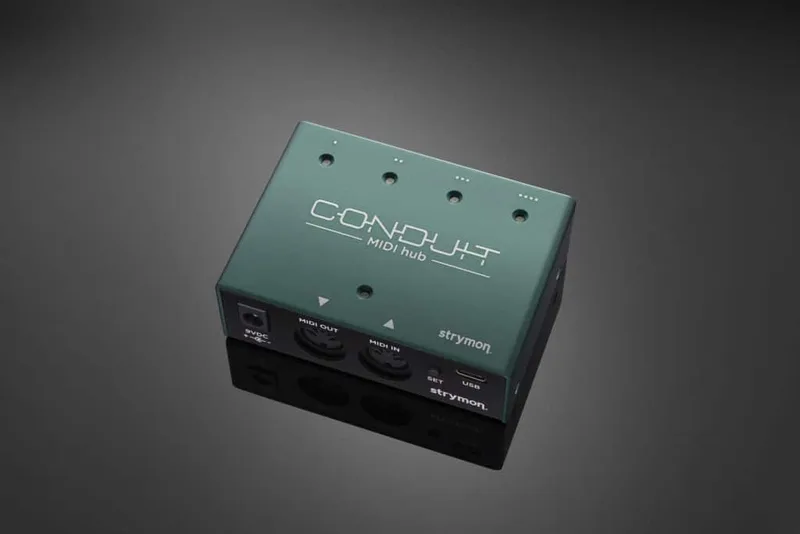
The rear EXP/MIDI jack can be set to one of five modes: Expression Pedal, Favorite, Freeze, Infinite, or MIDI Mode14. A standard TRS expression pedal gives continuous control over the knobs (the default setting)4. In MIDI Mode, a Strymon MultiSwitch Plus selects three presets, and full MIDI functionality is available via MIDI Program Change messages over 1/4 inch TRS MIDI using a Strymon Conduit or MIDI EXP cable, with up to 300 presets available11. The USB jack handles MIDI control from a computer, firmware updates, and connection to Strymon's Nixie editor/librarian software14.
Freeze deserves a note on how it interacts with the mix. In KILL DRY mode the dry signal does not pass through the pedal at all, even when Freeze is engaged. Without KILL DRY enabled, the dry signal is added back into the output at maximum Mix when Freeze is engaged15.
Under the hood and BigSky lineage
Strymon describes the Cloudburst as an expanded version of the Cloud reverb algorithm found in the BigSky pedal and plug-in3. Guitar World's launch coverage noted the pedal "builds on the Cloud algorithm, one of the standouts from the company's flagship BigSky"1.
The signal path is digital, built around a 520MHz ARM Superscalar processor with 24-bit 96kHz A/D and D/A converters, fronted by a high-impedance, ultra-low noise discrete Class A JFET preamp4. Input impedance is 1M Ohm, output impedance is 100 Ohm, and the typical signal to noise ratio is 116dB4. The enclosure is a strong and lightweight anodized aluminum chassis measuring 4.6 inches deep by 2.7 inches wide by 2.2 inches tall4. Firmware Rev 1.24 was released in November 202416.
Setup, reset and updates
Power Up Mode is entered by pressing and holding the footswitch for at least 2 seconds while powering up; release it once the LED flashes. Inside Power Up Mode, the Mix knob selects the function of the EXP/MIDI jack, with the LED changing color to show the current status, and pressing the footswitch exits and stores the settings11.
A factory reset restores the pedal to its factory default Power Up functions and replaces all stored presets with their factory defaults17:
- Press and hold the footswitch for at least 2 seconds while powering up the Cloudburst.
- Release the footswitch once the LED flashes.
- Hold the footswitch again and sweep the Pre-Delay knob from minimum to maximum and back, two times.
- The LED flashes red to indicate the reset is taking place17.
Firmware updates are handled through Strymon's Update software, downloaded from Strymon's website, which detects the connected pedal automatically over a USB-C data cable. If a newer version is available, click the Install Update button; once complete, the installed version matches the available version18.
What reviewers said
Reviews were positive about the sound, with some reservations about live features. MusicRadar's Rob Laing found the pedal "quite accessible, while offering plenty to explore" and suggested it could attract new players to Strymon, though he noted that "no onboard presets holds it back for live functionality"2. Premier Guitar's reviewer flagged that the Favorite and Freeze functions require an outboard switch that is not included, while confirming that with a MIDI controller the pedal can be set up for 300 presets13.
MusicRadar's full review was enthusiastic about the range of the pedal:
"Believe the hype. The compact Cloudburst sounds immense, but it can also do subtle."12
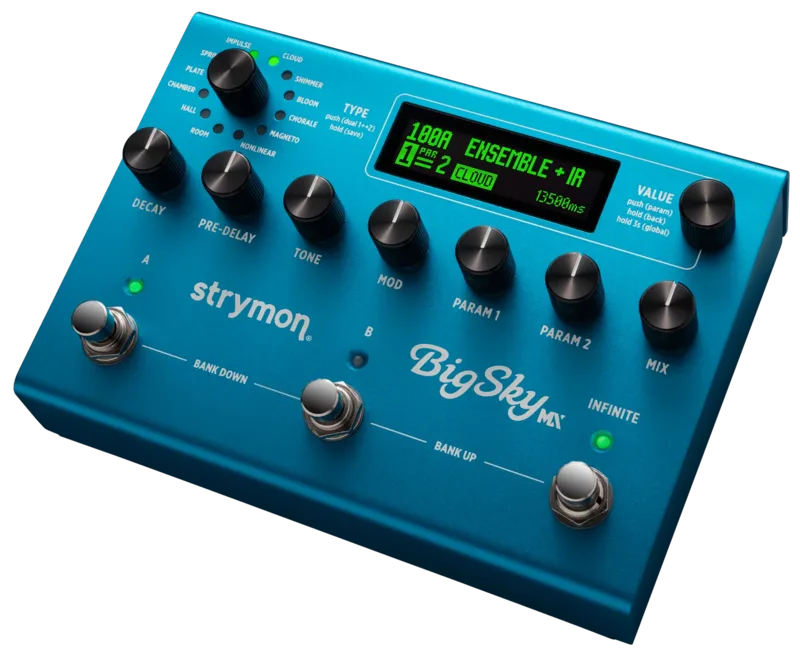
Guitar.com's Jason Mays reviewed the pedal at launch and later called it "last year's impressive Cloudburst pedal" when covering the BigSky MX1920. Guitar.com's 2025 ambient pedals guide named it the best compact ambient reverb21.
Videos
Andertons Music Co
Andertons Music Co
strymon
Questions
Does the Strymon Cloudburst have presets?
Not on the pedal itself. There are no onboard presets, but with a MIDI controller the Cloudburst can be set up for 300 presets via MIDI Program Change over 1/4 inch TRS MIDI. A Strymon MultiSwitch Plus can also select three presets in MIDI Mode. Reviewers noted the lack of onboard presets as a limitation for live use.
Is the Cloudburst true bypass or buffered?
It can be either. From the factory, with the rear I/O Mode Selector set to mono, the Cloudburst defaults to electromechanical relay-switched true bypass. Setting the selector to mono to stereo or stereo automatically switches it to buffered bypass, which preserves high frequencies through long cable runs.
What do the Mezzo Piano and Forte Ensemble modes do?
The Ensemble engine adds harmonies beyond what shimmer reverb does, creating orchestral pads and soundscapes. Mezzo Piano is the gentler setting, while Forte is more intense and capable of swelling synth string ensemble beds. A three-way toggle selects Off, Mezzo Piano or Forte.
Can the Cloudburst freeze the reverb?
Yes. The rear EXP/MIDI jack can be set to Freeze mode, which requires an outboard switch that is not included. In KILL DRY mode the dry signal does not pass through the pedal even when Freeze is engaged; without KILL DRY, the dry signal is added back at maximum Mix.
How do you factory reset a Strymon Cloudburst?
Press and hold the footswitch for at least 2 seconds while powering up, release it once the LED flashes, then hold the footswitch again and sweep the Pre-Delay knob from minimum to maximum and back two times. The LED flashes red during the reset. This restores factory defaults and replaces stored presets.
Does the Cloudburst come with a power supply?
No, the Cloudburst does not ship with a power supply. It needs a 2.1mm, 9V DC center-negative supply rated at 250mA minimum. Strymon recommends its Ojai and Zuma isolated power supplies, and a compatible wall wart also works.
Sources (21)
- Strymon unveils the Cloudburst Ambient Reverb, its most affordable and compact pedal yet, Guitar World, 2023-02-03
- Strymon has just revealed a compact ambient reverb pedal called the Cloudburst and you will probably want to buy it, MusicRadar, 2023-02-02
- Cloudburst Support, Strymon (www.strymon.net), 2025-10-17
- Cloudburst Ambient Reverb, Strymon (www.strymon.net), 2026-07-06
- Strymon Brig dBucket Delay, Pedal of the Day (www.pedal-of-the-day.com), 2023-07-18
- The Best Reverb Pedals With Modulation Or Fuzz/Distortion In 2023, Delicious Audio, 2023-01-30
- Cloudburst Family Page, Strymon, 2026-10-06
- Midnight Edition Pedals, Strymon (www.strymon.net), 2026-04-02
- How do I change the bypass mode on Cloudburst?, Strymon
- Does Cloudburst come with a power supply?, Strymon, 2023-02-10
- How do I control Cloudburst with MIDI?, Strymon
- Strymon Cloudburst Ambient Reverb Pedal review, MusicRadar, 2023-03-30
- Strymon Cloudburst Ambient Delay Review, Premier Guitar, 2023-05-05
- Cloudburst Ambient Reverb, Strymon (www.strymon.net), 2026-07-06
- How does Cloudburst's Kill Dry mode work with the Freeze function?, Strymon
- Cloudburst Firmware Revision Release Notes, Strymon, 2024-11
- How do I factory reset Cloudburst?, Strymon
- How can I update the firmware on Cloudburst?, Strymon, 2023-02-03
- Strymon Cloudburst review, Guitar.com, 2023-03-10
- Strymon BigSky MX review, guitar.com, 2024-04-30
- The best pedals for ambient music, from space-warping reverbs to experimental micro-loopers, Guitar.com, 2025-01-24