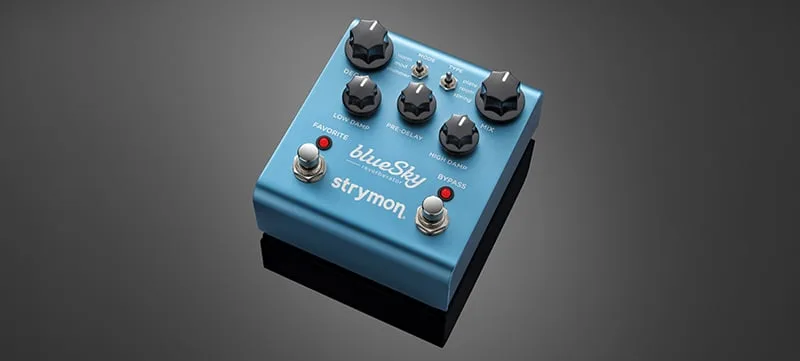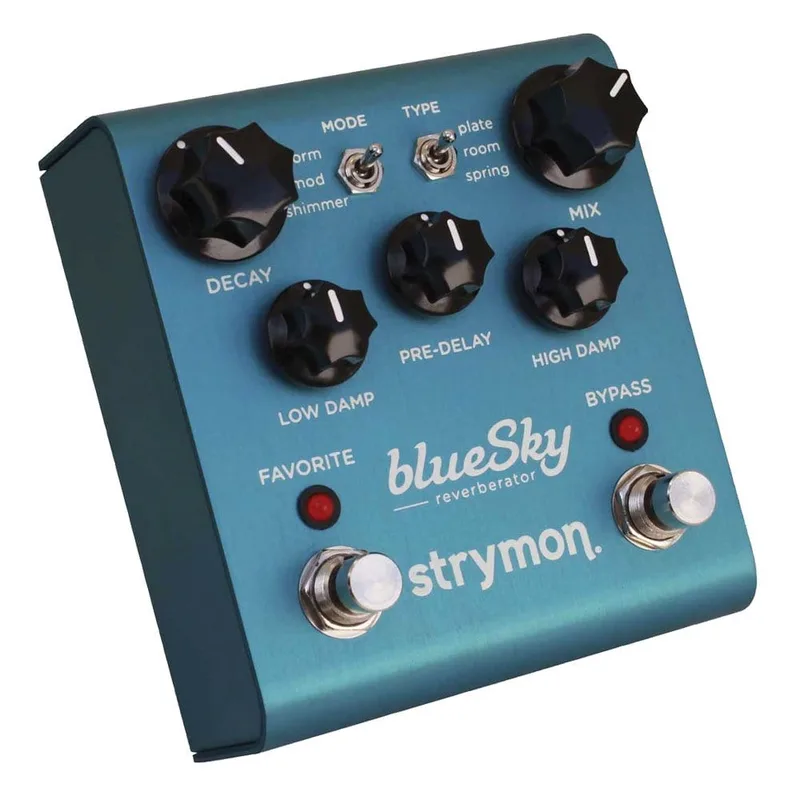


The Strymon blueSky is a digital reverb pedal from Strymon. The current V2 is the second generation blueSky, which Strymon says offers true studio quality reverbs in a compact pedal and adds significant new features1. Strymon describes its sound as "the most lush, majestic reverbs imaginable," with incredibly long reverb tails, an upgraded spring algorithm and new Shimmer sounds, and says the pedal is equally at home on top of a studio console or in front of a tube amp1.
The pedal uses high performance 24-bit 96kHz A/D and D/A converters, and Strymon describes it as an ultra low noise design suited for a studio console or in front of a tube amp1. It is designed and built in the USA, in a strong and lightweight anodized blue aluminum chassis2.
What it does: plate, room and spring with modulation and shimmer
blueSky provides three reverb types: plate, room and spring1. Each type can be paired with the shimmer effect, which adds pitched content to the reverb tail. On the blueSky, plate reverb with shimmer adds an octave up, while the spring and room types add an octave plus a fifth up4. Premier Guitar's reviewer noted the same behavior: "When shimmer is selected with either the spring or room type, a harmonized fifth is added to the octave for even more texture"5.
The V2's new Spring algorithm, in Strymon's words, "creates extraordinary vintage spring reverb sounds, as well as expanded spring textures and hauntingly unique interactions with an octave-down Shimmer"6. V2 also carries re-engineered MOD toggle switches and additional Power Up modes such as True/Buffered Bypass, Line/Inst Level, and Spillover Mode6.
Players use it across a wide range of settings. Guitarist Ben Monder told Strymon: "I am using the blueSky primarily for the shimmer effect along with the plate reverb"7. In a Voodoo Lab demo video, the pedal was set to Plate with Mod engaged for added shimmer, with the advice to "Crank the Low and High Damping controls for a more forward and dense reverb effect"8.
The blueSky gives you three reverb types to choose from, plate, room and spring, and the shimmer effect can be layered onto any of them. The shimmer behaves differently depending on the type: with the spring or room algorithms it adds an octave plus a harmonized fifth above your note, while plate with shimmer adds an octave up4. That difference matters if you use shimmer as a texture, since the spring and room settings give you a wider, more stacked harmonic layer than the plate setting does.
The controls and footswitches
The knob set covers the reverb's main parameters. Premier Guitar's review lists Decay (decay time), Mix (dry/wet balance), Pre-Delay (delay time before the reverb), and Low Damp (cuts the reverb's low frequencies)5. On V2, the Low and High knobs control the amount of low and high frequencies within the reverb, with damped low end at minimum and no damping at maximum, and a Shimmer knob sets the shimmer level26.
| Control | What it does |
|---|---|
| Decay | Sets the reverb decay time5 |
| Mix | Sets the dry/wet balance5 |
| Pre-Delay | Sets the delay time before the reverb begins5 |
| Low | Controls low frequencies in the reverb, damped at minimum to no damping at maximum2 |
| High | Controls high frequencies in the reverb26 |
| Shimmer | Sets the shimmer level6 |
| MOD toggles | Re-engineered on V2, select modulation and shimmer voicings6 |
The pedal has two footswitches, Bypass and Favorite5. Several knobs and switches take on secondary functions during setup modes:
- Hold the FAV footswitch while powering up to enter EXP/MIDI jack configuration mode; release once both LEDs flash9.
- Hold the ON footswitch while powering up to enter bypass mode setup, then turn the MIX knob to choose True Bypass (green LED) or Buffered Bypass (red LED), and press either footswitch to store it10.
- In MIDI setup, the DECAY knob sets the MIDI channel and the LOW knob selects the MIDI output mode11.
Power and connections: 9V, 300mA, stereo, MIDI and USB-C
V2 requires a maximum of 9 volts DC, center negative, with a minimum of 300mA, and the power supply is not included2. Strymon's power supply guide notes that the original blueSky shipped with a 9V DC supply providing 660mA, and that the smaller Strymon pedals require a maximum of 9V DC12.
The 300mA minimum current draw rules out a standard 9V battery and means the pedal needs its own adequate power supply or an isolated output, not a shared daisy chain2.
Connections on V2 include a high impedance, ultra low-noise, discrete Class A JFET preamp input with a rear panel Input switch for stereo (TRS) or mono (standard TS) input sources, low impedance dual TS output jacks, a multifunction EXP/MIDI jack for expression pedal control or external control of the pedal's features, and a USB-C jack for computer connection, controlling via MIDI and firmware updates2. Firmware updates are done with the powered pedal connected to a computer by USB-C cable, detected automatically by Strymon's Strymon Update software13.
For mono operation, connect a mono TS instrument cable into the Left Input and Left Output. For mono input with stereo output, connect the Left Input and both Left and Right Outputs14. The internal jumper does not need adjustment for stereo and should be left in its default position, connecting the left two pins when viewed from below1516.
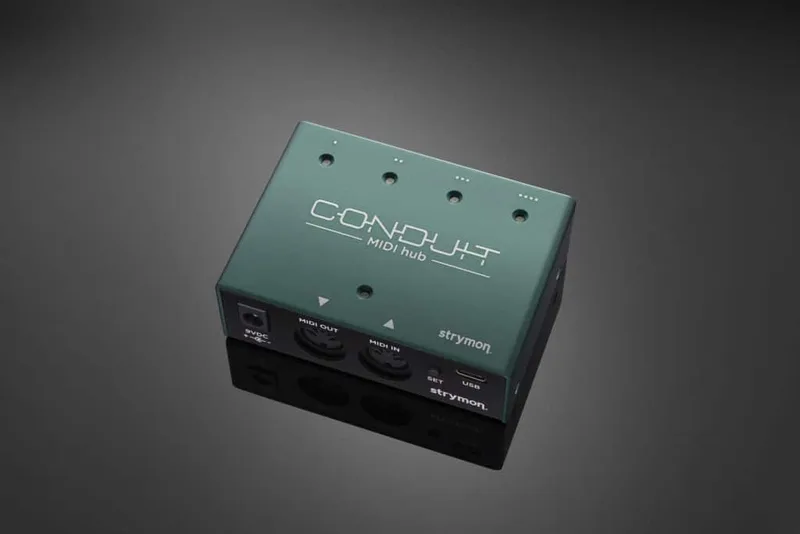
Full MIDI functionality is available by sending MIDI Program Change messages via a 1/4 inch TRS MIDI connection, using a Strymon Conduit or the Strymon MIDI EXP cable9. blueSky is set to MIDI channel 1 by default, and its presets are grouped into three MIDI patch banks: Bank 0 holds presets 0 to 127, Bank 1 holds 128 to 255, and Bank 2 holds 256 to 29917. To save the current state of the pedal, send a MIDI Program Change on blueSky's currently selected MIDI channel; sending Program Change #10, for example, saves the preset to the corresponding memory location, and sending it again recalls it18. When using Banks 1 and 2, Strymon advises sending a standard MIDI Bank Change message (MIDI CC# 0 with a value equal to the bank number) before each Program Change11. MIDI Program Change #0 selects the Favorite setting, also accessible via a connected MiniSwitch11.
History and versions: the original blueSky and V2
Strymon has updated the blueSky, and the current V2 is the second generation of the pedal1. The older and newer designs are different, and their parts are not interchangeable19.
The current V2 is the second generation, offering what Strymon calls true studio quality reverbs in a compact pedal with significant new features, including the new Spring algorithm, re-engineered MOD toggles, the additional Power Up modes, USB-C, and 300 presets over MIDI16. V2 measures 5 x 5 x 4 in and weighs 2 lbs1.
The V2 features cannot be added to an older blueSky. Strymon states the electronic and mechanical designs are different, the hardware is not interchangeable, and there is no way to install the new silent switches on the older designs2019.
Strymon describes the current pedal as its second generation blueSky, and the older blueSky pedals cannot be brought up to it. The electronic and mechanical designs are different and the hardware is not interchangeable, so there is no upgrade path from the original to the V2 features20. What V2 owners can update is the firmware: Strymon's Update software detects the pedal automatically when it is connected to a computer with a USB-C cable and powered on, and brings it to the latest version.
Videos
strymon
strymon
strymon
News
Questions
Is the Strymon blueSky true bypass?
Yes. From the factory, blueSky's bypass mode is set to True Bypass, with the option to switch it to Buffered Bypass. On V2 the true bypass is an electromechanical relay switched design, and connecting a cable to the Right Output jack automatically sets the pedal to Buffered Bypass.
How do you factory reset a Strymon blueSky?
Press and hold the ON footswitch while connecting power, release when both LEDs flash, then sweep the PRE-DELAY knob from 0 to 100 percent and back two times, four turns total. The LEDs flash red on the fourth turn, then the pedal resets and restarts, restoring factory default functions and presets.
Does the blueSky have presets?
The Favorite footswitch saves one preset of your favorite settings. In MIDI mode, up to 300 preset locations are available, grouped into three banks: presets 0 to 127, 128 to 255, and 256 to 299, selected with MIDI Program Change and Bank Change messages.
How do you run the blueSky in stereo?
For mono in and stereo out, connect a mono TS cable to the Left Input and mono TS cables to both the Left and Right Outputs. On V2, a rear panel Input switch lets a single TRS jack carry a stereo input signal, and the internal jumper should be left in its default position.
Sources (20)
- Strymon blueSky V2, westcoastpedalboard.com
- blueSky V2 Reverb, Strymon (www.strymon.net), 2026-08-12
- Immerse Reverberator Mk II, Quilter Labs (neunaber.net)
- Does the BigSky have all the features of the blueSky and the Flint's reverb section?, Strymon, 2021-11-16
- Strymon Pedal Reviews: Brigadier, Orbit, Blue Sky, Ola, Premier Guitar, 2010-06-16
- What's new with blueSky V2?, Strymon, 2022-06-28
- This Week's Favorite: blueSky, Strymon, 2016-03-03
- The Edge Guitar Tone: Get U2's Iconic Sound, Voodoo Lab, 2026-06-23
- How do I configure the EXP/ MIDI jack on blueSky?, Strymon
- How do I change the bypass mode on blueSky?, Strymon
- How do I control blueSky with MIDI?, Strymon, 2023-11-15
- Gear Guide: Using the Right Strymon Power Supply, Strymon (www.strymon.net), 2014-06-30
- How can I update the firmware on blueSky v2?, Strymon, 2026-07-09
- Mono and Stereo Connections, Strymon (www.strymon.net)
- El Capistan Support, Strymon, 2023-11-28
- Mono and Stereo Connections, Strymon (www.strymon.net), 2022-11-10
- blueSky V2 Support, Strymon, 2025-10-17
- How do I save presets in MIDI mode with blueSky?, Strymon, 2022-06-28
- Can I have my old design blueSky modded with silent switches?, Strymon, 2021-07-21
- Can I send in my old pedal to get the V2 features added?, Strymon
 Steve Lukather
 Tim Mahoney
 Tim Williams