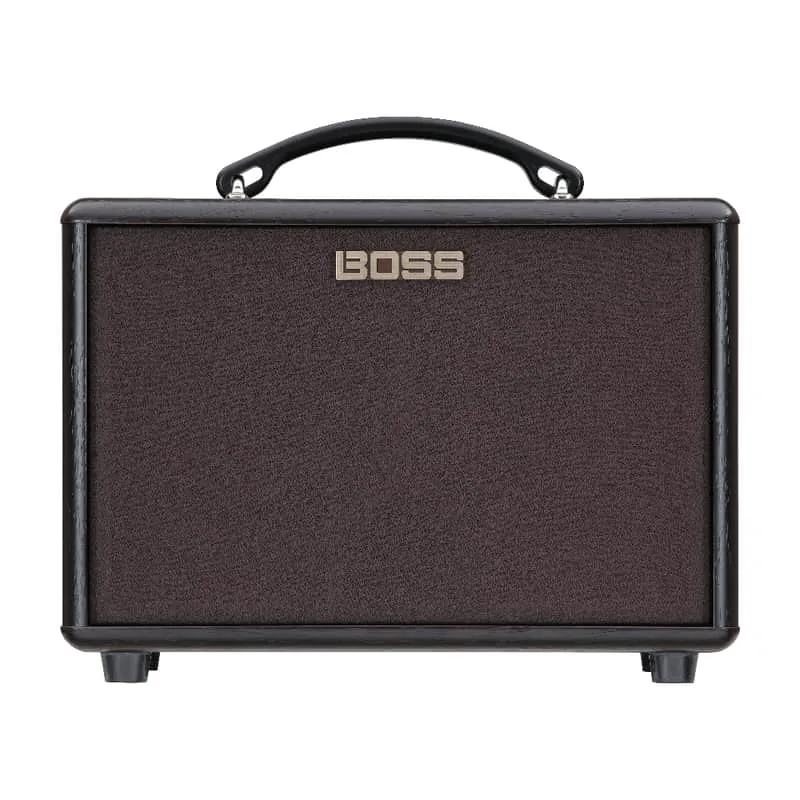


The Boss AC-22LX connects to a computer over USB, and on macOS it needs a dedicated driver: Boss's owner's manual notes that "To use the AC driver, select the dedicated USB driver (Vendor) mode on the AC-22LX"12. Getting into that mode is a small power-on ritual rather than a menu setting: turn off the power, set the [AIR FEEL] knob to [DRY], then turn on the power while holding the [MEMORY] button1. The English owner's manual covering these procedures is available as a PDF from Boss3.
USB driver (Vendor) mode
The AC-22LX connects over USB, and on macOS it needs Boss's dedicated AC driver to work. Boss's support article states: "To use the AC driver, select the dedicated USB driver (Vendor) mode on the AC-22LX"1.
Entering that mode is a three-step power-on procedure, which Boss gives as1:
- Turn off the power.
- Set the [AIR FEEL] knob to [DRY].
- Turn on the power while holding the [MEMORY] button.
The [AIR FEEL] knob and [MEMORY] button are the controls used to enter USB driver (Vendor) mode. If USB audio is not recognized on a Mac, the pedal is likely still in its normal mode rather than Vendor mode1.
Boss repeats the same procedure in its second support article for the product, so the two documents agree on the steps2.
Documentation
Boss publishes an English owner's manual for the AC-22LX as a PDF on its support pages, under the title "[English] AC-22LX Owner's Manual [PDF]"3. That manual is the reference for the amp's full control set and specifications.
Where it sits in an acoustic rig
The AC-22LX is an amp rather than a pedal, so it replaces rather than joins a pedalboard. Players who prefer to keep a pedalboard in front of a separate amp or PA can find the individual building blocks, from EQ and DI to reverb and looping, on the Acoustic Pedals and Looping Pedals pages.
Videos
BOSSchannel
Emily McVicker
The Loop Academy - JohnPaul Music UK
Questions
How do I put the AC-22LX into USB driver (Vendor) mode?
Turn off the power, set the [AIR FEEL] knob to [DRY], then turn the power on while holding the [MEMORY] button. Boss documents this procedure for players who need to use the dedicated AC driver over USB, which is required for USB connectivity on macOS.
Does the AC-22LX need a special USB driver?
Yes. Boss states that to use the AC driver you must first select the dedicated USB driver (Vendor) mode on the AC-22LX itself, using the power-on procedure above. The driver and instructions are available on Boss's support pages for the product.
Sources (3)
- BOSS - Support - AC-22LX - Updates & Drivers, Boss (boss.info)
- BOSS - Support - AC-22LX - Updates & Drivers, BOSS (boss.info)
- BOSS - Support - AC-22LX - Owner's Manuals, Boss