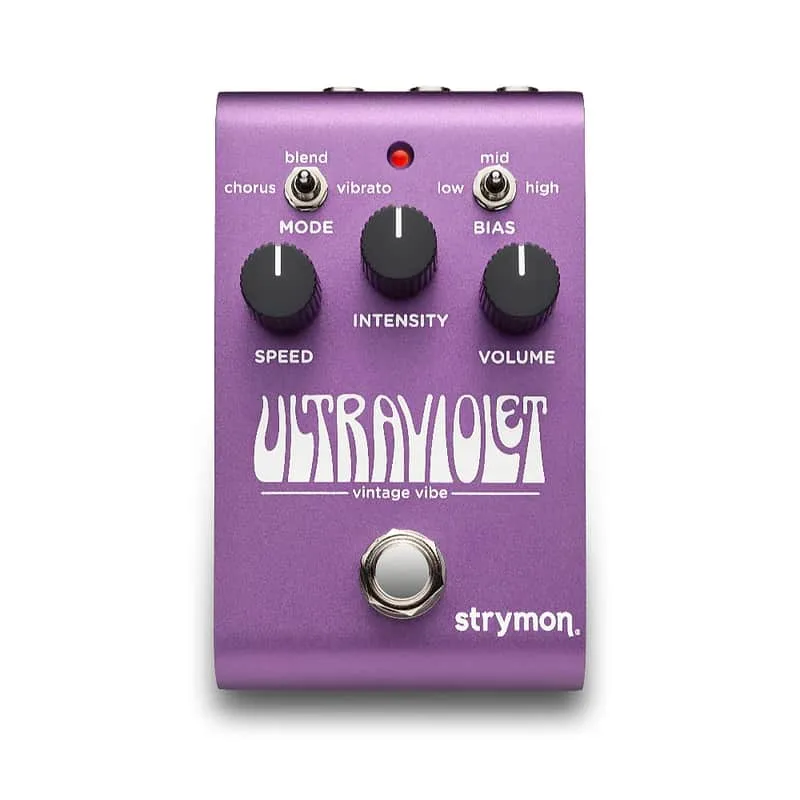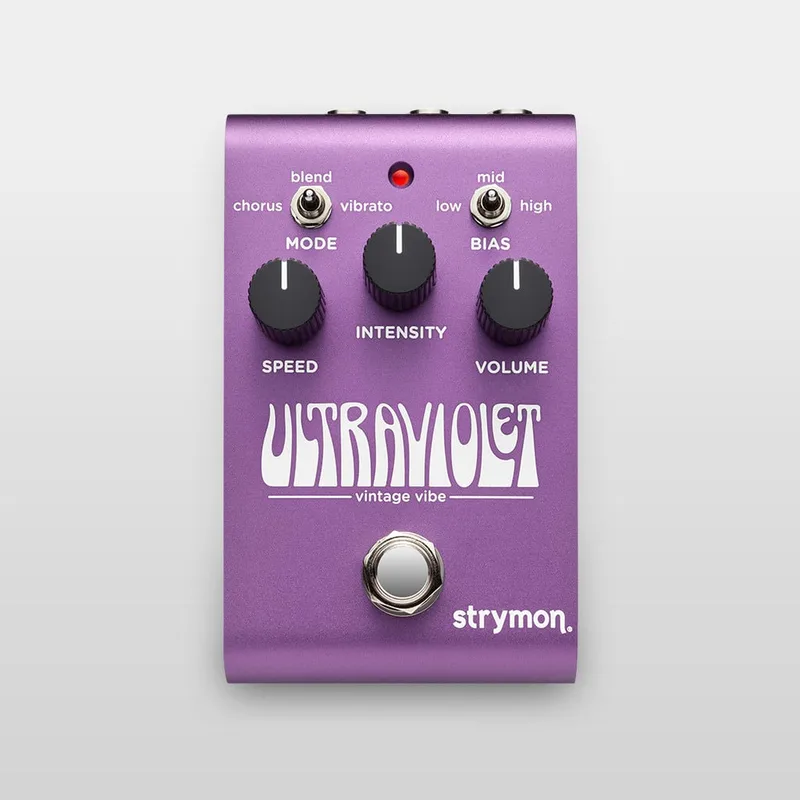


The Strymon UltraViolet is a compact digital vibe pedal from Strymon12. It takes its inspiration from the original '60s-era Shin-Ei Uni-Vibe and produces the chorus and vibrato warble players associate with that circuit3. Strymon says all the elements of the classic optical vibe circuit, and their interdependencies, have been meticulously recreated in a new digital algorithm for a dynamic playing response4.
The pedal carries three knobs, Speed, Intensity and Volume2, and offers Chorus, Vibrato and Blend modes: Chorus at a 50/50% mix, Vibrato 100% wet, and a new blend mode at 70%/30%5. It lists at $259.004.
The controls
The front panel keeps things simple: three dials controlling Speed, Intensity and Volume2, plus a single footswitch. The footswitch also serves setup duty: press and hold it for at least 2 seconds while connecting power to enter the EXP/MIDI jack configuration mode, releasing once the LED flashes7.
| Control | What it does |
|---|---|
| Speed | Sets the modulation rate; also sets the MIDI channel when turned fully counter-clockwise (Channel 1)8 |
| Intensity | Sets modulation depth; also selects the MIDI OUT option during setup8 |
| Volume (EXP/MIDI jack) | Sets output level; turned fully clockwise (blue LED) it selects MIDI Mode for the EXP/MIDI jack9 |
The Blend control gives three flavors: Chorus at a 50/50% mix, Vibrato fully wet, and a 70%/30% blend mode that sits between them5.
Expression, MIDI and presets
The EXP/MIDI jack is a single 1/4" TRS jack that accepts either a TRS expression pedal or MIDI, depending on how you configure it. By default, an expression pedal controls the Speed knob7. Three modes are selected by turning the Volume knob, each shown by an LED color9:
| Mode | LED | What it does |
|---|---|---|
| Expression Pedal | Green (default, minimum) | Continuous control over any of the knobs with a standard TRS expression pedal10 |
| Favorite | Amber (11 o'clock) | Recall a Favorite setting with a Strymon MiniSwitch or MultiSwitch Plus in TAP/FAV/BOOST mode10 |
| Tap | Red (1 o'clock) | Tap in a tempo in quarter notes with a Strymon MiniSwitch10 |
| MIDI | Blue (maximum) | Select three presets with a MultiSwitch Plus, or up to 300 presets with external MIDI10 |
Setting up an expression pedal is a short process7:
- Press and hold the footswitch for at least 2 seconds until the LED blinks green.
- Set your knob values for the heel position.
- Rock the pedal to toe, where the LED turns red, and set the toe values.
- Press and release the footswitch to exit and store.
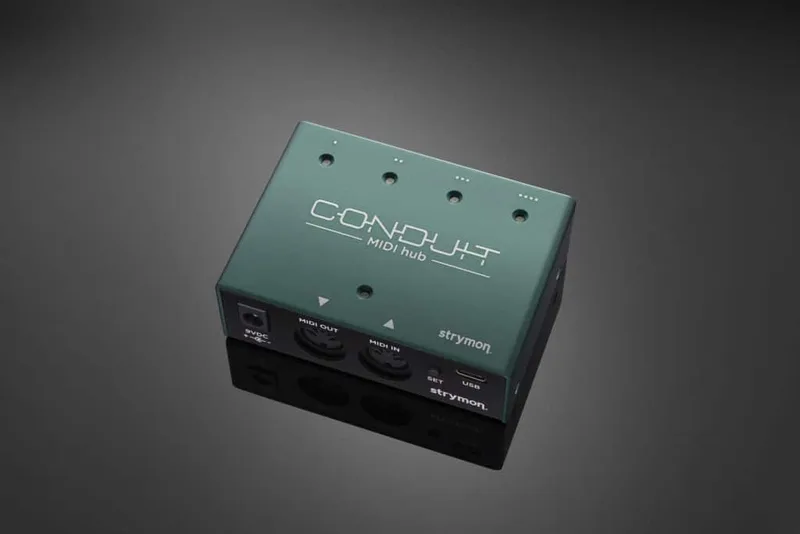
For MIDI, connect the MIDI out of a pedal, controller or computer interface to the EXP/MIDI jack. Full MIDI functionality is available by sending Program Change messages over a 1/4" TRS MIDI connection using a Strymon Conduit or MIDI EXP cable, and MIDI OUT must be set to OFF when using a Strymon MIDI EXP cable9. When in MIDI Mode, the currently loaded settings can be saved to any of the 300 preset locations at any time11. Pedal of the Day highlighted this full MIDI implementation with 300 preset locations as making the pedal ready for a MIDI rig12.
There is no onboard tap tempo or preset access from the pedal itself. MusicRadar's reviewer found tap tempo would have been welcome without buying a Mini Switch13, and Delicious Audio's buying guide lists "no tap tempo nor presets" among the pedal's cons14.
A recreated optical vibe circuit
UltraViolet is digital, running on an ARM processor with what Strymon describes as plenty of processing headroom5. The company says all the elements of the classic optical vibe circuit, and their interdependencies, have been meticulously recreated for a dynamic playing response4. Strymon's own description of the target sound:
"A warm grittiness to the warble, a rippling, wooshing, bubbling irregularity to the modulation and a dynamic response to your picking are all hallmarks of the true vibe experience."1
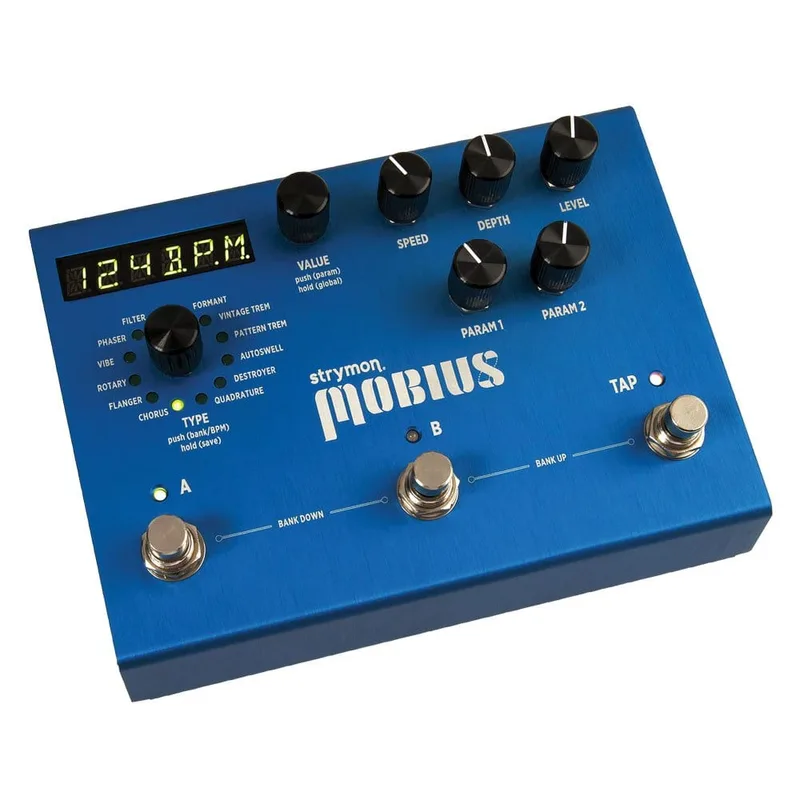
The signal path uses a high-impedance, ultra-low noise discrete Class A JFET stereo input preamp5. Strymon states that UltraViolet is a completely new algorithm, with a control scheme and audio design different from the Vibe modulation engine in the Mobius15. USB-C connectivity handles firmware updates13.
Bypass is selectable: electromechanical relay-switched true bypass for an untouched, unprocessed signal when bypassed, or a premium buffered bypass that Strymon says preserves the high frequency response of your guitar signal through your pedal chain and long cable runs416. From the factory, with the rear I/O Mode Selector set to mono, the pedal ships in true bypass; setting the selector to mono to stereo or stereo automatically engages buffered bypass16.
What reviewers said
Reviews were positive. Premier Guitar's reviewer found that "the quality and variety of sounds, as well as the fun, intuitive means by which you can explore and manipulate them" made the pedal look like a relative bargain at $25917. Pedal of the Day wrote that Strymon "continue to make some of the greatest effects units in existence, and the Ultraviolet keeps that streak alive"12.
Strymon's Head of Marketing Sean Halley told Guitar World the pedal "can do so much more than the originals could" and called it "the very first digital vibe I've ever heard that sounds this big"18. MusicRadar's review noted the absence of onboard tap tempo as a miss13, and Delicious Audio's Uni-Vibe buying guide called it quite expensive14.
Power, size and factory reset
UltraViolet does not ship with a power supply; Strymon specifies 9V DC, center negative, 250mA minimum through a 2.1mm connector, and recommends its Ojai and Zuma isolated supplies6. The anodized aluminum chassis measures 4.6" deep by 2.7" wide by 2.2" tall4.
To factory reset19:
- Press and hold the footswitch for at least 2 seconds while powering up, then release when the LED flashes.
- Hold the footswitch again and sweep the Intensity knob from minimum to maximum and back two times, until the LED flashes.
The reset restores factory default Power Up functions and replaces all stored presets with their factory default settings19.
Videos
Andertons Music Co
Pete Thorn
strymon
Questions
Does the Strymon UltraViolet have tap tempo?
There is no onboard tap tempo. MusicRadar's reviewer noted tap tempo would have been welcome without buying a Mini Switch, and Strymon's EXP/MIDI jack documentation describes a Tap mode, set with the Volume knob at 1 o'clock, where a Strymon MiniSwitch lets you tap in a tempo in quarter notes.
Is the UltraViolet true bypass or buffered?
Both. From the factory, with the rear I/O Mode Selector set to mono, the pedal uses electromechanical relay-switched true bypass. Setting the selector to mono to stereo or stereo automatically switches it to buffered bypass, which Strymon says preserves high frequencies through long cable runs.
Is the Strymon UltraViolet analog or digital?
It is digital. The pedal runs a new vibe algorithm on an ARM processor that Strymon says meticulously recreates all the elements of the classic optical vibe circuit and their interdependencies for a dynamic playing response. Strymon states it is a completely new algorithm, different from the Vibe engine in the Mobius.
Does the UltraViolet come with a power supply?
No, Strymon states that UltraViolet does not ship with a power supply. You need a supply outputting 9V DC, center negative, with at least 250mA, through a 2.1mm connector. Strymon recommends its Ojai and Zuma isolated power supplies.
How do you factory reset the Strymon UltraViolet?
Press and hold the footswitch for at least 2 seconds while powering up, release when the LED flashes, then hold the footswitch again and sweep the Intensity knob from minimum to maximum and back two times until the LED flashes. The reset restores factory default Power Up functions and replaces stored presets with their factory settings.
Is the UltraViolet stereo?
Yes. It has a single TRS input and TRS output in a dual mono configuration, and a rear Input switch selects Mono In to Mono Out, Mono In to Stereo Out, or Stereo In to Stereo Out. Use a TS cable for mono output or TRS for stereo.
Sources (19)
- ULTRAVIOLET by Strymon, RockBoard PedalPedia, 2026
- “It can totally do the hyper-authentic '60s thing, but it can do a bunch of otherstuff that makes it much more versatile”: Strymon puts “gooey wobble” on the menu with the UltraViolet Vintage Vibe, MusicRadar, 2023-09-26
- Strymon unveils new UltraViolet Vintage Vibe pedal, Guitar.com, 2023-09-28
- UltraViolet Vintage Vibe, Strymon (www.strymon.net), 2025-02-27
- Strymon UltraViolet Vintage Vibe: Digital Psychedelic 60s Tones, gearnews.com, 2023-09-26
- Does UltraViolet come with a power supply?, Strymon (www.strymon.net)
- How do I set up an expression pedal with UltraViolet?, Strymon
- How do I use MultiSwitch Plus with UltraViolet?, Strymon, 2025-06-12
- How do I control UltraViolet with MIDI?, Strymon
- How do I configure the EXP/ MIDI port on UltraViolet?, Strymon
- How do I save UltraViolet presets via MIDI?, Strymon
- Strymon Ultraviolet Vintage Vibe, Pedal of the Day, 2023-09-26
- Strymon UltraViolet Vintage Vibe Pedal review, MusicRadar, 2023-12-12
- The 9 Best Uni-Vibe Pedals In 2024: A Guide To UniVibe Clones, Delicious Audio (delicious-audio.com), 2024-02-16
- Is UltraViolet the same as the Vibe engine in Mobius?, Strymon
- How do I change the bypass mode on UltraViolet?, Strymon, 2023-09-26
- Strymon Ultraviolet Modulation Pedal Review, Premier Guitar, 2023-12-31
- “It can do so much more than the originals could”: Strymon gives the iconic Uni-Vibe a 21st century twist with the compact and affordable UltraViolet Vintage Vibe, Guitar World, 2023-09-26
- How do I perform a factory reset with UltraViolet?, www.strymon.net, 2026