The MXR M400 Turbo Tuner is a strobe tuner pedal built around the core engine of the original Sonic Research Turbo Tuner, bringing what the manual calls "modern versatility to the gold standard in strobe tuning"1. MXR collaborated with Sonic Research on the pedal, which was announced on 13 October 2026 and is shipping from the Sonic Research Webstore at a MAP/RRP of $149.992. For a player, it is a compact, high-accuracy pedalboard tuner that can also store custom tunings and act as a buffer in your signal chain.
The strobe approach works differently from a needle-style chromatic tuner. A ring of LEDs displays a rotating pattern: the pattern rotates left if the note is flat and rotates right if the note is sharp, and it stops moving when the string is in tune1. This gives a continuous read of which way you need to turn the tuning key and how far off you are, rather than a needle that jumps around near the target.
What it is and how it reads pitch
The M400 is a true strobe tuner rather than a simulation of one. The display combines a ring of LEDs for the strobe pattern with an LED note display that shows the note name in chromatic mode or the string number in Open Tuning mode1. Sharp/Flat LEDs indicate when a note is more than 50 cents out of tune, and these are only active in Open Tuning mode1.
The display is bright enough to be readable in direct sunlight and can be dimmed for indoor use, which matters both for outdoor stages and for dark rehearsal rooms2. The pedal sits in a rugged die-cast aluminum case, consistent with MXR's standard enclosure construction2.
Guitar Pedal X's Stefan Karlsson summed up the value proposition when the pedal was announced2:
"This is a really attractively priced high-spec compact tuner ($150)"2
Controls and tuning presets
The panel is built around a footswitch, two arrow buttons and the display. The footswitch toggles the effect on and bypass, and when held together with other controls it accesses certain advanced settings1.
| Control | What it does |
|---|---|
| Footswitch | Toggles effect on/bypass; held with other controls, accesses advanced settings1 |
| Left arrow button | Changes tuning preset in normal operation; hold during power on to change the A4 reference1 |
| Right arrow button | Changes tuning preset in normal operation; hold during power on to change the number of semitones to drop1 |
| LED note display | Shows note name in chromatic mode or string number in Open Tuning mode1 |
| Strobe ring | Pattern rotates left when flat, right when sharp1 |
| Sharp/Flat LEDs | Indicate more than 50 cents out of tune; active only in Open Tuning mode1 |
| A4 LED | Lights when the A reference is set to anything other than 440.0 Hz1 |
The preset indicator shows which of six tuning presets is active: CHR (Chromatic), G (Guitar), B (Bass), and three custom slots, C1, C2 and C31. The pedal operates in chromatic and guitar/bass modes2.
The three custom slots ship with useful defaults and can be reconfigured:
- C1 is set to standard guitar tuning1
- C2 is set to drop D tuning1
- C3 is set to standard 6-string bass tuning1
- B (Bass) default supports standard 4-string and 5-string bass tunings, covering G2, D2, A1, E1 and B01
Each of C1, C2 and C3 can be configured for open tunings with up to 12 strings, or for custom chromatic temperaments1. When editing an open tuning you can select an octave from 0 to 7 for each string1. That range of octave selection is what lets one custom preset serve instruments from an extended-range bass to a 12-string guitar.
The right arrow button has a second function aimed at drop tunings: holding it during power on lets you change the number of semitones to drop1. This is a quick way to set up a pedal that tracks a drop-tuned guitar without reprogramming a whole custom preset.
Power and connections
The M400 runs on 9 volts DC, and the 9V DC IN jack connects to a power adapter or a pedalboard power supply1. It also runs on one 9-volt battery, installed by removing the bottom plate1. Current draw is 48 mA at minimum display brightness and 73 mA at maximum, typical1. The brightness-dependent draw means a dimmed pedal is easier on a power supply budget than one left at full brightness.
There are dual power jacks: alongside the 9V DC input there is a 9V DC output, so the pedal can pass power along to another effect on the board2. The full connector set is:
- Input (1/4") jack, which receives the instrument signal1
- Output (1/4") jack, which sends the instrument signal1
- 9V DC In1
- 9V DC Out1
- USB Type-C1
The USB Type-C port is for accessing the software editor and firmware updates1. Guitar Pedal X describes it as a USB port "for ease of customizing"2, which is where the custom tunings and temperaments are set up before being loaded to the pedal.
True bypass and the three buffered modes
Bypass is selectable by an internal switch between true bypass and buffered bypass1. True bypass is the factory default mode, and switching is achieved by relay1. Relay-switched true bypass avoids the mechanical contact wear of a conventional footswitch contact arrangement while keeping the signal path out of the circuit when bypassed.
If you choose buffered bypass instead, there are three selectable modes1:
| Mode | Behavior |
|---|---|
| Mode 1 (default) | Output mutes when the tuner is on1 |
| Mode 2 (passthrough) | Input always passes to output1 |
| Mode 3 (monitor) | Tuner is always on; footswitch toggles output muting1 |
Guitar Pedal X lists these as flexible buffer output options: muted, tuner always on with footswitch mute, and output always on with the footswitch turning the tuner on and off2. Mode 3 is the one to look at if you want the tuner tracking pitch continuously while you play, muting the output only when you need silence between songs.
The bypass mode is set by an internal switch, so choosing buffered bypass means opening the pedal up. Plan which mode you want before you mount it on a pedalboard.
From the Sonic Research ST-300 to the MXR M400
Visually, the M400 cleans up the interface compared with the ST-300, with the white box outlines removed from the new variant2. The collaboration puts Sonic Research's tuning engine in an MXR-branded die-cast enclosure with the preset system, USB editor and dual power jacks described above.
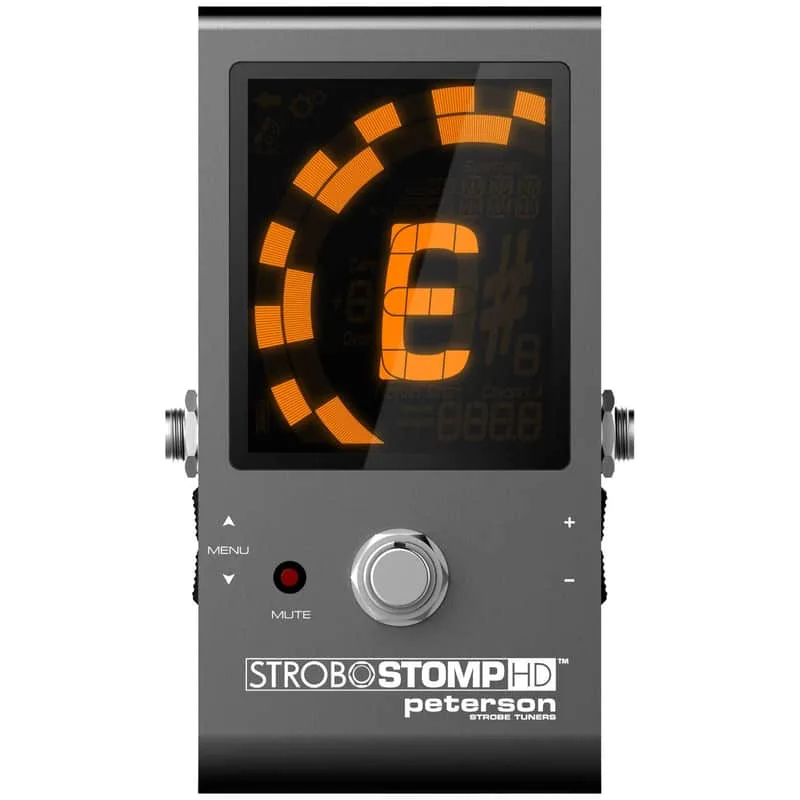
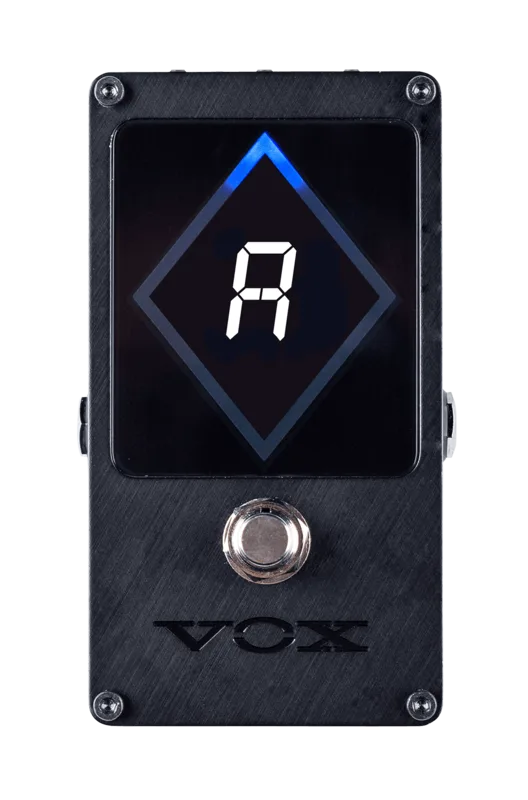
For players comparing strobe tuners, the M400 sits alongside options like the Peterson StroboStomp HD and the VOX VXT-1 Strobe Pedal Tuner in the tuner pedal category, with the Sonic Research engine as its distinguishing feature12.
Resetting the pedal
The M400 provides two reset options. Reset option 2 is a full reset that restores all factory defaults, including the tunings and temperaments1.
A full reset erases user-defined tunings and temperaments. Anything you have programmed into the custom presets is lost and must be re-entered through the software editor.
Videos
あくちのばしらす
Questions
Can the MXR M400 run on a 9V battery?
Yes. The M400 is powered by one 9-volt battery, installed by removing the bottom plate. It also has a 9V DC input jack for a power adapter or pedalboard power supply, plus a 9V DC output jack for daisy-chaining power to another pedal. Current draw runs from 48 mA at minimum display brightness to 73 mA at maximum.
How accurate is the MXR M400 Turbo Tuner?
MXR specifies accuracy of ±.02 cents, using a calibrated crystal oscillator. The tuning range spans C0 at 16.35 Hz to C8 at 4,186.0 Hz, which covers guitar and bass well beyond standard ranges. The strobe display shows the rotation direction and speed of the pitch error rather than just a needle position.
Can I change the A4 reference on the M400?
Yes. The A4 reference is adjustable from 300.0 Hz to 599.9 Hz in .1 Hz increments. Hold the left arrow button while powering the pedal on to enter the reference change function. An A4 LED on the panel lights whenever the reference is set to any value other than 440.0 Hz, so you can see at a glance that you are off standard pitch.
What does the USB-C port on the M400 do?
The USB Type-C port connects the pedal to a software editor and to firmware updates. The editor is where you configure the custom presets, including open tunings with up to 12 strings and custom chromatic temperaments, which you can then load onto the pedal.
How do I reset the MXR M400 to factory settings?
The pedal offers two reset options. Reset option 2 is a full reset that restores all factory defaults, including the tunings and temperaments. Be aware that a full reset erases any user-defined tunings and temperaments you have created, so anything you want to keep needs to be re-entered afterward.
Does the M400 tune a 5-string bass?
Yes. The Bass preset's default supports standard 4-string and 5-string bass tunings, covering G2, D2, A1, E1 and the low B0 of a 5-string. The C3 preset is set by default to standard 6-string bass tuning, and custom presets can be configured for other bass setups.
Sources (2)
- M400.pdf, Jim Dunlop, 2026
- Guitar Pedal X, Guitar Pedal X, 2026-10-13