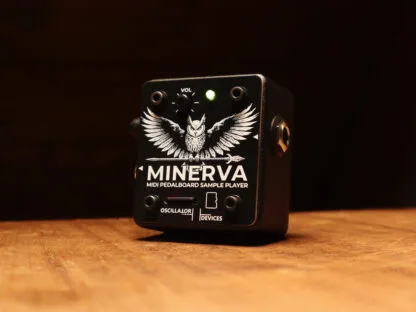

The Oscillator Devices Minerva is a compact, MIDI controlled, stereo sample player built for the pedalboard1. Instead of processing your guitar, it plays back audio files you load onto a microSD card, triggered and shaped entirely over MIDI: program change messages pick the file, CC messages control play modes, pitch, volume and fades, and MIDI clock can restart a sample in time with your sequence. The input signal stays analog throughout, so the unit is analog dry-through with no A/D or D/A conversion of your instrument2.
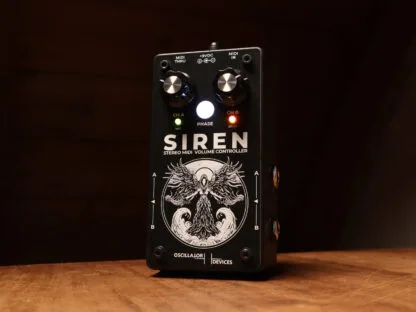
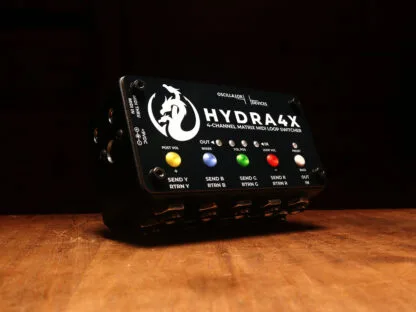
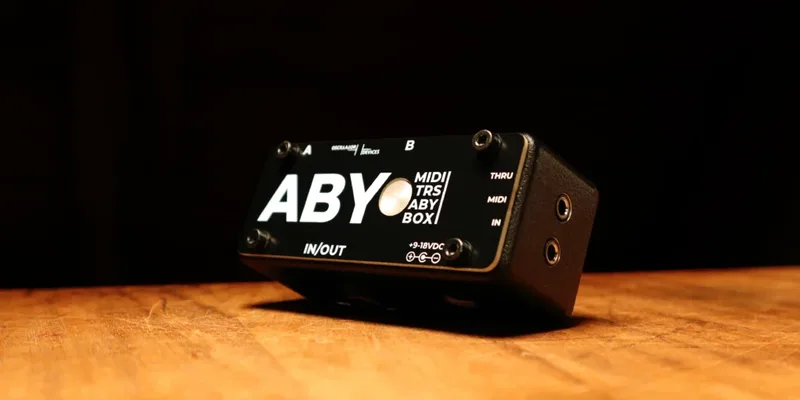
Oscillator Devices is a German maker, founded by Uwe Halmich in Oberderdingen in March 2021, whose range also includes MIDI switching and volume products such as the Siren, HYDRA4X and ABY.
Loading samples on the microSD card
Samples live on a microSD or microSDHC card, easily accessible from the top of the unit2. The Minerva plays .wav and .aiff files, and there are two ways to organize them, each with its own trigger method3:
- Root folder, triggered by program change: Copy files to the root folder of the SD card and play them back with the MIDI PC command. Files are assigned alphabetically, up to 127 files.
- CC folders, triggered by CC: Create a folder named CC followed by a number, for example CC31. The files in that folder are played back with that CC command, assigned alphabetically to the CC argument.
The unit ships with a preformatted 32GB microSDHC card that fits and works, plus an adapter for full size SD card slots, so no separate card purchase is needed to get started2.
MIDI commands and play modes
The Minerva has some fixed CC commands, but these can be changed through the configuration file on the SD card3. The default MIDI channel is 6, and you change it in the minerva.cfg file on the card3.
CC 102 is the play mode control, and its values cover transport, direction and looping behavior3:
| CC 102 value | Function |
|---|---|
| 0 | Stop playback |
| 1 | Resume playback |
| 2 | Play Mode: Single. Playback ends with the track (default) |
| 3 | Play Mode: Repeat. The track starts over at the end |
| 4 | Play Mode: All. All tracks in the folder play alphabetically, then playback ends |
| 5 | Play Mode: Repeat All. Like All, but returns to the first track after the last |
| 6 | Set playback to forward direction |
| 7 | Reverse playback |
| 8 | Reverse playback temporarily (returns to forward at next start of file) |
The same control handles MIDI clock sync. Values 10 through 17 restart the file in the beat of the incoming MIDI clock, which lets a sample sit in time with a sequencer or drum machine rather than free-running3:
| CC 102 value | Clock play mode |
|---|---|
| 10 | MIDI Clock 1/4th notes |
| 11 | MIDI Clock 1/8th notes |
| 12 | MIDI Clock triplet notes |
| 13 | MIDI Clock dotted 1/8th notes |
| 14 | MIDI Clock half notes |
| 15 | MIDI Clock whole notes |
| 16 | MIDI Clock 2 whole notes |
| 17 | MIDI Clock 4 whole notes |
Volume and fades are also under CC control, with left and right channels addressable separately since the Minerva is a stereo player with independent left and right track controls3:
| CC | Range | Function |
|---|---|---|
| 103 | 0 to 127 | Volume of both tracks (0 = mute, 127 = full) |
| 104 | 0 to 127 | Volume of left track |
| 105 | 0 to 127 | Volume of right track |
| 106 | 0 to 127 | Fade out the current track in 100ms steps (1 = 100ms, 127 = 12.7s) |
| 107 | 0 to 127 | Fade out left channel in 100ms steps |
| 108 | 0 to 127 | Fade out right channel in 100ms steps |
| 109 | 0 to 2 | 0 resets the counter (reset all in local mode), 1 increments, 2 decrements |
Pitch, sample rate and reverse playback
Pitch shifting on the Minerva works by varying the sampling rate, the classic sampler trick: playing a file faster or slower raises or lowers its pitch. CC 111 sets the sampling rate in steps of 409Hz starting at 20kHz, so value 0 gives 20kHz and value 127 gives 72kHz3. CC 110 works in musical terms instead, as an interval sampling rate where 49 is -15 semitones, 64 is 0 semitones and 71 is 7 semitones3.
Two further controls act as master overrides3:
- CC 112 (49 to 71): Master Interval Sampling Rate. Like CC 110, but stays at this rate and ignores the sampling rate stored in the files.
- CC 113 (0 to 127): Master Sampling Rate. Like CC 111, but stays at this rate and ignores the sampling rate stored in the files.
The difference matters if your files carry their own rate information: CC 110 and CC 111 apply per playback, while CC 112 and CC 113 lock the rate globally across everything on the card3.
Reverse playback is handled from the play mode control: CC 102 value 7 sets reverse playback, value 6 returns to forward, and value 8 reverses temporarily, flipping back to forward the next time the file starts3. Combined with the clock-synced play modes, this gives you reversed, pitched, tempo-locked sample playback all over MIDI, while your dry instrument signal passes through the box untouched23.
Videos
Oscillator Devices
Questions
What file formats does the Minerva play?
The Minerva plays .wav and .aiff files from the microSD or microSDHC card. Copy the files to the root folder to trigger them with MIDI program change commands, or group them in folders named CC plus a number to trigger them with that CC command. Files are assigned alphabetically.
Does the Minerva convert my guitar signal to digital?
No. Oscillator Devices describes the Minerva as analog dry-through, meaning the input signal stays analog and is free from any A/D or D/A conversion. Only the samples stored on the SD card are digital audio; your instrument signal passes through untouched.
How do I change the MIDI channel on the Minerva?
The default MIDI channel is 6. To change it, edit the minerva.cfg file on the SD card. The Minerva also has fixed CC commands, and those can be reassigned through the same configuration file.
Can the Minerva sync samples to MIDI clock?
Yes. CC 102 values 10 through 17 set play modes that restart the file in time with MIDI clock, from 1/4th notes, 1/8th notes, triplet notes and dotted 1/8th notes up to half notes and whole notes, including 2 and 4 whole note modes.
Does the Minerva come with an SD card?
Yes. It ships with a preformatted 32GB microSDHC card that fits and works, plus an adapter for full size SD card slots. Samples are stored on a microSD or microSDHC card, accessible from the top of the unit.
Sources (3)
- Minerva - MIDI Sample Player - Oscillator Devices, Oscillator Devices
- Minerva - MIDI Sample Player - Oscillator Devices, Oscillator Devices
- Voes | MIDI-CC, Voes, 2024