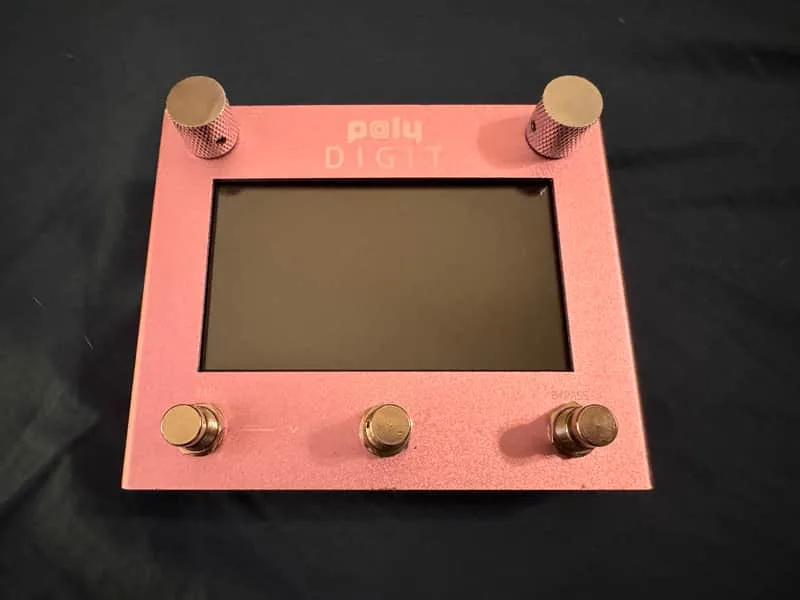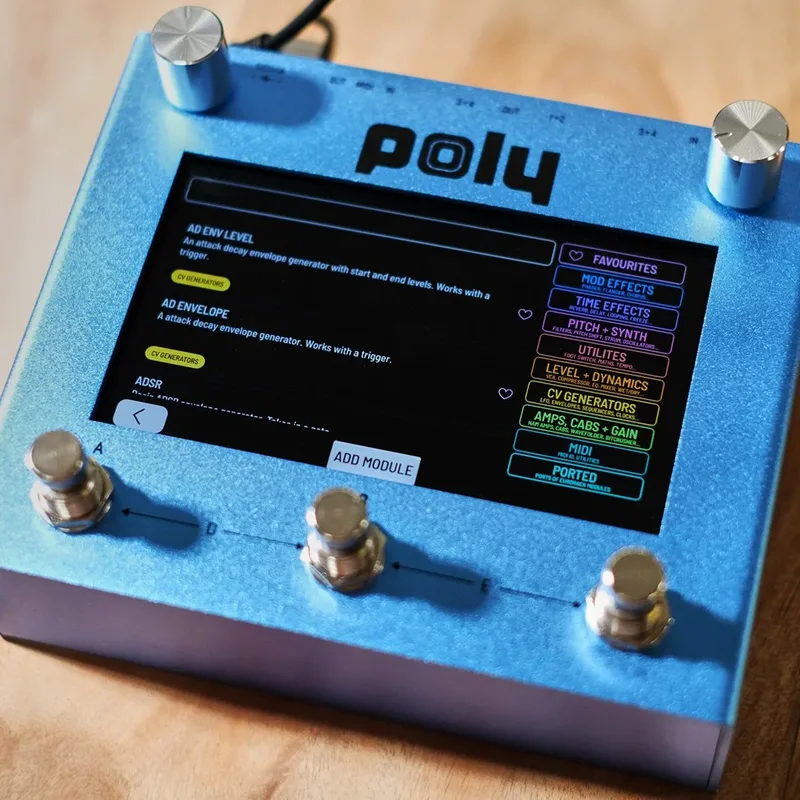


The Poly Effects Beebo is a multi modulation pedal that also gives you the power of a eurorack modular synth in an easy-to-use touchscreen format1. Made by Australian pedal maker Poly Effects, it is a piece of digital software focused on modulation and synthesis, running on the same touchscreen hardware that hosts the Poly Effects Digit, which mainly offers delay and reverb algorithms1. Guitar World described it as putting eurorack modular synth power in a pedal2.
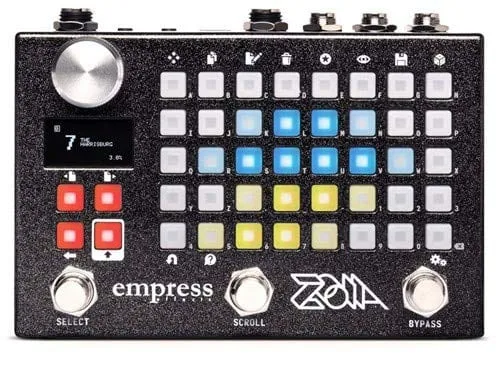
Instead of fixed knobs for fixed effects, you build patches by connecting modules on a 5-inch touch screen, the way you would patch a modular synth. Delicious Audio called it "a must-have for musicians and producers into sound design, no matter what's their primary instrument"1, and in a 2025 buying guide for synth players noted it is "similar in concept to the Zoia", with "true stereo I/O and comprehensive MIDI control"3. It sits in the wider world of multi-effects pedals but works very differently from a menu-driven unit.
What it does to your sound
The Beebo ships with a broad set of effect modules. Guitar World's launch coverage listed auto swell, delay, algorithmic reverb, chorus, looping delay, mono and stereo EQ, mono and stereo compressor, pan, phaser, reverse, rotary, saturator, warmth and through-zero flanger2. Beyond those familiar effects, the modular side adds synth voices, filters, envelopes and CV (control voltage) utilities you can patch between, including a multi resonator ported from Mutable Instruments' Rings, added in firmware 2.50, which Poly Effects says is "useful as a synth voice or as an effect"5.
CV and audio signals in the Beebo are processed at audio rate, so control signals can move as fast as audio, the way they do in a real modular system6. The Beebo/Hector line's impulse response implementation supports an impulse size of 5 seconds, useful for long reverb and speaker IR captures7.
The controls
There are no knobs for effect parameters. The interface is the 5-inch touch screen1, with three footswitches below it that can change a value or connect parameters to a random source, an LFO or an envelope follower2.
Firmware 3.38 reworked how you find things, with a new module search system, reorganised categories, letter search in module or preset search, an updated start screen with Beebo and Hector splash, and a new MIDI program change module that can send a PC message from a trigger8.
Power and connections
The Beebo needs 9V DC, center negative, at 500 mA1.
At 500 mA, the Beebo draws far more current than a typical analog pedal. It needs a power supply output rated for at least 500 mA; a battery or a low-current daisy chain output will not run it.
Connections are generous: 4 inputs and 4 outputs1, which supports true stereo I/O with channels to spare3. MIDI is supported, with MIDI input and MIDI CC output, and a MIDI to V/oct module that lets you drive the synthesis modules from MIDI note input1. Firmware 2.46 added a MIDI learn mode5.
Firmware updates
Poly Effects has updated the Beebo continuously since launch, and the firmware history doubles as the product's feature list. Firmware 3.0, released January 21, 2021, merged the Digit into the Beebo, so all modules became available at once5.
| Firmware | Date | What it added |
|---|---|---|
| 2.50 | December 11, 2020 | Multi resonator, a port of Mutable Instruments' Rings5 |
| 3.0 | January 21, 2021 | Digit merged into Beebo; all modules available at once5 |
| 3.38 | 2023 | Module search system, reorganised categories, MIDI program change module8 |
| 4.07 | May 6, 2026 | Rewritten code, many bug fixes, changed underlying architecture98 |
How to update
- Copy the .deb firmware files directly onto a USB flash drive. The drive must be formatted FAT32, with the files in the first partition and not in any subfolders8.
- On Mac OS, format the drive in Disk Utility as MS-DOS (FAT) with the scheme set to Master Boot Record; GUID Partition Map will not work8.
- Put the drive in the pedal, open the settings menu and press update firmware8.
For the 4.07 installer, you must already be running version 338. If your unit has 403 to 406 firmware, the process is simpler: unzip two files to a USB drive and start up with the drive inserted, and it should update quickly. The installer ships with 3 panel versions; version 80 is installed when you flash, and you can change it to 23 or 19 if the first one does not work98. If your Beebo has very old firmware, version 1.something, Poly Effects asks that you contact them before updating8.
Some USB flash drives do not work for updates, and Poly Effects has not tested any drives larger than 16 Gb8.
The Beebo and the Hector
The Poly Effects Hector shares the Beebo's firmware line: the 4.07 installer, the module search system and the tuner shortcut all apply to both units, and both process CV and audio at audio rate8. Firmware 4.07 in particular "updates basically all the code, fixing many minor and major bugs and fundamentally changing the underlying architecture of Beebo / Hector"98. The full source code is published on GitHub, written by Loki Davison9.
What reviewers made of it
At launch, Guitar World and guitar.com both covered the Beebo as an unusual touchscreen modular pedal at $39924. Delicious Audio placed it 26th with 1 point in its best pedals of 2020 reader poll101, and in its 2025 guide to multi-effects for synths called it "a sound designer's dream" for its stereo I/O and MIDI control3.
Videos
Andertons Music Co
loopop
Mark Johnston
News
Questions
How do I update the firmware on a Poly Effects Beebo?
Copy the .deb firmware files onto a FAT32-formatted USB flash drive, with the files in the first partition and not in any subfolders. Put the drive in the pedal, open the settings menu and press update firmware. On a Mac, format the drive as MS-DOS (FAT) with the scheme set to Master Boot Record, because GUID Partition Map will not work. Some USB drives do not work, and no drives larger than 16 Gb have been tested.
What power supply does the Poly Effects Beebo need?
The Beebo runs on 9V DC, center negative, with a 500 mA current draw. That draw is well above what a typical isolated 9V output supplies to a small analog pedal, so you need an output rated for at least 500 mA. A battery is not an option at that current.
How is the Beebo different from the Poly Effects Hector?
The Beebo and Hector share the same firmware line: updates such as the 4.07 installer and the module search system apply to both, and both process CV and audio signals at audio rate. The Beebo itself is the modulation and synthesis pedal in the line, built on the same touchscreen hardware that also hosted the Digit delay and reverb software.
How much does the Poly Effects Beebo cost?
The Beebo launched at $399 USD, sold directly through Poly Effects. That was the launch price reported in July 2020, so check the maker's current pricing for the latest figure.
How do I get into the tuner on the Beebo?
Since firmware 3.26, you switch to and from the tuner by pressing the A and B footswitches together on the Beebo. Press them together again to return to your patch.
Does the Beebo have MIDI?
Yes. The Beebo supports MIDI input and MIDI CC output, and a MIDI to V/oct module lets you drive the synthesis modules from MIDI note input. Firmware 2.46 added a MIDI learn mode, and firmware 3.38 added a MIDI program change module that can send PC messages from a trigger.
Sources (10)
- Poly Effect Beebo Multi-FX Pedal, Delicious Audio, 2020-11-02
- Poly Effects' Beebo puts Eurorack modular synth power in a pedal, Guitar World, 2020-07-27
- The 7 Best MultiFX Pedals For Synths, Delicious Audio, 2025-08-22
- Beebo brings powerful modular synthesis to your pedalboard, Guitar.com, 2020-07-24
- Firmware 3.0 January 21, 2021, Poly Effects, 2021-01-21
- Firmware 3.17, Poly Effects
- Poly Effects Verbs, Sonic State, 2023-12-14
- Firmware updates for Beebo / Hector, Poly Effects, 2023-10-10
- Improved Beebo / Hector 407 Installer, Poly Effects, 2026-05-06
- The Best Guitar Pedals Of 2020 according To The Internet Experts, Delicious Audio, 2021-01-21