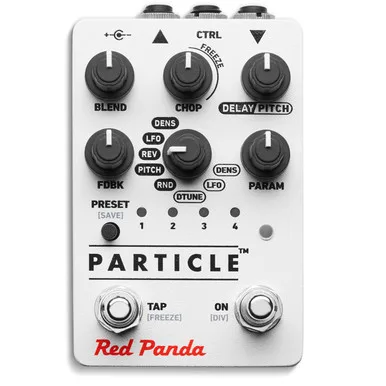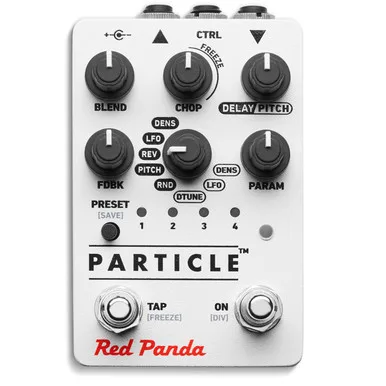


The Red Panda Particle is a granular delay and pitch shifter pedal. Instead of repeating your whole signal the way a conventional delay pedal does, it chops the incoming audio into short segments called grains, 15 to 250 milliseconds long, and then shifts, randomizes and mangles those grains using the techniques of granular synthesis in real time12. The result is a delay that can stutter, reverse, detune, pitch shift and smear, all from one box.
Red Panda describes it plainly: the Particle "chops your signal into small grains and then rearranges, shifts, and mangles it, using the techniques of granular synthesis in real time"3. Delicious Audio's reviewer put the sound in different words, writing that "adjectives like robotic, chaotic, unpredictable and warped only begin to paint a picture"4. The original Particle was designed in 2010, with the first batch released in 2011, and it has since been superseded by the Red Panda Particle 25.
How it works and what it does to your sound
Granular processing is the core idea. The Particle records your playing into a delay buffer, slices it into grains, and plays those grains back shifted in pitch, reversed, randomized in timing, or dense enough to blur into a wash. Short grains produce more gradual, textural effects, while longer grains produce stepped changes in delay and pitch8.
Because the grains can be rearranged and randomized, the pedal behaves less like an echo and more like a machine for tearing your signal apart. Delicious Audio noted that by incorporating controls like pitch shifting, detune and an LFO, "this pedal has claimed a very unique place among a crowded group of modern delays"4. Pedal of the Day's reviewer called it "an awesome sonic adventure" and noted that with all the mode choices and randomness, it is difficult to reproduce the same exact sound twice7.
The controls: Chop, Param, Delay/Pitch and Freeze
The knob set is Blend, Chop, Delay/Pitch, Feedback, Mode, Param and Preset9. The two most unusual controls are Chop and Param, because what they do depends on the active mode.
| Control | What it does |
|---|---|
| Blend | Mixes the dry and processed signal |
| Chop | Sets grain size; past noon it activates an adjustable FREEZE that holds a sample in the delay buffer8 |
| Delay/Pitch | Sets delay time or pitch, depending on the mode5 |
| Feedback (FDBK) | Adjusts audio feedback, the number of repeats10 |
| Mode | Selects the delay or pitch mode and which parameters the other knobs control5 |
| Param | Adjusts a mode-specific parameter, with a unique function in each mode11 |
| Preset | Taps through presets 1 to 4; on the 5th tap the pedal returns to live settings12 |
The FREEZE function deserves its own note. In freeze mode the delay buffer is recycled instead of taking live input, so whatever was caught keeps playing2. When Chop is fully clockwise, whatever is in the buffer loops indefinitely, and changing modes or switching to bypass will not erase the loop; turn the knob back past the freeze line to return to normal playback8. For more reliable triggering in freeze mode, Red Panda suggests putting a compressor in front of the Particle2.
The modes
Mode determines how Delay/Pitch and Param behave, and PARAM has a unique function in each mode139. Examples from Red Panda's mode guide:
- Low frequency oscillator mode: delay time is controlled by an LFO. Delay/Pitch sets the maximum delay time, while Param adjusts the speed of the LFO13.
- Detune mode: grains are randomly detuned around a specified pitch. Delay/Pitch specifies the pitch, Param adjusts the amount of randomization13.
- Pitch mode: Delay/Pitch shifts grain pitch, and Param adjusts grain density, interacting with Chop for a granular tremolo effect13.
- Reverse mode: Param adjusts the probability of forward or reverse playback11.
The Pitch knob can also be configured for continuous, free pitch changes or stepped, quantized changes. Quantization alternatives include 12 semitones, Octave Up, Octave Down, Octaves and 5ths, Intervals, and Intervals and Inversions, set through the web editor, TouchOSC or MIDI, and the setting is saved in presets and remembered when power is off14. Holding the DIV switch while adjusting Delay/Pitch applies a note division to the delay time, with an LED blinking to indicate the divisions14.
Feedback itself has selectable modes, including Recycle, Ping Pong Recycle, Post Delay, Post Delay Ping Pong, and Repeat number and percentage feedback modes, set using the web editor or MIDI10.
Presets, MIDI and expression
The Particle holds 127 presets in memory, accessible via the web editor or MIDI. Presets 1 to 4 can be accessed and programmed onboard using the Preset switch12. The pedal also works with external control: Red Panda states it "can be used with expression pedals, CV input, and other external devices"3.
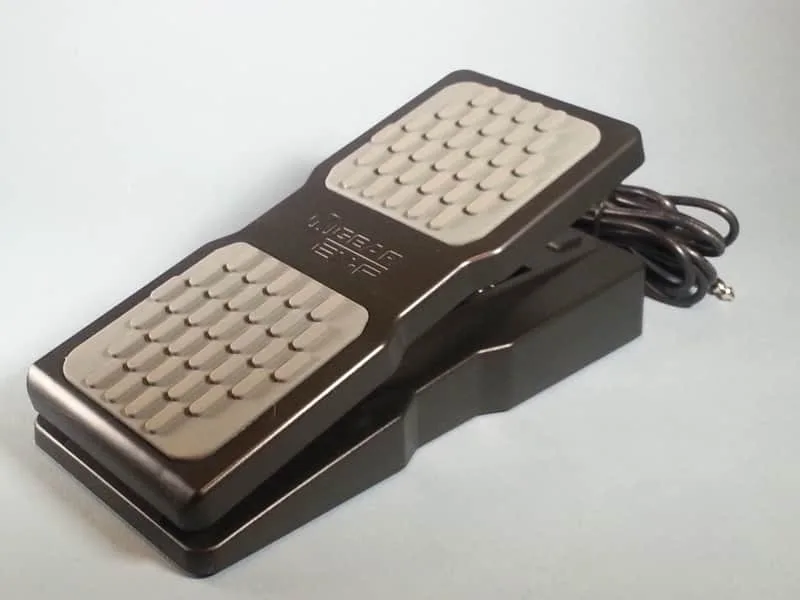
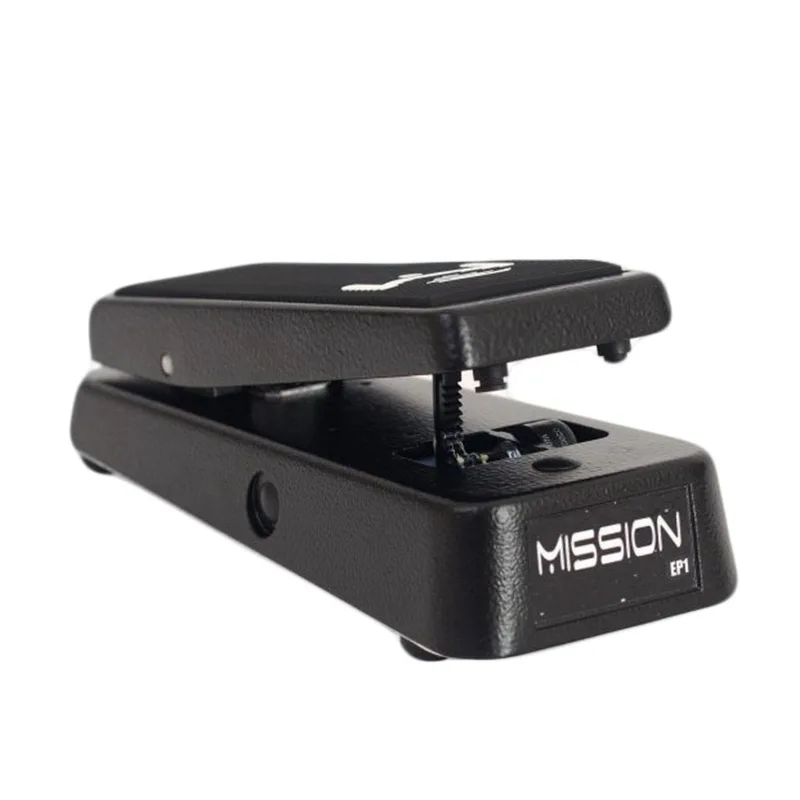
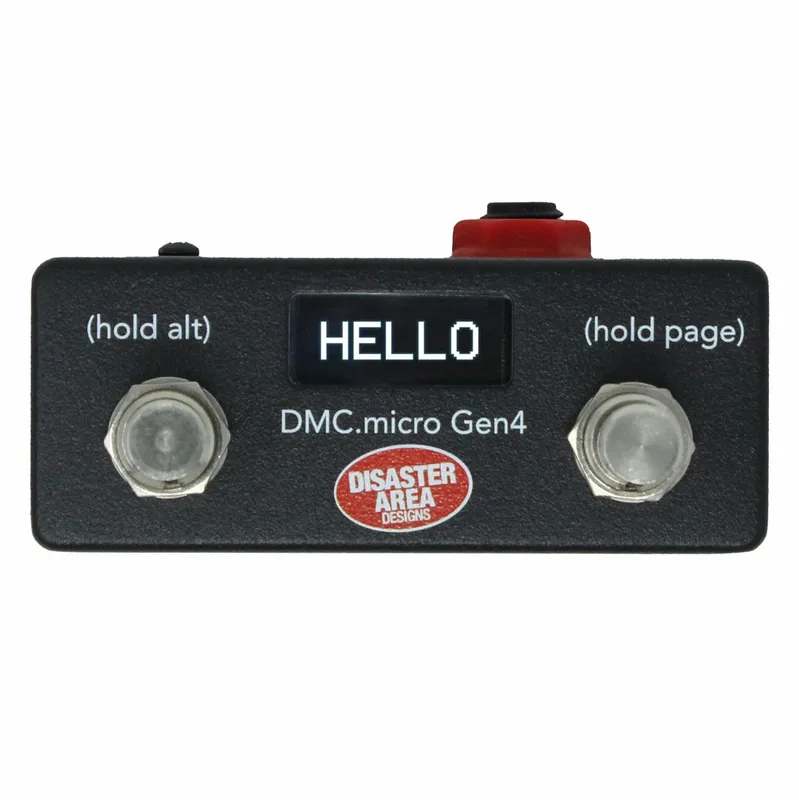
Any expression pedal with a 10k to 50k ohm linear pot works, for example the Roland EV-5, Moog EP-2, M-Audio EX-P or Mission Engineering EP-1, and the pedal's own knob sets the maximum value when an expression pedal is connected2. The Particle v2 is also listed as supported by Disaster Area Designs MIDI controllers15, and newer firmware allows the AUX4RP four-button remote to connect to the expression jack16.
Power and connections
The original Particle requires a 9V DC center negative, regulated Boss-style power supply providing 100 mA, and the supply is not included27. It does not take batteries7.
Using an incorrect power supply may damage the pedal, according to Red Panda's manual2. There is no battery option, so the Particle needs a spot on a powered pedalboard.
Connections are mono in, mono out, plus the expression jack7. All jacks are on top of the enclosure, which Red Panda describes as pedalboard-friendly3. The warranty covers defects in materials or workmanship for one year from the original purchase, and does not cover accident, misuse, abuse or unauthorized repair2.
From the original Particle to Particle 2
The original Particle, model number RP-101, ran on the Spin FV-1 DSP chip, and Red Panda says some of its limitations, and character, came from finding clever ways to do things like reverse delay and granular pitch shifting on that chip56. The Particle 2 moved to a much more powerful processor, becoming what the maker calls a full-fledged granular processor, and added stereo I/O, presets, MIDI, higher fidelity, and greatly expanded the sounds possible while keeping the same character15.
| Original Particle | Particle 2 | |
|---|---|---|
| I/O | Mono in and out7 | Stereo input and output on 1/4" TRS jacks1 |
| Delay range | Grain size 15-250 ms2 | Delay 0 to 2.5 seconds1 |
| Pitch | Pitch shifting and detune modes13 | Pitch shift +/- 1 octave1 |
| Presets | 127 in memory, 4 onboard12 | 4 on front, 127 via MIDI1 |
| MIDI | Preset access via MIDI12 | USB MIDI in/out and 1/4" TRS MIDI input5 |
| Power | 9V center negative, 100 mA7 | 9V center negative, 250 mA or more5 |
| Firmware | Rev A.26 | 2.2.0+, with USB firmware updates5 |
The Particle 2 also gained bypass modes (Auto, DSP, Analog, Analog plus FX Level, Kill Dry) and random stereo panning in firmware 2.2 and later5. Premier Guitar's review of the Particle 2 noted that you cannot use a battery and that the adapter is not included17.
What reviewers said
MusicRadar's Alex Lynham reviewed the Particle V2 at $299 (also listed at £299 in a buying guide) and summed up its strengths and drawbacks as "unique sounding delay and reverb" with controls that can radically change the sounds and a compact form factor, with the price as a drawback189. The same reviewer noted that "the Particle is a granular delay pedal, not a reverb," though in DENS mode it is closer to a bitcrushed digital delay, while the random buffer resizing in RND mode takes it into reverb territory18. Guitar World's buying guide grouped the Particle among exotic pedals that will each set you back around $30019.
Videos
Red Panda Lab
Red Panda Lab
Do Noise
Questions
Is the Red Panda Particle a reverb?
No. MusicRadar's reviewer described it as a granular delay pedal, not a reverb, though it blurs the line: random buffer resizing in RND mode takes it into reverb territory, and the chop control can freeze audio into a reverb-like smear past 12 o'clock. It is built around delay and pitch shifting, with reverb-like sounds as a side effect of the granular processing.
Is the Red Panda Particle stereo?
The original Particle is mono, with mono input and output. The Particle 2 added stereo input and output on 1/4 inch TRS jacks, along with presets, MIDI, higher fidelity and a wider range of sounds. If stereo matters to your rig, it is a Particle 2 feature, not an original Particle one.
Is the Red Panda Particle true bypass?
Yes. The original Particle is a true bypass pedal with a 100 percent analog dry signal, so your untouched guitar tone never goes through the digital converters. The Particle 2 offers several bypass modes, including Auto, DSP, Analog, Analog plus FX Level, and Kill Dry, with Auto as the default.
What expression pedal works with the Red Panda Particle?
Any expression pedal with a 10k to 50k ohm linear potentiometer works, and Red Panda's manual names the Roland EV-5, Moog EP-2, M-Audio EX-P and Mission Engineering EP-1 as examples. The pedal's own knob sets the maximum value when an expression pedal is connected. The Particle 2 uses a 1/4 inch TRS control jack that also accepts a remote or MIDI.
Does the Red Panda Particle take batteries?
No. Neither the original Particle nor the Particle 2 runs on a battery, and the power supply is not included. The original needs a 9V center negative regulated supply providing 100 mA, while the Particle 2 requires 250 mA or more from the same 9V center negative Boss-style supply.
Sources (19)
- Red Panda Particle, Red Panda Lab
- particle_instructions.cdr, Red Panda Laboratory, 2013-05
- PARTICLE, Red Panda Lab, 2024
- Red Panda Particle Delay, Delicious Audio, 2014-06-24
- Particle 2 Owners Manual.pdf, Red Panda LLC, 2023-07
- particle_patch_sheet, Red Panda LLC, 2012-05-21
- Red Panda Particle Granular Delay / Pitch Shifter, Pedal of the Day, 2014-05-22
- Chop, Red Panda Lab, 2024
- 5 digital delay pedals guitar players need to try, MusicRadar, 2021-06-03
- FDBK, Red Panda Lab, 2024
- PARAM, Red Panda Lab, 2024
- PARAM, Red Panda Lab, 2024
- MODES, Red Panda Lab, 2024
- DELAY/PITCH, Red Panda Lab, 2024
- Supported Devices, Disaster Area Designs, 2021-10-11
- Analog Endeavors, Analog Endeavors
- Red Panda Particle 2 Review, Premier Guitar, 2019-09-17
- 5 great reverb pedals guitar players need to try, MusicRadar (www.musicradar.com), 2021-10-12
- Multi-effects pedal vs individual pedals: which is right for you?, Guitar World, 2022-01-10