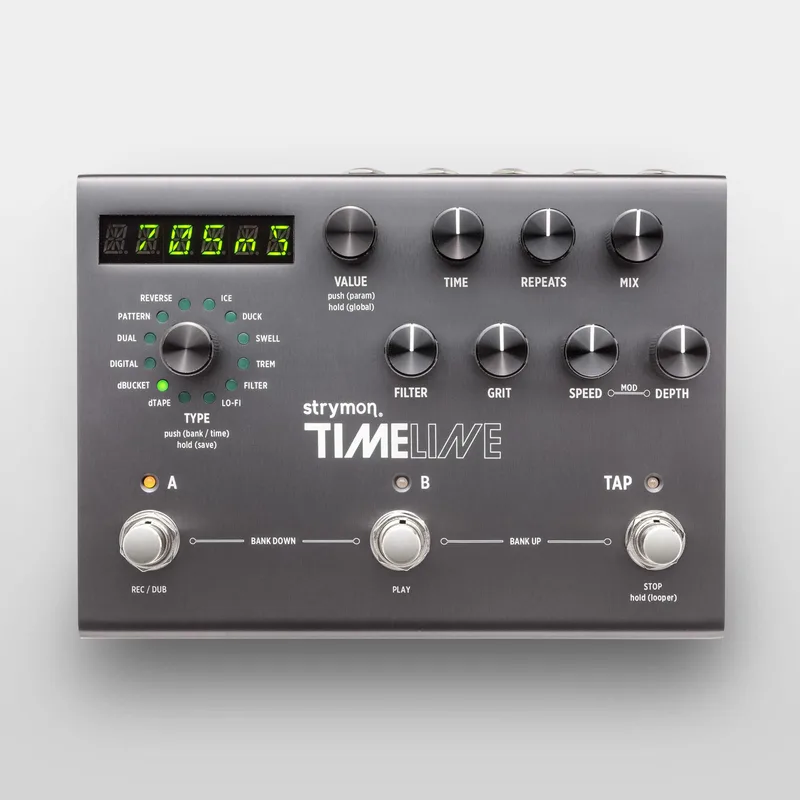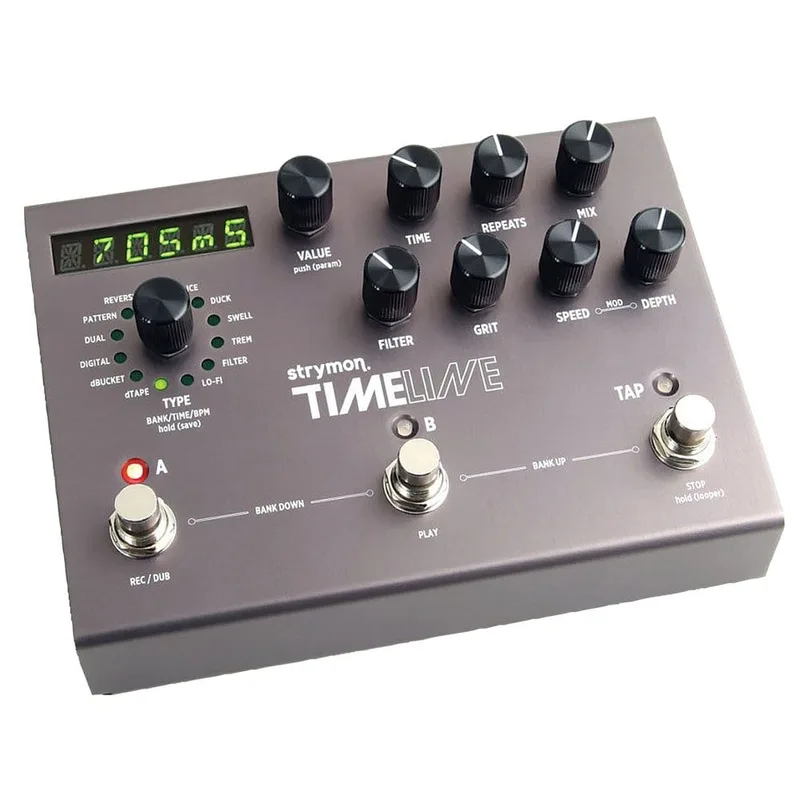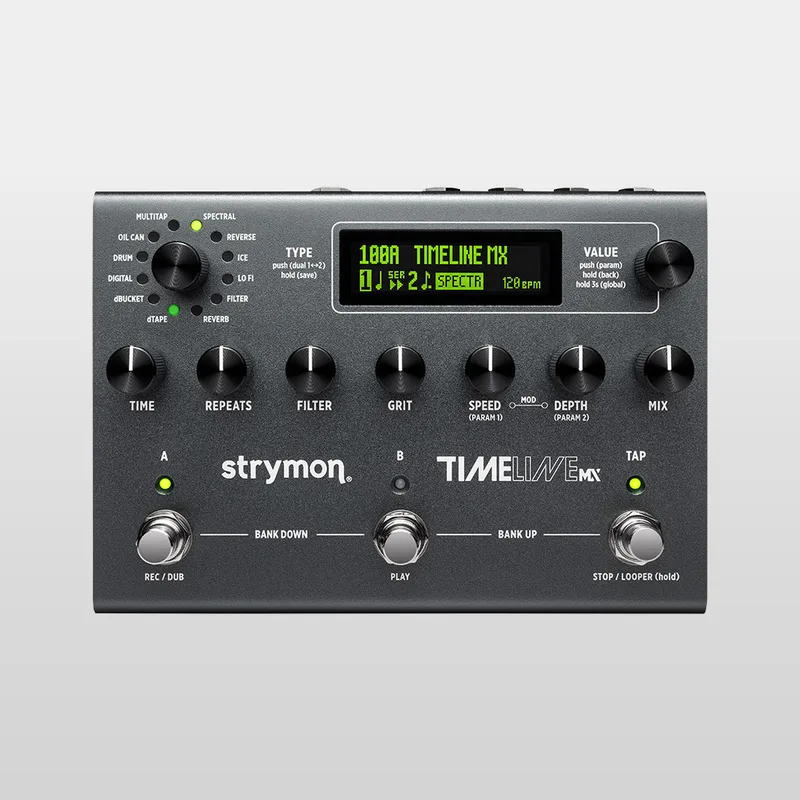


The Strymon TimeLine MX is a stereo multi-delay pedal: a delay workstation from Strymon that carries 12 delay machines, including the all-new Oil Can, Spectral, Drum and MultiTap engines, plus a built-in reverb engine1. Its dual-engine design lets you run two effects simultaneously, and it includes a five-minute stereo looper23. Strymon describes it as the most powerful version of TimeLine yet2, and it launched in July 2026 at a list price of $67945.
Where the original TimeLine was a single-algorithm delay, the MX runs on a tri-core 800 MHz ARM processor with 32-bit floating point processing, 24-bit 96 kHz converters and premium analog circuits including a discrete JFET input preamp46. Guitar World called it "the pinnacle of delay pedal design"7.
The controls and footswitches
The TimeLine MX has three footswitches (A, B and TAP) and nine control knobs7. The A and B footswitches engage or bypass the current bank's preset; press A and B together to select a lower bank, and B and TAP to select a higher bank. The pedal's LEDs light green when a preset is active, amber when it has been edited, and off when bypassed4. The TAP footswitch sets delay time and also accesses the one-button looper6.
The EXP jack opens up more footswitch options through Strymon's MultiSwitch accessories, with four EXP modes11:
| EXP mode | What it does |
|---|---|
| PEDAL | Connect an external expression pedal (TRS, 25k Ohm potentiometer minimum) to control the pedal's knobs11 |
| BANK | Use an original MultiSwitch or MultiSwitch Plus to move between banks11 |
| PRESET | Use a MultiSwitch or MultiSwitch Plus for preset access11 |
| LOOPER | Use a MultiSwitch or MultiSwitch Plus to access six looper functions11 |
| MIDI | Use an external TRS MIDI controller, or a MultiSwitch Plus in Preset mode to recall three specific presets11 |
In MultiSwitch Plus Preset mode, footswitch A loads preset 0B, B loads preset 1A and C loads preset 1B11. In Looper mode, footswitch B handles looper play and toggles half-speed and full-speed playback; you enter Looper mode by pressing and holding TAP for three seconds11.
An expression pedal connects to the EXP port via a TRS cable, with the EXP MODE set to PEDAL. Which knobs the expression pedal controls is saved on a per-preset basis, so each preset can have its own assignments12.
Power: 9V, 500mA, isolated
The TimeLine MX does not ship with a power supply, and it cannot run on a typical low-current daisy chain. Strymon requires an isolated 9V DC center negative supply providing a minimum of 500mA89.
The power connector is a 2.1mm barrel6. For comparison, the original TimeLine drew 9V DC at 300mA and included its supply13. The MX's higher current draw reflects its tri-core processor and dual-engine processing4.
Stereo routing, MIDI and the looper
All the audio jacks are TRS stereo, giving you stereo input and output plus a stereo send and return, with selectable I/O configurations including stereo or mono effects send/return, wet/dry and wet/dry/wet4. Use both LEFT and RIGHT OUT for stereo, or LEFT OUT alone for mono4. Guitar World describes the routing options as "fully expansive series, parallel, and split"7.
MIDI works over USB-C, TRS or DIN connections for preset changes and parameter control10. A full list of MIDI CC functions and numbers is on pages 95 to 101 of the product manual14. The factory default MIDI channel is Channel 111.
The integrated stereo looper records up to five minutes, with selectable multi or one-button looper modes10. Half-speed and reverse options are available via MIDI3.
Delay time ranges
Maximum delay time depends on which of the 12 machines you are running21:
| Delay type | Time range |
|---|---|
| Digital | 60 to 2500ms15 |
| Reverb | 2 to 2500ms pre-delay, 40+ seconds decay15 |
| Lo Fi | 2 to 2500ms15 |
| Drum | 200 to 2000ms15 |
| Oil Can | 200 to 800ms15 |
| dBucket | 60 to 800ms15 |
If a preset's tempo falls outside the current delay type's range, an exclamation indicator appears on the Delay "1" or "2" selector. You can then turn the TIME knob to set a new tempo, or change the TAP Division parameter to bring the delay back within range15.
From the original TimeLine to the MX
The original TimeLine, released at $449, was already a capable multi-delay7. The MX keeps the same form factor, footprint and build quality as the original16, but adds a full suite of upgrades: dual-engine processing that runs two effects at once, a built-in reverb, four new engines (Oil Can, Spectral, Drum and MultiTap) and the five-minute stereo looper13. Gearnews counts 12 delay and reverb engines, four more than the original TimeLine3.
Delicious Audio's reviewer saw it as more than an update:
"The Timeline MX is not a refresh. It's a reimagining of what a delay workstation can be, built by people who clearly spe"16
Brent P. Gladless, Delicious Audio16
Pedal of the Day called it "one of the most powerful delay machines out there, the MX takes everything to a new level, in all the best ways"10.
Firmware updates
Strymon supports the TimeLine MX with documentation that goes beyond the basics: a full list of the pedal's MIDI CC functions and numbers, for players integrating it into a MIDI rig, is published on pages 95-101 of the product manual14.
To update, run Strymon's Update software with the powered pedal connected to your computer via USB-C, click "Check for Updates" to verify whether a new version is available, then click "Install Update". The program shows "Your device is up to date" once the update is complete17.
Videos
strymon
strymon
Rabea Massaad
News
Questions
Does the TimeLine MX come with a power supply?
No. Strymon states that the TimeLine MX does not ship with a power supply. It requires an isolated 9V DC center negative supply with a 2.1mm plug that provides a minimum of 500mA of current, which you need to buy separately.
Is the Strymon TimeLine MX true bypass?
Yes. The TimeLine MX uses true bypass with electromechanical relay switching, and you can also select buffered bypass instead. A firmware revision in September 2026 fixed an issue where the true analog bypass could stick during preset changes.
How long is the TimeLine MX looper?
The built-in looper records up to five minutes in stereo. It offers selectable multi or one-button looper modes, and half-speed and reverse options are available via MIDI.
How do I update the TimeLine MX firmware?
Connect the powered pedal to a computer with a USB-C cable and run Strymon's Update software. Click 'Check for Updates' to see whether a new firmware version is available, then click 'Install Update'. The program shows 'Your device is up to date' when finished.
Is the TimeLine MX the same size as the original TimeLine?
Yes. Reviewers note it keeps the same form factor and footprint as the original TimeLine, measuring 5 inches deep by 7 inches wide by 1.87 inches tall, in an anodized aluminum chassis.
What is the maximum delay time on the TimeLine MX?
It depends on the delay machine. Digital, Lo Fi and Reverb pre-delay types reach 2500ms, Drum reaches 2000ms, Oil Can 800ms and dBucket 800ms. The Reverb machine's decay extends beyond 40 seconds.
Sources (17)
- TimeLine MX Has Arrived!, www.strymon.net, 2026-07-07
- TimeLine Family Page, Strymon, 2026-10-08
- Strymon TimeLine MX: The Ultimate Delay Pedal?, gearnews.com, 2026-07-08
- TimeLine MX Multi Delay, Strymon (www.strymon.net), 2026-07-07
- Strymon unveils TimeLine MX, the "most powerful delay ever", MusicRadar, 2026-07-08
- Guitar Pedal X, Guitar Pedal X, 2026-07-08
- Strymon's TimeLine MX might be the most advanced delay pedal on the planet, Guitar World, 2026-07-09
- Does TimeLine MX ship with a power supply?, Strymon
- What are TimeLine MX's power requirements?, Strymon
- Strymon TimeLine MX Multi Delay, Pedal of the Day, 2026-07-07
- How can I use TimeLine MX's EXP port?, Strymon
- How can I use an expression pedal with TimeLine MX?, Strymon
- Best delay pedals 2026: from slapback to space age, GuitarPlayer (www.guitarplayer.com), 2023-07-26
- How can I use MIDI with TimeLine MX?, Strymon, 2026-07-07
- What are the delay time ranges for TimeLine MX?, Strymon
- Strymon Timeline MX Delay, Delicious Audio, 2026-08-21
- How can I update the firmware on Timeline MX?, Strymon, 2026-07-09