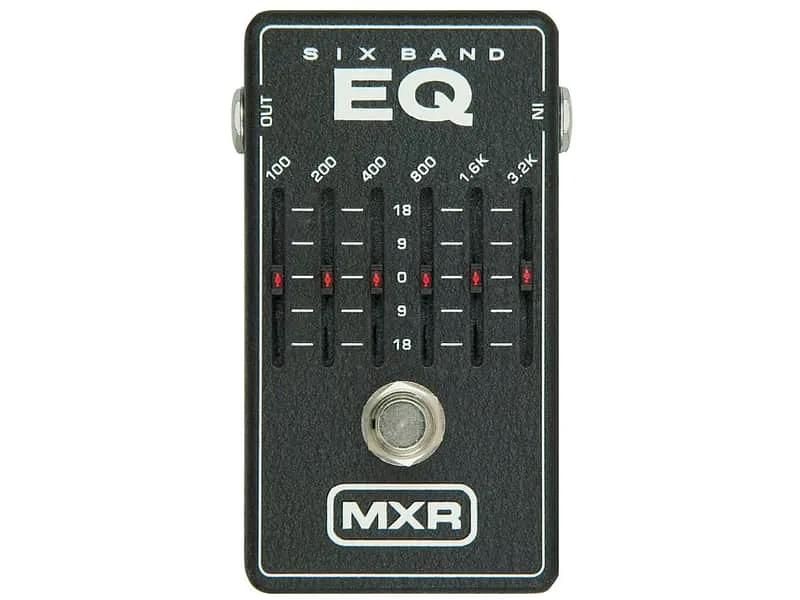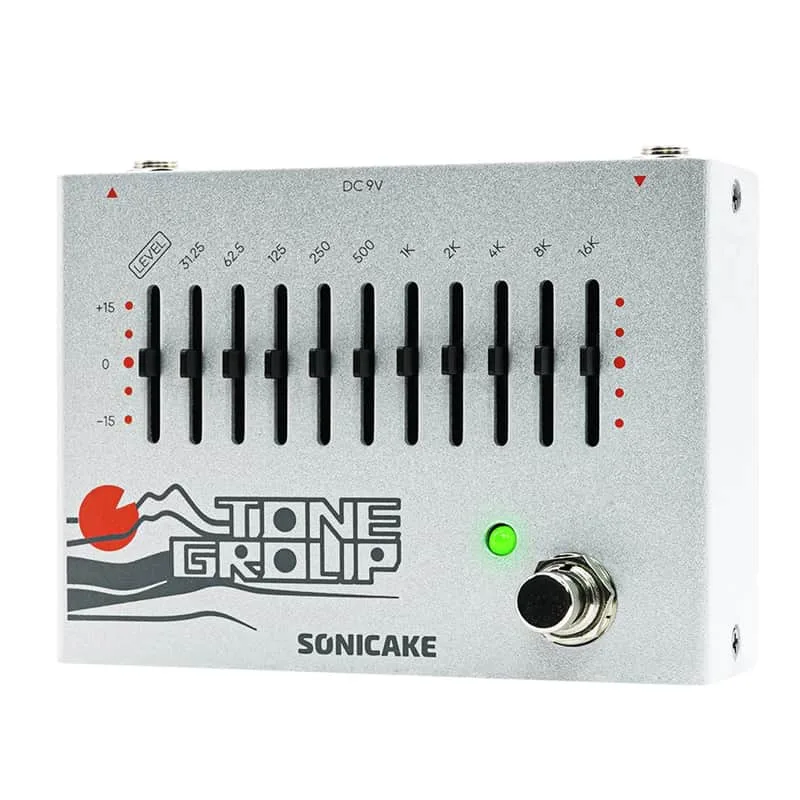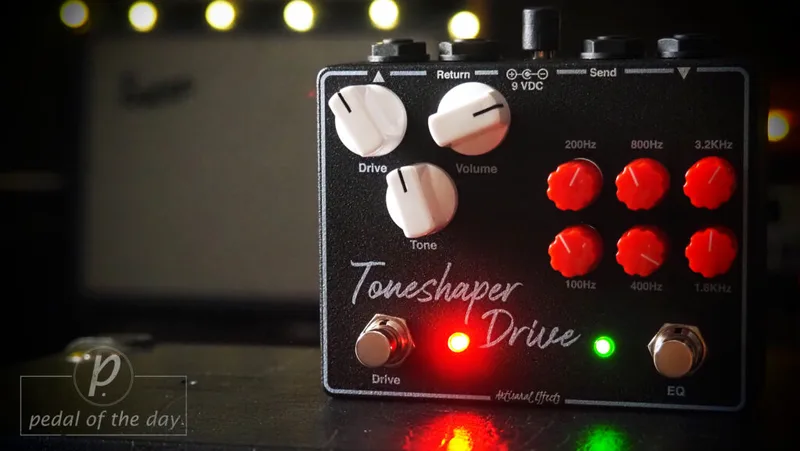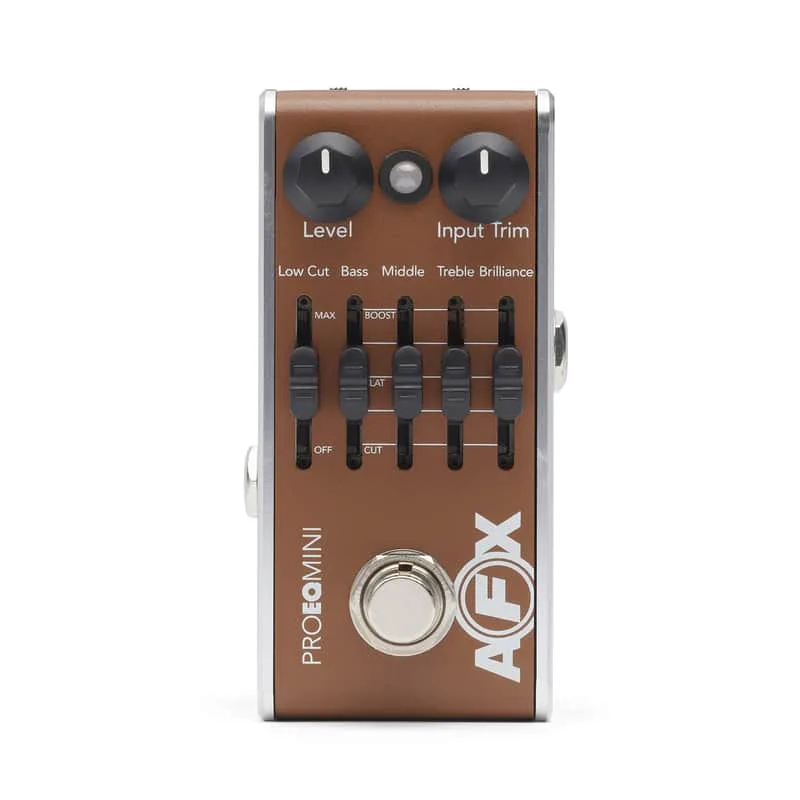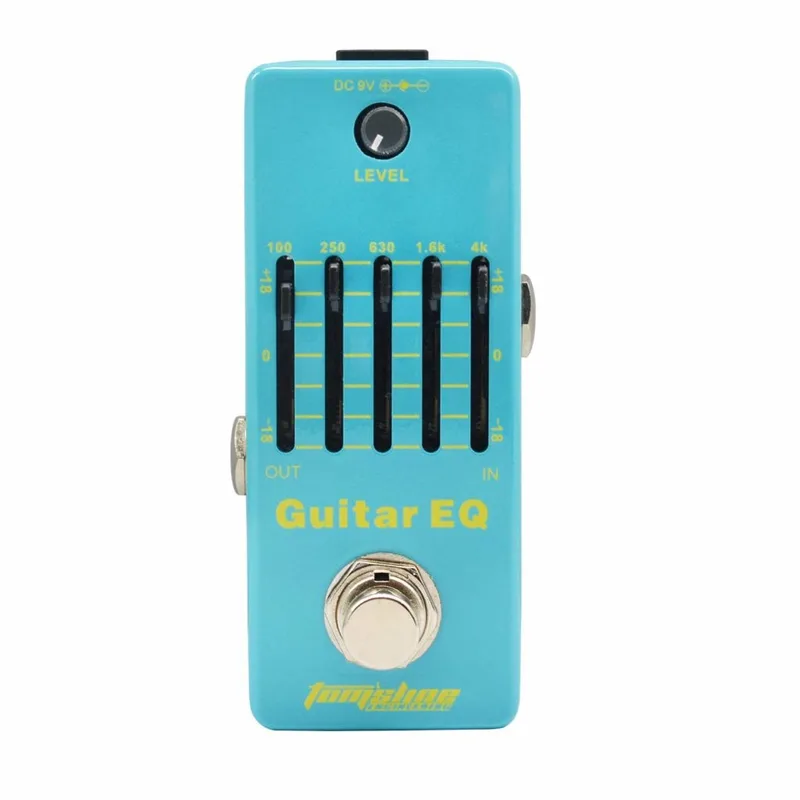

What an EQ pedal does for a player is simple in principle: it cuts or boosts specific frequency ranges so the guitar sits better in a mix, matches a rig, or fixes a tonal problem an amp’s bass and treble knobs cannot reach. The questions that matter most in practice are where the pedal goes in the chain and which frequencies to move, and those apply to any graphic EQ, from this one to the MXR M109 6 Band EQ or the Sonicake Tone Group Graphic EQ.
EQ before or after distortion
Placement changes what the EQ actually does, and this is the single most useful thing to understand about the pedal.
GuitarPlayer’s guide on EQ pedals draws the line clearly: "patching EQ pre-distortion causes a boosted range to distort more readily, and thus changes the distortion intensity and tone", while "Post-distortion EQ affects only the distortion tone"1. In other words, an EQ in front of a distortion or overdrive pedal changes how the distortion reacts, because any range you boost hits the clipping stage harder. An EQ after the distortion only reshapes the finished sound.
The same guide gives a concrete example with the "honk" frequencies, the upper-mid range around 1kHz to 2kHz:
- Post-distortion: boosting the honk frequencies provides a smoother, more prominent guitar solo1.
- Pre-distortion: boosting pre-distortion gives a more touch-sensitive feel in the upper notes for leads1.
The two-position approach has history behind it. Rockman rigs of the 1980s typically used a pair of Rockman Instrument EQ units, "one placed in the loop as a pre-distortion EQ, the second one being placed after the Sustainor"2. Some pedals build both jobs into one box: the Caline Easy Driver is a Mesa-style distortion with two gain knobs followed by a six-band graphic EQ, so you set the gain first and then "scoop or push your tone and shape it to your liking"3.
If you only own one EQ pedal, decide what you want from it. Before your drive pedals it changes how they clip; after them it only changes the resulting tone. Neither is wrong, but they are different jobs.
Common guitar EQ settings
The frequency bands a graphic EQ gives you map onto recognizable tonal jobs. GuitarPlayer’s guide breaks the guitar’s range into named moves, each with a setting and a result1:
| Frequency range | Move | What it does |
|---|---|---|
| Below about 100Hz | Sharp high-pass cut | Tightens the tone, opens room for bass and kick, gives an open-back cabinet sound |
| 200Hz to 400Hz | Small boost, moderate Q | A beefier sound |
| 300Hz to 500Hz | Broad cut | The "smile" curve, knocks a hole in the midrange |
| 1kHz to 2kHz | Boost | Emphasizes the tone between beef and articulation |
| 3kHz to 4kHz | Boost | Brings out harmonics, pick noise and transients |
| Around 5kHz | High shelf, lots of boost | Airy and bright, adds gloss to humbuckers and acoustic sounds |
How those ranges translate to hardware depends on the pedal. The MXR M109 6 Band EQ uses six sliders covering 100Hz, 200Hz, 400Hz, 800Hz, 1.6KHz and 3.2KHz, which the DIY Fever reviewer notes covers most of the guitar’s frequency range4. The Artisanal Effects Toneshaper Drive EQ Overdrive takes a different route, with about 12dB of cut and gain per band "tweaked for guitar signals" and focused on the mid frequencies of 300Hz to 1kHz5. One Control’s Pale Blue Compressor plus EQ is tuned around the electric guitar’s frequency range, with its treble peak set at 7KHz "because guitar treble lies lower than cymbals"6.
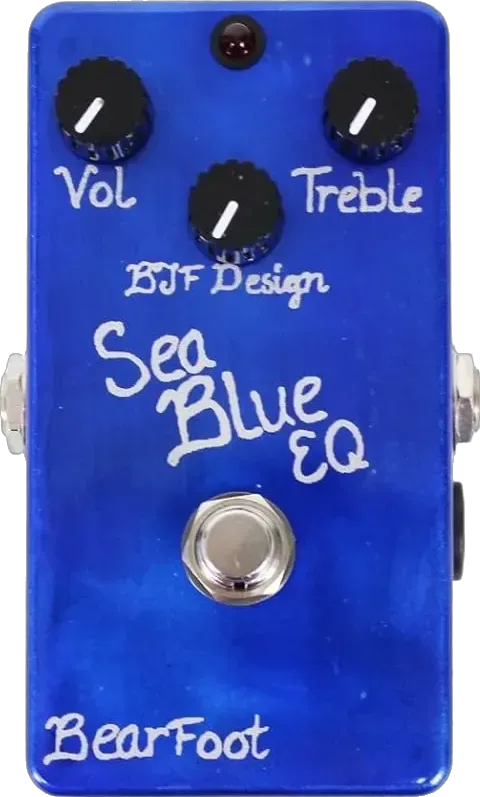
Low-end control deserves its own mention. The Fishman AFX Pro EQ Mini has a LOW CUT control, a shelving filter variable from 10Hz to 160Hz that affects the lowest frequencies that can cause rumble or thumping while you play7. On the circuit-design side, the BJFE Sea Blue EQ shifts its full bass boost from 50Hz to 100Hz with a 6dB slope, limiting bass boost to 15dB instead of 20dB, which keeps the low end from getting out of hand8.
Tightening a high-gain tone
High-gain rigs accumulate low-frequency flub, and EQ is the standard fix. GuitarPlayer’s tightening recipe is a sharp high-pass filter reducing frequencies below about 100Hz1. The result, in the guide’s words, "opens more room for the bass and kick, and also gives more of an open-back cabinet sound"1.
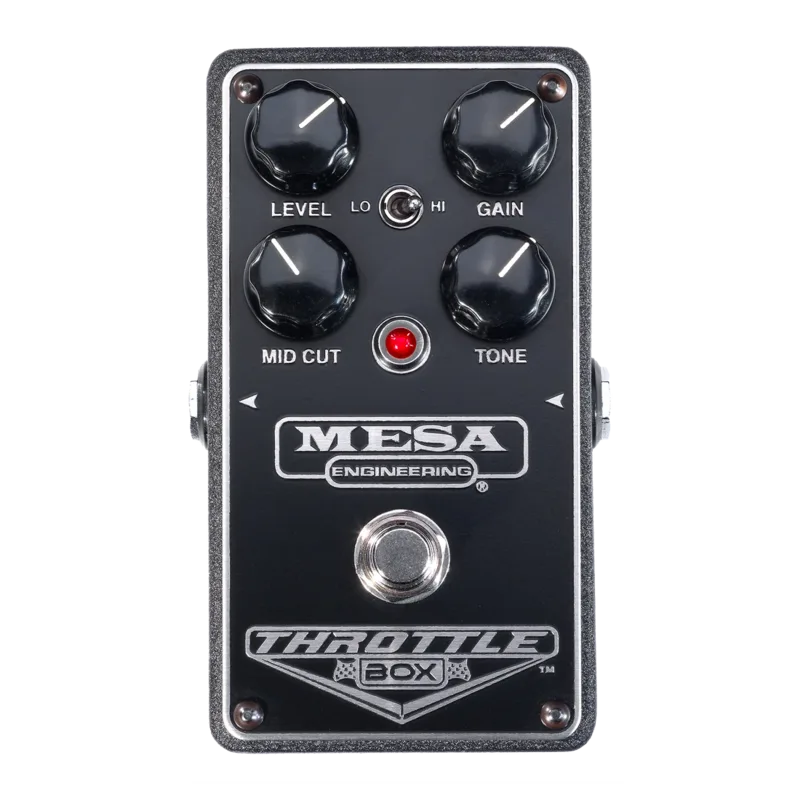
For players who want the EQ and the gain in one box, the Caline Easy Driver pairs its dual-gain distortion stage with the six-band EQ so you can dial the gain, then scoop or push the result3. Mesa/Boogie took the idea to its logical end with the Throttle Box EQ, whose graphic equalizer offers "limitless curve possibilities" for shaping high-gain sounds9, and the Boogie Five-Band Graphic EQ carries the on-board EQ Mesa/Boogie has built into its amplifiers for well over four decades, known for the "V-Curve"9.
Cutting through the mix
When a guitar needs to be heard, the range to reach for is 3kHz to 4kHz. Boosting there brings out harmonics, pick noise and transients, and GuitarPlayer notes that "when you need a guitar to cut through a mix or live performance setup, boosting this range will help"1. The guide adds a caution: the ear is most sensitive in this frequency range, so a little bit of boost goes a long way1.
A boost at 1kHz to 2kHz is the alternative, sitting "between beef and articulation"1. Premier Guitar’s review of the Levana EQ Booster found the same territory in practice: setting the Tone range to 950Hz or 2kHz kept the buzziness in check, while leaning into that buzziness gave the overdrive a cranked analog console feel and fuzz tones in the Beatles’ "Revolution" vein10.
The smile curve, and why the low mids get muddy
The smile curve is the classic scooped setting: a very broad Q cutting around 300Hz to 500Hz to "knock a hole" in the midrange, while leaving the highs and lows intact1. The name comes from the shape the sliders make. GuitarPlayer calls it "particularly useful when the guitar needs to get out of the way of other instruments, but still have a presence"1, and adds a practical warning: a cut this major reduces the overall level quite a bit, so compensate by bringing up the gain1.
The opposite move, boosting the low mids, is where muddiness lives. Too much boost in the 200Hz to 400Hz range often results in a muddy tone, and the shape of the boost matters as much as its size: too wide a Q increases the risk of muddiness, while too narrow a Q can give a more gimmicky, "plastic" sound1. The guide’s recommendation for adding weight is a little boost in that range through a parametric stage with moderate Q1. For a boomier sound still, the options are a low-shelving EQ that starts boosting at around 200Hz, or a parametric stage boosting at around 100Hz to 150Hz1.
Where the EQ pedal fits among its neighbors
Graphic EQs are one branch of a wider family. Parametric designs like the Source Audio EQ2 Programmable EQ add features a slider bank cannot offer; MusicRadar’s review notes it even has an onboard guitar tuner11. At the other end, some makers fold EQ into other circuits: Diamond’s Boost/EQ began as a request for a compressionless version of the Diamond Compressor, combining a clean boost with the Compressor’s Tilt EQ1213, and Amptweaker’s Curveball Jr "can even mimic various classic passive guitar amp eq’s"13. Whichever style you choose, the frequency logic above is the same: cut below 100Hz to tighten, mind the 200Hz to 400Hz range to stay clean, and boost 3kHz to 4kHz when you need to be heard.
Videos
Guitar Robot
S101TV
Questions
What frequency makes a guitar cut through the mix?
GuitarPlayer’s buying guide points to the 3kHz to 4kHz range: boosting there brings out harmonics, pick noise and transients, which helps a guitar cut through a mix or a live setup. The ear is most sensitive in this range, so a small boost goes a long way. A boost at 1kHz to 2kHz is another option, emphasizing the territory between beef and articulation.
How do I tighten a high-gain guitar tone with EQ?
GuitarPlayer recommends inserting a sharp high-pass filter to reduce frequencies below about 100Hz. That removes low content that high-gain stages turn into flub, opens more room for the bass and kick, and gives more of an open-back cabinet sound. Pedals with a low-cut control, like the Fishman AFX Pro EQ Mini, do this job directly.
Why does boosting 200Hz to 400Hz sound muddy?
Because that range is where low-mid energy piles up on guitar. GuitarPlayer’s guide notes that too much boost in the 200Hz to 400Hz range often results in a muddy tone, and that too wide a Q increases the risk of muddiness while too narrow a Q can give a gimmicky, plastic sound. A little boost with a parametric stage at moderate Q gives a beefier sound instead.
What is a smile EQ curve on guitar?
It is a broad midrange cut with the highs and lows left intact, so the slider or EQ curve looks like a smile. GuitarPlayer describes it as a very broad Q cutting around 300Hz to 500Hz to knock a hole in the midrange. It suits situations where the guitar needs to get out of the way of other instruments but still have a presence, and the gain should be brought up to compensate for the level the cut removes.
Sources (13)
- Make Your Tone Stand Out With These Seven Pro Tips on Guitar EQ, GuitarPlayer (www.guitarplayer.com), 2023-08-04
- Rockman.fr, Rockman.fr, 2008
- Caline Easy Driver Distortion + Graphic EQ, Delicious Audio, 2021-09-07
- Reviews > Effects > MXR 6 vs 10 Band EQ : DIY Fever, DIY Fever (diy-fever.com)
- Artisanal Effects Toneshaper Drive EQ Overdrive, Pedal of the Day (www.pedal-of-the-day.com), 2024-04-05
- New Pedals: One Control Pale Blue Compressor + EQ, Delicious Audio, 2020-07-08
- Fishman AFX Pro EQ Mini Tone, Fishman
- Guitar FX Layouts: BJFE Sea Blue EQ, Guitar FX Layouts (tagboardeffects.blogspot.com), 2012-01-25
- Mesa/Boogie Launches New EQ Pedals Series 2023, Premier Guitar, 2014-03-17
- Levana EQ Booster Pedal Review, Premier Guitar, 2011-09-27
- Source Audio EQ2 Programmable EQ review, MusicRadar, 2022-03-06
- Boost/EQ, Diamond Pedals
- Amptweaker Announces CurveballTM Jr EQ, Delicious Audio, 2018-01-22