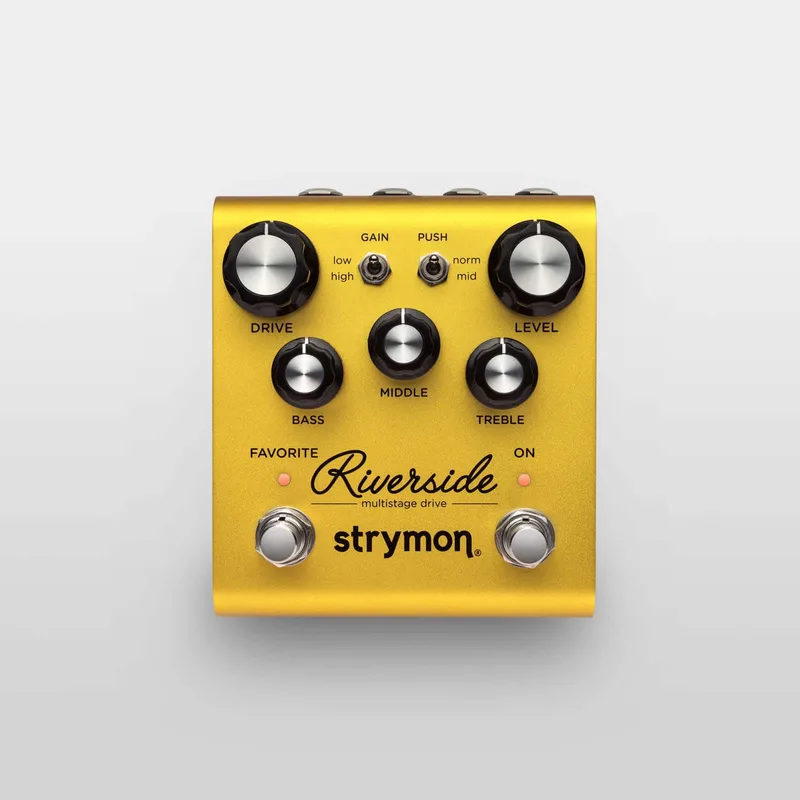


The Strymon Riverside is a hybrid drive and distortion pedal from Strymon, introduced at the end of 2016 as the company's first overdrive pedal1. Where a typical overdrive uses one clipping stage, Riverside runs a cascading multistage topology: an all-analog, discrete Class A JFET input gain stage feeding three DSP gain stages based on the asymmetric clipping characteristics of preamp vacuum tubes2. The result, Strymon says, is a range running "from silky clean overdrive to colossal distortion and all points between"3.
Strymon sums up the design philosophy as "Digital or analog? We chose both," with the analog JFET front-end carrying the dynamics and feel and the DSP gain stages shaping the drive3. The pedal remains in production at a list price of $299.004.
What it does: a multistage drive from overdrive to distortion
Riverside covers the whole drive spectrum in one pedal. Strymon's demo material describes "subtle overdrives, rich saturated distortions, and a full range of tones you'd find" in tube amplifiers, and Guitar World's launch coverage called it "an incredibly versatile drive pedal that is equally capable of providing sparking cleans, mild overdrives, high-gain leads, and heavy saturated distortions"36. The pedal has two gain channels: a low gain channel for smooth classic overdrive and a high gain channel for modern saturated distortion5.
Because the gain stages cascade rather than pile onto one clipping point, Delicious Audio's product page describes the tones as "harmonically rich" and "immensely musical and natural"75. A key part of the design is the Drive knob itself: as you turn it, Riverside makes continuous adjustments, tuning many circuit parameters at once for optimum tone rather than simply raising one gain value53.
How it works: an analog JFET stage into DSP gain stages
Strymon's answer to the analog-versus-digital question for Riverside was "We chose both"5. The signal path breaks down like this:
- The first gain stage is a discrete Class A JFET circuit, all analog and ultra low noise, which Strymon says maximizes headroom while adding up to 20dB of pure analog gain52. Guitar World's coverage noted this stage is what makes the pedal "respond to your guitar with uncompromised dynamics and feel"3.
- The following three gain stages are DSP stages based on the asymmetric clipping characteristics of preamp vacuum tubes2.
- A three-band EQ (Bass, Middle, Treble) and a Presence switch shape the output.
Strymon sound designer and DSP engineer Pete Celi presented the design in the company's own technical analysis and demo videos8. MusicRadar's launch coverage characterized the hybrid approach as promising an "infinite sweet spot" at any setting9.
Riverside is a hybrid, not a fully analog or fully digital drive. Strymon's own answer to the question is "Digital or analog? We chose both," pairing an analog JFET gain stage for dynamics and feel with DSP gain stages53.
The controls and footswitches
| Control | What it does |
|---|---|
| Drive | Adjusts the amount of gain; continuously variable circuit tuning adjusts many parameters as you turn it5 |
| Gain switch (Low/High) | Selects the low gain channel for classic overdrive or the high gain channel for saturated distortion5 |
| Push switch (Norm/Mid) | Selects the push character of the drive stage10 |
| Level | Sets output volume; in Volume mode it sets the maximum volume for the expression pedal's toe-down position511 |
| Bass, Middle, Treble | Three-band EQ10 |
| Presence switch | Three-position switch tailoring the highest frequencies so Riverside integrates with any amp, dark or bright1213 |
| ON footswitch | Toggles the pedal on and off14 |
| FAVORITE footswitch | Engages your saved favorite preset14 |
The two footswitches do more than their faceplate labels suggest. Holding ON at power up enters bypass mode setup; holding FAVORITE at power up configures the EXP jack for Volume or MIDI mode1511. An external footswitch can also access an in-built boost of up to 6dB, as noted in Guitar.com's review16.
Power and connections
Riverside runs on a maximum of 9 volts DC, center negative, with a minimum of 250mA of current5. The connection is a standard 5.5mm x 2.1mm barrel, and no power supply is included5.
The 250mA minimum rules out a 9V battery and many low-current daisy chains. Use an isolated or sufficiently rated 9V supply.
Connections are simple: a high impedance mono input for your instrument and a single mono output for your amp, other pedals or a mixing board5. Riverside is not stereo; Strymon excludes it from its mono input to stereo output setups17. The enclosure is a strong and lightweight anodized gold aluminum chassis, 4.5" deep x 4" wide x 2.4" tall, designed and built in the USA5. Strymon covers it with a two year limited warranty that is non-transferable, with no registration; keep your original sales receipt from an authorized dealer18.
MIDI, presets and expression
The EXP jack is the heart of Riverside's deeper features. It can operate three ways51211:
- Expression mode: continuous expression pedal control over any or all of the knobs, in any direction, with the factory assignment set to control Drive519.
- Volume mode: the expression pedal controls overall output volume with a logarithmic audio taper, and it still works when Riverside is bypassed if the pedal is set to buffered bypass11.
- MIDI mode: with a 1/4" MIDI connection such as the Strymon MIDI EXP cable, Riverside offers remote parameter control, control of all knobs and switches via MIDI, and access to 300 preset locations512.
MIDI control requires firmware version 1.22 or later12. The 300 presets are organized as MIDI Bank 0 (presets 0 to 127), Bank 1 (presets 128 to 255) and Bank 2 (presets 256 to 299), and Riverside always powers up in MIDI Patch Bank 012. Bank 0, patch 0 recalls the on-board Favorite preset, while bank 0, patch 127 puts the pedal into Manual mode, set to its current knob and switch settings12. To save a preset, press and hold the FAVORITE footswitch to enter SAVE mode, then send a MIDI Program Change message to choose the location12.
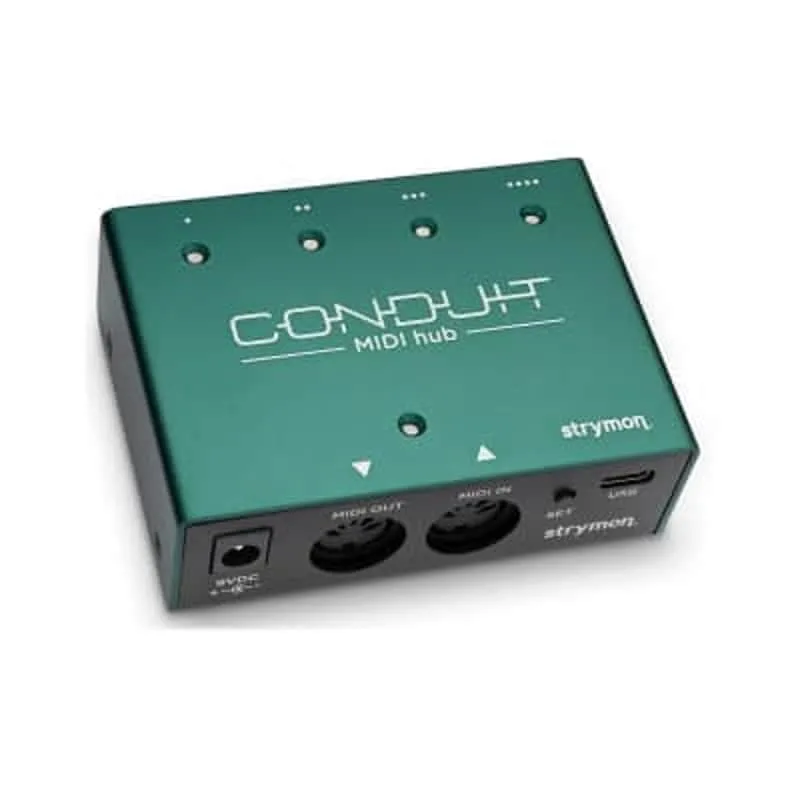
MIDI channel and output mode are set at power up: hold ON while connecting power, turn the DRIVE knob to set the channel (the FAVORITE LED color indicates it: green for channel 1, amber for 2, red for 3, blue for 4 to 16) and the MIDDLE knob to select the output mode: OFF (default), THROUGH, or ON, where Riverside's own knob movements generate MIDI output1220. When MIDI Out or Through is enabled, MIDI data leaves the pedal from the ring of the TRS connection21. Confirmed compatible senders include the Strymon MIDI EXP cable, the Strymon Conduit MIDI Hub, Disaster Area Designs DPC and DMC Gen 3 series, MIDIBox and the Empress Effects MIDIbox212.
Firmware updates and factory reset
Firmware updates run through the Strymon Update software over a micro-USB cable12. The port is inside the chassis, so you remove the bottom plate first, and the pedal must be powered from its own supply while connected to the computer22. To check your firmware version, hold the ON footswitch until the LEDs blink, release, then turn the TREBLE knob: on version 1.0 firmware the ON LED color does not change12.
A factory reset returns every setting to its shipped state: Noise Reduction OFF, BOOST Amount at 50%, True Bypass, the EXP jack in Volume Pedal mode and the expression assignment on Drive19. Hold ON while plugging in power, release, then turn the BASS knob from 0 to 100 percent twice; the FAVORITE LED blinks red while the reset happens and stops when it is complete23.
History and versions
Riverside was teased in October 2016 with a blurry image on the Strymon website before its full announcement24, and That Pedal Show dates its introduction to the end of 20161. Pedal of the Day called it Strymon's "first foray into the world of overdrive"25, notable because the company had built its name on time-based effects; Guitar.com observed that Riverside was "a little different to their previous work"26. It was sold directly through the Strymon online store and through select authorized dealers3, and it still is.
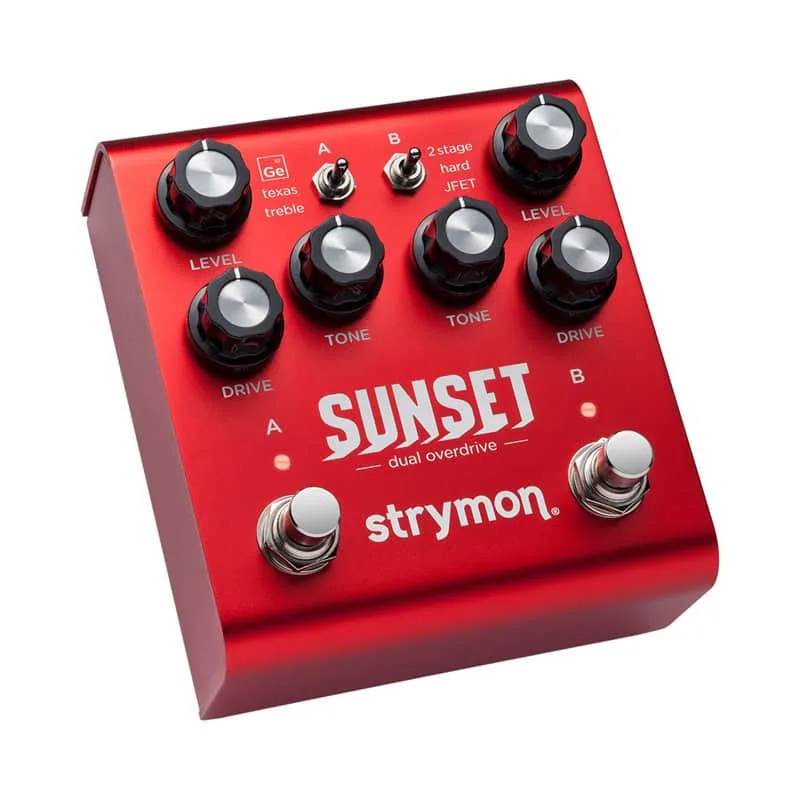
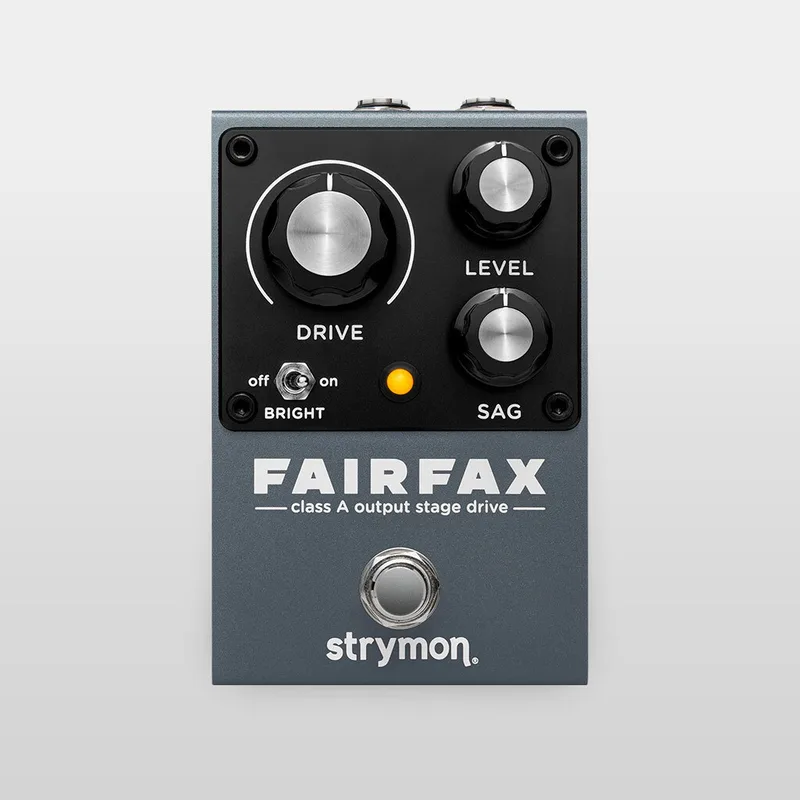
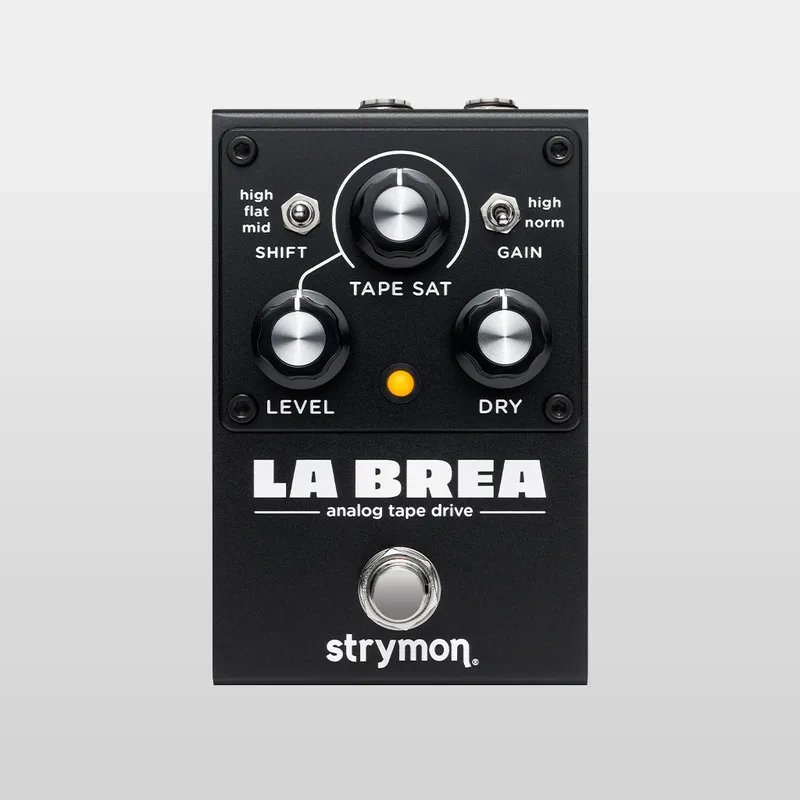
There is only one version of Riverside. It was followed in the drive category by the Strymon Sunset Dual Overdrive, and much later by the all-analog Series A line beginning with the Strymon Fairfax in December 2025 and the Strymon La Brea Tape Saturation Drive in September 2026, pedals that take the opposite approach: pure analog circuits where Riverside is a hybrid.
What reviewers said
Guitar Pedal X's Stefan Karlsson, reviewing Riverside in a Blues Driver lineage piece, found it "has just the right core tonality, calibration and range to deliver fantastic Blues Driver style tones," calling it a long-term favorite and very easy to dial in10.
"this has just the right core tonality, calibration and range to deliver fantastic Blues Driver style tones"
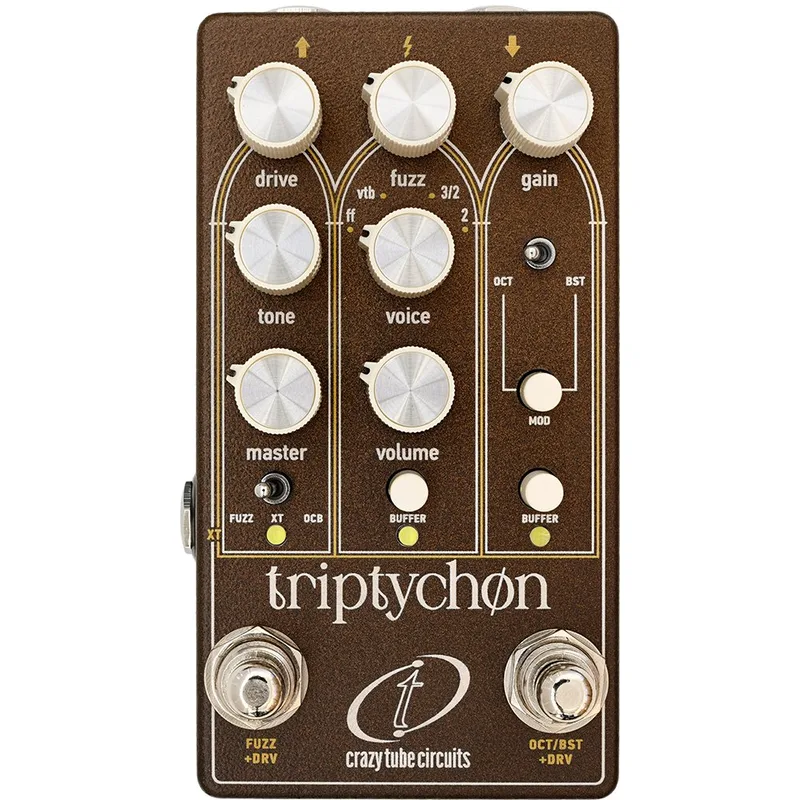
JHS Pedals' Josh, discussing underrated overdrives, said of the circuit: "it has a true class, a FET stage that goes into DSP gain stages," adding "I honestly love this multi-stage Riverside drive"27. Guitar World's Alex Lynham, reviewing the Crazy Tube Circuits Triptychon in 2026, pointed lower-gain players toward Riverside: "For lower-gain tones, there's the Strymon Riverside"28. Early video coverage included a demo by Rob Chapman's The Andertones show, and Delicious Audio reported that "the responses so far seem as positive as expected"29.
Videos
Sweetwater
Andertons Music Co
strymon
Questions
Does the Strymon Riverside work on bass?
Yes. Strymon says Riverside works well with other instruments including bass guitar, and the pedal has no low frequency roll-off, so the low end is not thinned out the way it is on many guitar-focused drives. Bass players can treat it as a full-range drive.
Is the Strymon Riverside true bypass or buffered?
Both, and you choose. It ships in True Bypass, using electromechanical relay switching, but you can switch it to a transparent Analog Buffered Bypass at power up by holding the ON footswitch while plugging in power. Buffered bypass also lets a connected expression pedal keep working in Volume mode while the pedal is bypassed.
How do you update the Riverside firmware?
Remove the bottom plate to reach the micro-USB port inside the chassis, connect the pedal to a computer with a micro-USB cable while powering it from its own supply, and run the Strymon Update software. After the update, disconnect the pedal from the computer and power before re-installing the bottom cover.
How do you factory reset the Strymon Riverside?
Press and hold the ON footswitch while plugging in power, then release it and turn the BASS knob from 0 to 100 percent twice. Both LEDs blink when the reset starts, the FAVORITE LED turns amber at the knob extremes and then blinks red while the reset happens. When it stops blinking red, the reset is done.
Does the Riverside come with a power supply?
No. Strymon lists a standard 5.5mm x 2.1mm barrel connection and does not include a power supply in the box. You need a 9V DC center-negative supply delivering at least 250mA, which rules out a typical 9V battery and many low-current daisy chains.
Is the Strymon Riverside stereo?
No. Riverside is mono only, with a high impedance mono input and a single mono output for your amp, other pedals or a mixing board. Strymon excludes it from its mono input to stereo output setups.
Sources (29)
- Strymon Riverside, OCD, Tube Screamer & Tumnus, That Pedal Show, 2016-12-16
- Single Stage and Multistage Gain Topologies, Strymon (www.strymon.net), 2017-03-08
- Strymon Announces Riverside Multistage Drive Pedal, Guitar World, 2016-12-14
- Drive - Strymon, Strymon
- Riverside Drive & Distortion, Strymon (www.strymon.net), 2026-08-12
- Riverside Drive and Deco Doubletracker, Strymon, 2016-12-29
- Strymon Riverside Multistage Drive, Delicious Audio, 2023-05-08
- Riverside Multistage Drive Video Demos, Strymon, 2016-11-18
- Strymon takes a new approach to overdrive with Riverside Multistage Drive pedal, MusicRadar, 2016-10-24
- Guitar Pedal X, Guitar Pedal X, 2024-01-26
- How can I use Riverside's Volume mode?, Strymon, 2021-07-15
- Riverside Support, Strymon, 2025-10-17
- How should I set the Presence switch on Riverside?, Strymon, 2021-07-15
- Strymon announce Riverside: A new level of control for your drive tones?, gearnews.com, 2016-10-23
- How do I change the Bypass Mode on Riverside?, Strymon, 2021-07-15
- Strymon Riverside Multistage Drive Review, Guitar.com, 2017-02-22
- El Capistan Support, Strymon, 2023-11-28
- Using Riverside as a Preamp, Strymon (www.strymon.net), 2017-06-09
- What are the factory settings on Riverside?, Strymon, 2021-07-15
- How can I control Riverside with MIDI?, Strymon, 2021-07-15
- How do Strymon pedals send/receive MIDI messages sent via 1/4" TRS MIDI cable?, Strymon, 2021-07-15
- How do I update the firmware on Riverside and Sunset?, Strymon, 2023-02-03
- How do I perform a factory reset on Riverside?, Strymon, 2025-02-07
- Strymon teases Riverside Multistage Drive guitar effects pedal, MusicRadar, 2016-10-21
- Strymon Riverside Multistage Drive, Pedal of the Day, 2017-02-14
- Strymon Announce New Riverside Drive Pedal, Guitar.com, 2016-10-24
- UNDERRATED OVERDRIVES, JHS Pedals
- Crazy Tube Circuits Triptychon review, Guitar World, 2026-08-25
- Demos Of The Strymon Riverside Multi Stage Overdrive, Delicious Audio, 2016-12-28