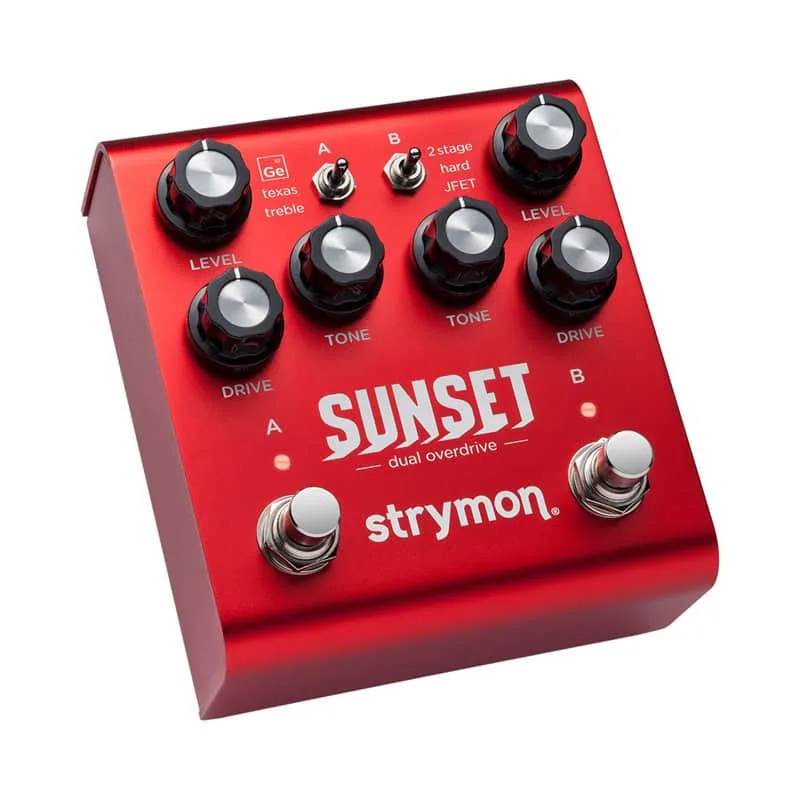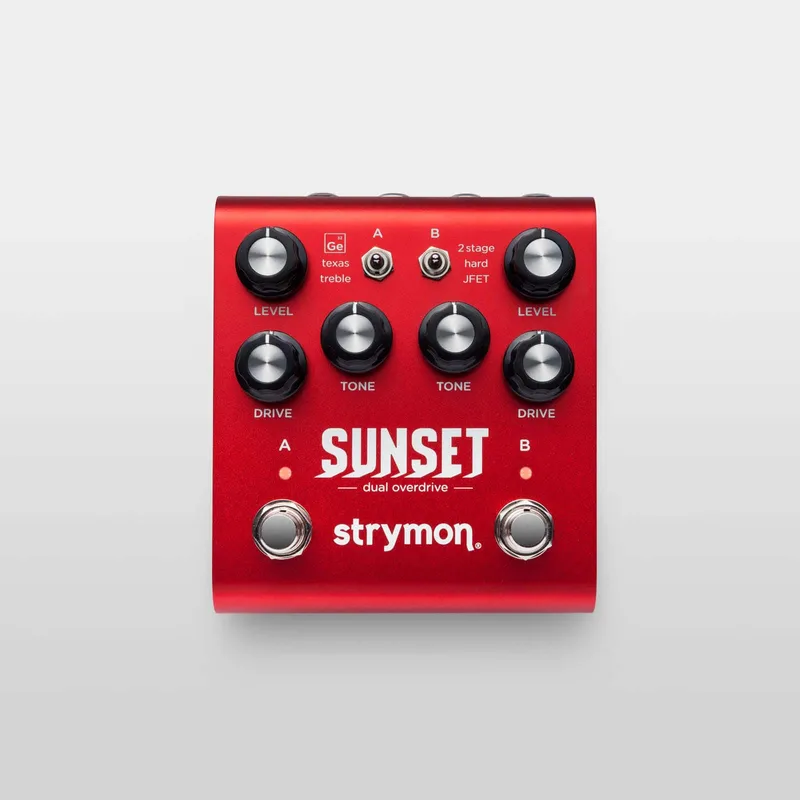


The Strymon Sunset is a dual overdrive pedal from Strymon, the Californian effects company. It gives you two independent channels, each with a choice of three circuits, for six drive and boost types in total, and the two channels can be stacked in series, reverse series or parallel. Strymon describes it as giving players "the best of the best classic overdrive circuits"1.
It is a hybrid design: an all-analog JFET gain stage coupled with custom-voiced DSP algorithms that model the behavior of six classic overdrive and boost circuit types. Each channel has its own footswitch, and when both are bypassed an electro-mechanical relay gives true bypass. It is in production and listed at $2992.
Two channels, six overdrive and boost circuits
Strymon studied six circuit types found in what it calls timeless and iconic overdrive and boost pedals, and built its own takes on all of them into one two-channel unit3. Two toggle switches give access to the six circuits, two overdrives and one boost per channel4. Each channel has Level, Drive and Tone knobs and its own footswitch, and the two channels are almost identical in layout56.
| Channel | Circuit | What it is |
|---|---|---|
| A | Ge | Germanium diode circuit with a dry parallel path; emphasizes lower-mids at higher gain, fattens single coils, bold push with humbuckers37 |
| A | Texas | Single-stage soft clipper with a mid bump, filtered before and after the gain stage to retain dynamics3 |
| A | Treble | Treble booster that removes lows as Tone goes up; Tone down brings back low end for an all-around boost3 |
| B | 2 Stage | Soft-clipping stage followed by a hard-clipping stage, wide gain range, EQ that preserves low end3 |
| B | Hard | High-gain single-stage hard clipper, approaching fuzz territory with Drive maxed, transparent at lower gains3 |
| C | JFET | Clean boost that subtly beefs up the signal, rounding and warming as drive rises3 |
Strymon's sound designer Pete Celi has written in more depth about the topologies behind these types. Texas is based on a feedback soft-clipper topology that preserves input transient dynamics at the output; Ge is based on a hard clipper with a separate parallel path where the dry signal is explicitly mixed with the clipped signal, voiced for strong low-mid response; Treble is a higher-headroom boost that can strip low frequencies to tighten up and push amps or other pedals; and JFET adds warmth and dimension with just a hint of mild breakup at high Drive settings7.
The Texas mode is Strymon's take on a Tube Screamer. MusicRadar calls it "the company's take on a Tube Screamer"8, and the circuit is a single-stage soft clipper with the midrange bump that circuit family is known for3.
A Config switch sets how the two channels interact: series, reverse series, or parallel drive circuit stacking3. As Gearnews put it when the pedal launched, "With six core drive tones on hand, that gives you a hell of a lot of options"5.
The controls
Each channel carries the same three knobs, with a circuit selector toggle and a footswitch563.
| Control | What it does |
|---|---|
| Level (per channel) | Sets the output volume for that channel when engaged3 |
| Drive (per channel) | Sets the amount of gain for that channel3 |
| Tone (per channel) | Adjusts treble for the selected circuit; the character and response of the control varies with the circuit type3 |
| Circuit toggle (per channel) | Selects one of the three circuits for that channel3 |
| Footswitch A / B | Toggles each channel on and off; a red LED shows the channel is engaged3 |
Beyond the per-channel controls:
- Bright switch: a three-position switch tailoring the highest frequencies of the output. Minus smooths the top end for brighter amps and speakers, Neutral (center) gives a balanced top end, and Plus adds extended high-end detail for the warmest amps3.
- Noise Reduction: an optional variable-threshold downward expander that tames hum, buzz and system noise when you are not playing. Press and hold the B footswitch to enter Secondary Function mode, then turn the Channel A Level knob to adjust the threshold3. It ships set to OFF9.
- Expression pedal input: continuous expression control over any or all of the knobs, in any direction, or a Volume Mode with a logarithmic taper for smooth volume control even in bypass3.
- Favorite input: connect an external switch, such as a Strymon MiniSwitch or other latching footswitch with a TRS cable, to toggle between current settings and a saved Favorite3.
MIDI, presets and firmware
Sunset's expression jack doubles as a MIDI input. With firmware version 1.20 or later, the pedal offers full MIDI implementation through the 1/4" TRS EXP jack: 300 preset locations via MIDI Program Change messages and full parameter control via MIDI CC messages1011. Firmware v1.23, released in August 2018, added the MIDI mode to the EXP jack power-up procedure, plus expression and volume pedal mode options for the FAV jack11.
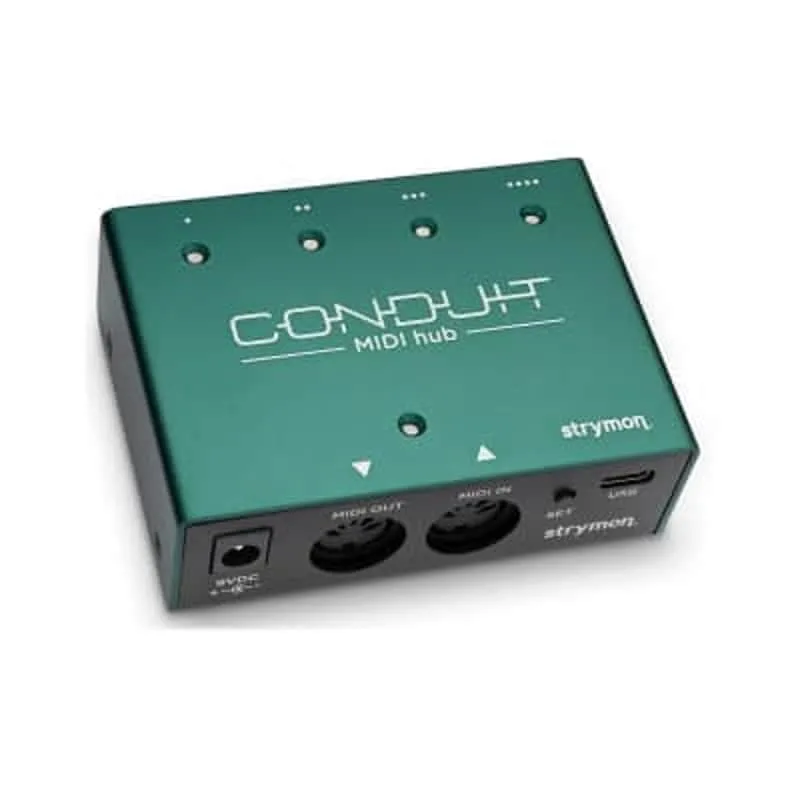
To use it, you set the EXP jack to MIDI mode at power-up: press and hold the A footswitch while connecting power, turn the LEVEL knob on the B side until the B LED turns blue, then press either footswitch to store10. MIDI data comes in from an external device's MIDI out jack, and Strymon lists compatible senders including its own MIDI EXP cable, the Strymon Conduit MIDI Hub, Disaster Area Designs DPC and DMC Gen 3 series controllers and MIDIBox, the Empress Effects MIDIbox2, and compatible 5-pin MIDI to 1/4" MIDI interfaces10.
Presets are grouped into three MIDI patch banks: Bank 0 holds presets 0 to 127, Bank 1 holds 128 to 255, and Bank 2 holds 256 to 299. The pedal always powers up in Bank 0, and Bank 0 patch 127 is a Manual mode that uses the current knob and switch settings, where no preset data can be stored10. To recall a preset, send a Program Change message on the pedal's MIDI channel; to save, press and hold the A footswitch to enter Save mode, then send a Program Change to choose the location, or press A again to save to the currently loaded location10. Strymon advises sending a MIDI Bank Change message (CC# 0 with the bank number) before each Program Change when using Banks 1 or 210.
The pedal defaults to MIDI channel 1. Channels 1 to 3 are set with the A side LEVEL knob, shown by the A LED color; channels 4 to 16 require a 1/4" MIDI connection, where the pedal adopts the channel of the first Program Change it receives10. A MIDI Output mode, selected with the A side TONE knob, can be OFF (the default, no messages sent out), ON (the knobs and switches generate outgoing MIDI messages), or THROUGH (incoming messages pass out unchanged). It must be set to OFF when you are only sending MIDI to the pedal or using the Strymon MIDI EXP cable. When MIDI out or through is enabled, data leaves the pedal from the ring of the TRS connection12.
Individual channels can also be switched over MIDI: A Side Bypass is CC 10 and B Side Bypass is CC 15, with 0 for bypass and 1 to 127 to engage13.
Firmware version 1.0 does not support MIDI control. To check which version you have, press and hold the B footswitch until the LEDs blink, release it, and turn the B side DRIVE knob back and forth: the B LED changes color on firmware 1.20 or newer, but not on 1.010.
Updating firmware
- Remove the bottom plate: the micro-USB port is inside the chassis, on the left side of the pedal14.
- Connect the pedal to a USB port on your computer with a micro-USB cable14.
- Power the pedal with its normal power supply while it is connected14.
- After the update, disconnect the pedal from the computer and the power source before re-installing the bottom cover14.
Bypass mode and factory reset
Sunset can be set to True Bypass (electro-mechanical relay) or Buffered Bypass. At power-up, press and hold the B channel footswitch while plugging in power; both channel LEDs blink, then release the footswitch and turn the B channel LEVEL knob left for True Bypass (green LED) or right for Buffered Bypass (red LED), and press a footswitch to save. The setting persists across power-ups until changed again15.
A factory reset uses the same entry point: hold the B channel footswitch while plugging in power, release it, then turn the A channel DRIVE knob from 0 to 100 percent twice. The A channel LED blinks red during the reset and stops when it is done16. Factory settings include Noise Reduction OFF and the expression pedal assigned to control both A and B channel DRIVE knobs9.
Where it came from and what reviewers said
Strymon's own launch materials describe Sunset as the work of sound designer and DSP engineer Pete Celi, who presents the pedal's sounds and features in the company's demo videos, alongside audio examples from Ethan Tufts, Mark McCrite and Hugo Merida3. The design came from studying six circuit types found in overdrive and boost pedals the company calls "truly timeless and iconic," with Strymon's own custom-voiced takes placed in the two channels3. Channel A carries the germanium diode circuit with a dry parallel path, the Texas single-stage soft-clipper with its midrange bump, and the Treble booster; Channel B offers the two-stage soft-then-hard clipping circuit, the high-gain single-stage Hard circuit, and the JFET clean boost3.
Reviewers have been positive. Guitar World's reviewer called it "a brilliant dual drive pedal with a great range"17, and MusicRadar's review team found that, compared side by side with a real tube high-gain amplifier, "it's hard to tell which is real and which is the pedal," with no digital fizz8. MusicRadar's overdrive buying guide highlights the two-stage drive cascaded into the Texas mode as a pairing18. Guitar Pedal X's Stefan Karlsson names Sunset among the pedals he uses as an incidental treble booster to add saturation and heft19.
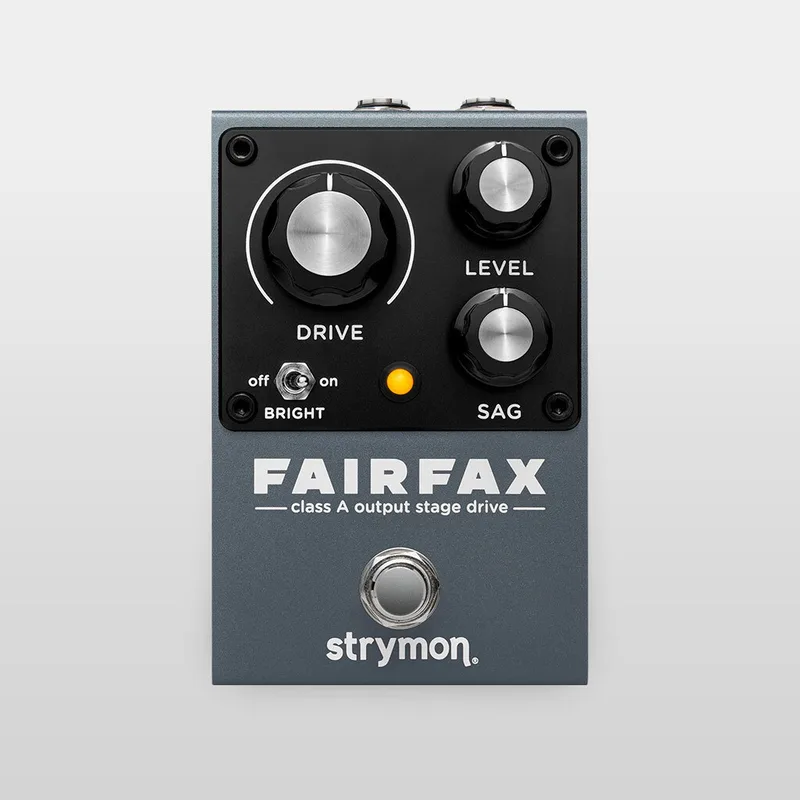
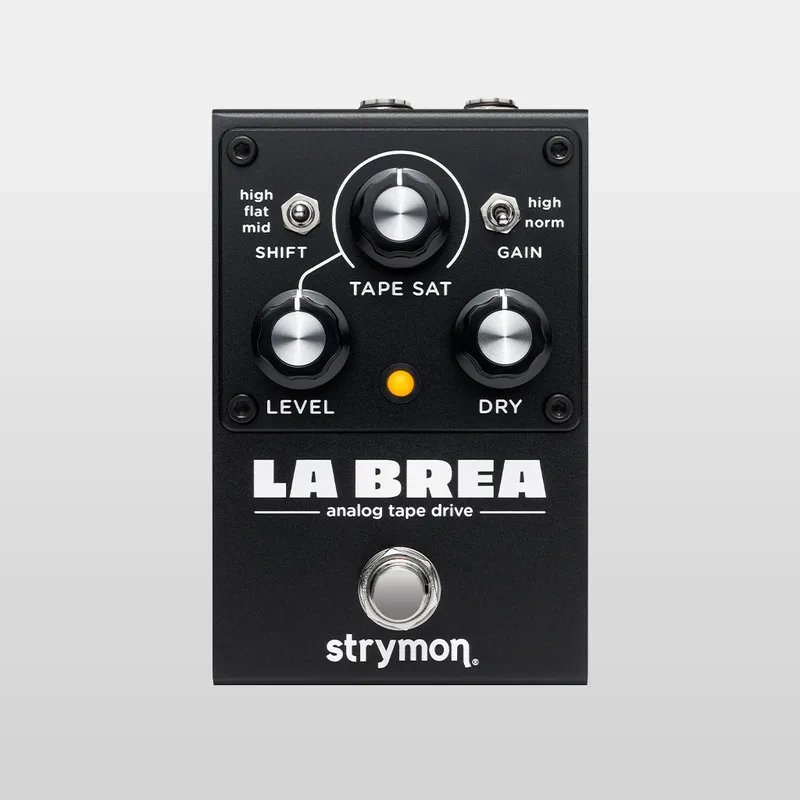
Strymon has since expanded its drive line with the fully analog Series A pedals, including the Fairfax and the La Brea Tape Saturation Drive, but Sunset remains in its catalog as the hybrid, MIDI-capable dual overdrive2.
Videos
Sweetwater
strymon
strymon
Questions
Is the Strymon Sunset true bypass?
Yes, by default. When both channels are bypassed an electro-mechanical relay activates true bypass. You can also switch it to a transparent analog buffered bypass: hold the B channel footswitch while plugging in power, then turn the B channel LEVEL knob right until the LED shows red, and press a footswitch to save.
Is the Texas mode on the Strymon Sunset a Tube Screamer?
It is Strymon's take on one. Texas is a single-stage soft clipper with the signature midrange bump of a Tube Screamer-style circuit, filtered before and after the gain stage so it retains dynamics. MusicRadar describes it as the company's take on a Tube Screamer, not a clone.
Does the Strymon Sunset need a special power supply?
It uses a standard 5.5mm x 2.1mm barrel connector at a maximum of 9 volts DC, center negative, and needs at least 250mA of current. No power supply is included, so you need a pedalboard supply that can deliver 250mA or more on a 9V center-negative output.
How do I update the firmware on a Strymon Sunset?
Remove the bottom plate to reach the micro-USB port on the left side of the chassis, connect the pedal to a computer's USB port with a micro-USB cable, and power the pedal with its normal power supply while connected. After the update, disconnect it from the computer and power before re-installing the bottom cover.
How do I factory reset a Strymon Sunset?
Press and hold the B channel footswitch while plugging in power. Both channel LEDs blink; release the footswitch, then turn the A channel DRIVE knob from 0 to 100 percent twice. The A channel LED blinks red during the reset and stops when it is complete.
Can the Strymon Sunset run in stereo?
No. Sunset has a single high-impedance mono input and a single mono output, and Strymon lists it among the pedals excluded from a mono-input-to-stereo-output setup. It is a mono pedal.
Sources (19)
- Strymon's Sunset Dual Overdrive pedal gives you “the best of the best classic overdrive circuits”, MusicRadar, 2017-03-09
- Drive - Strymon, Strymon
- Sunset Dual Overdrive, Strymon (www.strymon.net), 2026-08-12
- Strymon Debuts Sunset Dual Overdrive At Austin Stompbox Exhibit, Delicious Audio, 2017-03-08
- Strymon Sunset Dual Overdrive, gearnews.com, 2017-03-10
- Strymon Sunset Dual Overdrive, Delicious Audio, 2017-05-10
- Single Stage and Multistage Gain Topologies, Strymon (www.strymon.net), 2017-03-08
- Strymon Sunset review, MusicRadar, 2018-03-04
- What are the factory settings on Sunset?, www.strymon.net, 2021-07-15
- Sunset Support, Strymon, 2025-10-17
- Sunset Firmware Revision Release Notes, Strymon, 2018-08
- How do Strymon pedals send/receive MIDI messages sent via 1/4" TRS MIDI cable?, Strymon, 2021-07-15
- MIDI Control for Sunset and Riverside, Strymon (www.strymon.net), 2018-08-21
- How do I update the firmware on Riverside and Sunset?, Strymon, 2023-02-03
- How do I change the bypass mode on Sunset?, www.strymon.net, 2021-07-15
- How do I perform a factory reset on Sunset?, www.strymon.net, 2021-07-15
- Crazy Tube Circuits Triptychon review, Guitar World, 2026-08-25
- Best overdrive pedals: Find new inspiration, MusicRadar, 2022-05-25
- Guitar Pedal X, Guitar Pedal X, 2018-09-11
 Tom Bukovac